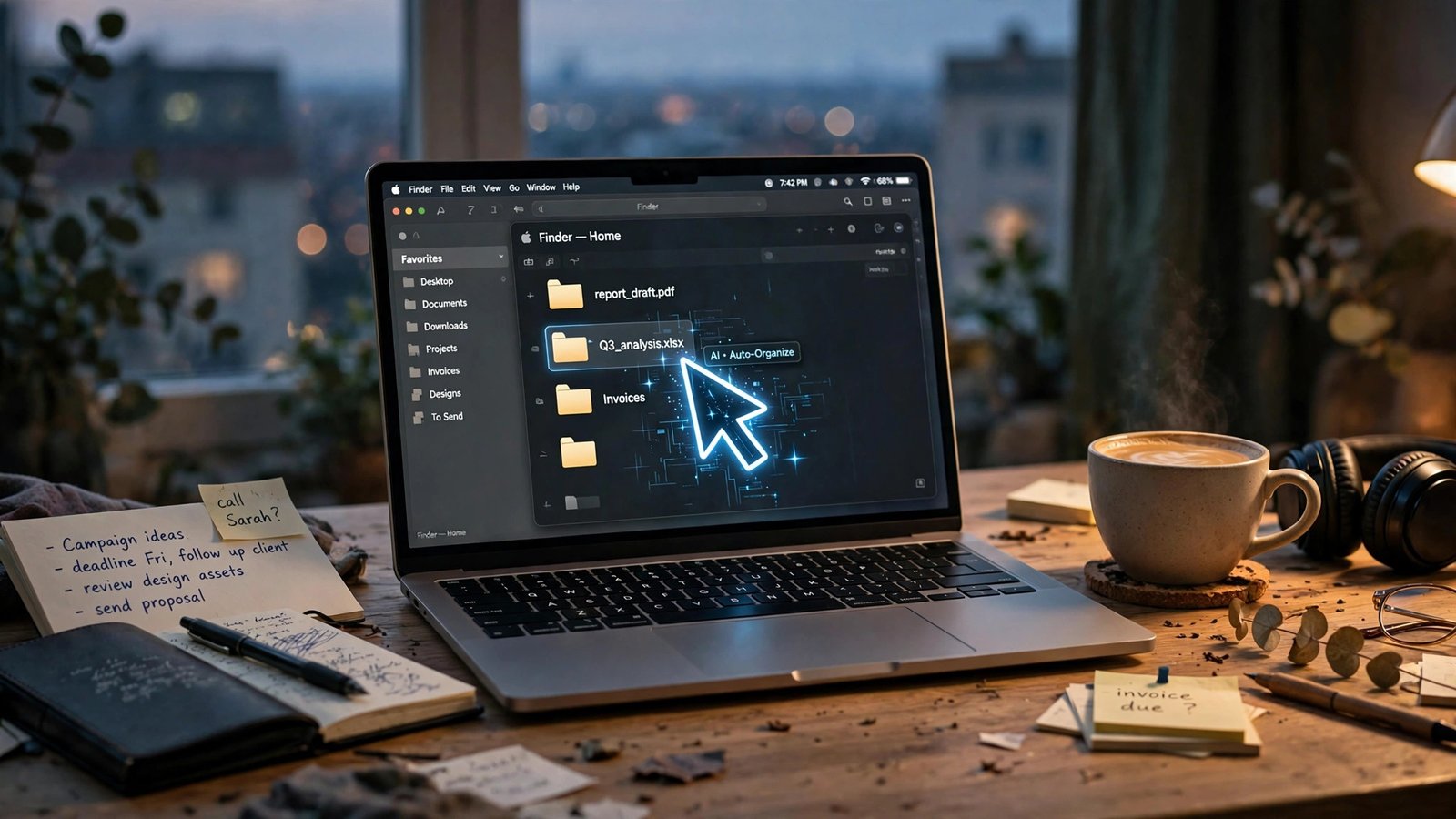
NorthCUA is a free, open-weight AI family that can see your screen, move your mouse, and click through real desktop apps for you — and the smallest model is light enough to run on a single decent GPU. It landed on November 3, 2026, from a team called Beo AI, and within days it was the most talked-about release in the self-hosted AI world. If you freelance, the pitch is simple: the boring admin that eats your billable hours — filing invoices, sorting downloads, shuffling files between apps — is exactly the kind of multi-step computer work this thing was built to do.
There’s a catch, and it’s a big one: the benchmark numbers floating around don’t agree with each other, the models are research-grade rather than production-ready, and an agent with control of your mouse can do real damage if you point it at the wrong job. This article sorts out what’s real, what each model actually needs to run, what it costs versus paying for a closed computer-use API, and the three jobs you should never hand it.
What NorthCUA actually is — and why some coverage calls it NorKa
First, the name confusion, because you’ll trip over it in search results. The official name is NorthCUA. That’s what’s on the Hugging Face repositories (beipo-ai/NorthCUA-Pro, NorthCUA-Mini, NorthCUA-Nano), on the GitHub organization (github.com/beipo-ai/NorthCUA), and on the technical report, arXiv:2611.02102. Some early coverage — including a widely shared November 6 report — called the family “NorKa” instead. Same models, same numbers, wrong name. If you’re downloading weights or looking for setup help, search for NorthCUA; “NorKa” mostly leads back to that one report and articles that copied it.
What the models do is different from a chatbot. A normal language model answers in text. A computer-use model looks at screenshots of your desktop, reasons about what it sees, and outputs mouse and keyboard actions: click here, type this, drag that file there. The loop is screenshot, think, act, screenshot again. NorthCUA was trained specifically for that loop — GUI-focused mid-training, supervised fine-tuning on GUI agents, then reinforcement learning on desktop and web tasks — instead of being a general chat model with a screen reader bolted on.
The whole stack is open. The weights are published under Apache-2.0, which means you can download them, run them on your own hardware, and even build a product on top of them without paying a license fee. The execution harness — the open-source runtime that takes the model’s decisions and actually moves the mouse — is on GitHub, and the model card is blunt that the two are designed to be used together: the model and the harness share a strict coordinate contract (all GUI action coordinates use a normalized 0–1000 space, not raw pixels), and the harness is required for the intended agent workflow. Downloading the weights alone gets you a very smart model with no hands.
That matters for freelancers for a practical reason, not an ideological one. The closed alternatives — Anthropic’s Computer Use through the Claude API, OpenAI’s computer-use tools — bill you per token for every screenshot and every step. An open-weight model you run yourself has no per-step bill. Your costs become hardware and electricity, which changes the math completely for the kind of repetitive, multi-step admin that freelancers do every day.
The three models, and which one fits your machine
NorthCUA comes in three sizes, and the honest way to pick is by your hardware, not by the benchmark table.
| Model | Total parameters | Active parameters | Architecture | Rough 16-bit size* |
|---|---|---|---|---|
| NorthCUA-Nano | 9B | 9B | Dense | ~18 GB |
| NorthCUA-Mini | 35B | 3B | Mixture of experts | ~70 GB |
| NorthCUA-Pro | 397B | 17B | Mixture of experts | ~800 GB |
*My arithmetic, not a vendor figure: roughly 2 bytes per parameter in 16-bit precision. Quantized versions shrink these numbers substantially, and the exact VRAM you need depends on the quantization and the harness. Treat the table as an ordering of magnitude, not a shopping list.
Nano (9B, dense) is the freelancer’s model. Nine billion parameters in full precision is about 18 GB of weights, and quantized versions fit comfortably on a single consumer GPU with 16–24 GB of VRAM — the kind of card a video editor or 3D freelancer may already own. It is the only member of the family a solo operator can realistically run on hardware they already have. Its vendor-reported score of 78.9 on OSWorld Verified (more on what that number means below) is lower than its bigger siblings, but for short, well-defined chores — file this invoice, rename these downloads — a smaller model with a tight task definition is often fine.
Mini (35B total, 3B active) is the interesting middle child. It’s a mixture-of-experts model, which means only about 3 billion parameters are active on any given token — so it thinks roughly like a small model while carrying a much larger pool of knowledge. But the weights still have to live somewhere: all 35 billion parameters need loading, which is roughly 70 GB in 16-bit. That puts it out of reach of a single consumer GPU and into multi-GPU or rented-cloud territory. If you’re renting a cloud GPU anyway, Mini’s reported 85 on OSWorld Verified is a meaningful step up from Nano.
Pro (397B total, 17B active) is not a freelancer’s model at all, and pretending otherwise would be dishonest. At roughly 800 GB of weights in full precision, it needs data-center-class hardware — multiple high-end GPUs or a rented cluster. Its role in the story is as the benchmark flagship: proof that the open-weight approach can hang with the trillion-parameter closed models. For your own desk, Pro is something you read about, not something you run. If you want Pro-level capability without Pro-level hardware, the paid APIs are still the route — which is exactly the comparison the cost section below works through.
One more practical note from the model card: NorthCUA is “intended for research and development of computer-use agents.” That’s vendor language for “this is not a polished consumer product.” Expect rough edges: a setup process that assumes command-line comfort, a harness you install yourself, and developer-written docs. If the words “pip install” and “clone the repo” don’t scare you, you’re the target audience. If they do, wait for someone to wrap this in a one-click app — that will happen, and it will probably happen fast.
What the benchmark scores really mean (and why they don’t agree)
Here’s where I need to be straight with you, because the numbers look spectacular and they deserve a hard look.
The headline figure you’ll see everywhere is 88.6 for NorthCUA-Pro on OSWorld Verified, from the technical report’s own figure, alongside ScreenSpot-Pro 93.3, OSWorld-G 91.0, OSWorld 2.0 66.8, WebArena-Verified 73.9, and WebTestBench 60.3. The November 6 coverage rounds it to 88 for Pro, 85 for Mini, and 78.9 for Nano. OSWorld Verified is a real benchmark: it gives an agent a genuine Ubuntu desktop with office suites, browsers, and file managers, and asks it to complete tasks a human would do with mouse and keyboard, judging the result by checking the files and application state afterward. An 88 on it, if taken at face value, would mean the model completes nearly nine out of ten multi-step desktop tasks — better than most published results for closed models on the same test.
But three things should make you pause before quoting that number to a client.
First, every one of those scores is vendor-reported. They come from the team’s own technical report, not from an independent reproduction. That’s normal for a launch, but it means the numbers are a claim, not a measurement you can rely on yet.
Second, the sources don’t agree with each other. One detailed guide puts NorthCUA-Pro at 45.7% on OSWorld-Verified — roughly half the 88.6 in the technical report’s figure. The difference is probably scoring configuration (step limits, screenshot resolution, which checkpoint was tested), and the Hugging Face model card itself adds a warning worth reading in full: the reported results “have not been tied to an exact checkpoint export and are not new measurements of the files in this repository.” In plain English: the model you download may not be the exact model that scored those numbers. Until independent testers run the published weights through OSWorld themselves, treat 88.6 as the team’s best-case claim, not as a guarantee.
Third, don’t compare these numbers to the other OSWorld leaderboard you might find. The independent BenchLeader tracker for OSWorld-Verified 2.0 — a newer, harder version of the benchmark — tops out at 31.4% (Claude Opus 5, July 2026) as of November 9. That 31.4 and NorthCUA’s 88.6 are scores on different versions of the test, and comparing them is meaningless. Human success on the original OSWorld tasks sits around 70–72%, which is the more useful anchor: even the most generous reading of NorthCUA’s numbers puts it in the same neighborhood as a careful human on structured tasks, not leagues beyond one.
So what’s the honest takeaway? NorthCUA-Pro’s reported scores are strong enough to take seriously — they clear the bar where a self-hosted model becomes worth trying for real work — but they are not settled science. The right move for a freelancer is to treat the benchmark as a reason to test the model on your own chores, in a safe environment, and measure it yourself. If Nano completes your invoice-filing routine correctly nine times out of ten, that’s a result you can use. The number in a press release is not.
What a freelancer can actually automate with it
Forget the demos where an agent books a flight or builds a website. The jobs where a computer-use model earns its keep for a solo operator are the dull, repetitive, multi-app chores that sit between your real work. Here are three that fit NorthCUA’s strengths — and a realistic sense of how each one goes.
1. Filing invoices and receipts. The routine: download the invoice PDFs from your email or client portal, rename them to your convention (client-date-amount), and move them into the right month folder. This is a perfect computer-use task — it spans two or three apps, follows a rule you can state in one sentence, and the result is easy to verify (open the folder, check the filenames). Start here. It’s low-risk, it recurs weekly, and if the agent messes up a filename, nothing is lost.
2. Sorting the downloads folder. Designers, writers, and video editors all live with a downloads folder that becomes a junk drawer by Friday. A task like “move every PNG and JPG into the project folder for the client named in the filename, and put installers in a separate folder” is exactly the kind of multi-step sorting OSWorld tests. Supervise the first few runs — check the destination folders before you delete anything from downloads.
3. Gathering research into one document. “Open these five tabs, pull the pricing figures from each page, and put them in a table in a new document.” This is the riskiest of the three, because the agent can misread a number or grab the wrong cell, and a wrong figure in a client-facing document is worse than no figure at all. Treat the output as a first draft: the agent does the gathering, you verify every number before it goes anywhere.
The setup path, in outline: download the weights from Hugging Face (the Nano repo is the one to start with), install the official NorthCUA Harness from GitHub, and run your first task in a controlled session where you watch every step. The harness is what turns the model’s decisions into mouse movements, so don’t skip it or substitute a third-party runner until you understand the official one. Budget an evening for setup, not an hour — this is research software, and the first run will involve debugging.
One thing that will make your first week much smoother: give the agent narrow, written instructions. “File these invoices” is a bad instruction. “Rename each PDF in ~/Downloads to CLIENT-YYYY-MM-DD-AMOUNT.pdf using the client name, date, and total from the invoice, then move it to ~/Invoices/2026-11/” is a good one. The more specific the rule, the fewer decisions the model has to improvise — and improvisation is where agents make mistakes.
The cost math: free weights versus paid computer-use APIs
The most useful comparison for a freelancer isn’t Nano versus Pro. It’s self-hosted NorthCUA versus paying a closed API to do the same job. Here’s the math, with the assumptions stated plainly so you can redo it for your own workload.
The paid route is Anthropic’s Computer Use through the Claude API. Current list prices, verified in early November 2026: Claude Sonnet 5.5 costs $2 per million input tokens and $10 per million output tokens; Claude Opus 5.5 costs $4 and $20. Computer-use calls are token-hungry because every step sends a screenshot — an image — back to the model along with the conversation history. I have not measured a per-step token count myself, so take this as an illustrative example, not a bill: if one step costs roughly 2,000 input tokens (a screenshot plus the running history), a 40-step admin task uses about 80,000 input tokens, which is about $0.16 on Sonnet 5.5 for input, plus a small output charge. That sounds trivial — and for one task, it is. But scale it: twenty such tasks a day, twenty working days a month, is 400 tasks, roughly $64 a month in input tokens alone on Sonnet, and the real figure creeps up because history grows with every step.
Against that, NorthCUA’s weights cost $0 in license fees — Apache-2.0, download and run. Your costs are the hardware you already own (Nano on a GPU you have), the electricity, and your setup time. If you already own a 16–24 GB GPU, the marginal cost of running Nano on your own admin is close to zero, and it stays zero no matter how many tasks you run. That’s the whole economic argument: paid APIs charge per step, so every additional automated chore adds to the bill; a self-hosted model charges per machine, so the hundredth task costs the same as the first.
The honest middle ground: a hybrid. Use Nano locally for the high-volume, low-stakes chores — the filing, the sorting, the renaming — where a mistake costs you two minutes of cleanup. Keep the paid API for the rare task where you need the strongest available reasoning, or where the model needs to read a messy, ambiguous screen that Nano fumbles. Most freelancers will find that the local model covers 80% of their automation candidates, and the paid API covers the rest. That’s a monthly bill of a few dollars instead of tens of dollars, for the same hours saved.
There’s a second cost that doesn’t show up on any invoice: your data. A self-hosted model never sends your screen to anyone. A paid computer-use API sends a screenshot of your desktop — which may include client files, email, invoices with real amounts — to a third-party server on every step. For freelancers working under NDAs or with sensitive client material, that alone can be the deciding factor, regardless of price.
The three jobs you should never hand it
An agent that can click anything can click the wrong thing. The Sipeed wiki for an experimental computer-use feature puts the warning well: models hallucinate, and when granted hardware-level control, those hallucinations can cause irreversible damage — it cites a reported 2025 case where a user lost an entire database to an unintended agent action. NorthCUA is no exception. Three hard rules:
Never let it move money. No paying invoices, no issuing refunds, no changing payout details, no touching your bank, PayPal, Stripe, or crypto wallet. The savings from automating a payment are tiny; the cost of a wrong payment is not. Do your money by hand, every time.
Never let it message a client. No sending emails, no replying in Slack or Upwork messages, no posting on your behalf. An agent can send a half-finished draft, attach the wrong file, or reply to the wrong thread — and you won’t know until the client tells you. Let it draft; you send.
Never let it delete anything. No emptying the trash, no deleting old project folders, no “cleaning up” a drive. Deletion is the one action you can’t undo, and it’s the one an agent is most likely to get wrong, because “old” and “unneeded” look identical to a model reading filenames. If a task involves deletion, do that step yourself.
Beyond those three, run it in a sandbox when you can — a separate user account or a virtual machine — especially while you’re learning what it does. Keep backups current, because an agent that renames files at scale can rename the wrong ones at scale. And keep the harness and weights updated: this is a fast-moving project, and the November 3 release will not be the last version.
How to try it this weekend
If you’ve read this far, here’s the smallest useful experiment. Set aside an evening, and don’t point it at real client work on day one.
First, pick your model: Nano, unless you already rent cloud GPUs. Download the weights from the NorthCUA-Nano repository on Hugging Face and install the official harness from GitHub. Second, build a test folder: copy — don’t move — ten invoice PDFs into a practice folder, and write down the exact naming rule you want. Third, run the filing task on the copies while you watch, and check every result. Fourth, if it works, run it on the real folder — but keep the originals until you’ve verified the outputs twice.
Watch this walkthrough first if you learn better from video than from docs: Your AI Agent Says “Done.” Is It Lying? Meet NorthCUA (Open Source). It covers the harness, the models, and the verification mindset in one sitting.
If Nano handles your test folder cleanly, you’ve found something real: a free, private automation layer for the admin that eats your Fridays. If it fumbles, you’ve learned that in an evening, on copies, for free. Either way, you’re early: the weights are a week old, and the freelancers who learn to supervise these agents well will be the ones who actually save hours with them.
For context on where this fits in the wider open-model picture, my earlier piece on Kimi K3.1 Pro’s open weights covers another freelancer-relevant release, and the cost math on AI agents for US freelancers works through the paid-API side of the same decision in more detail.
Frequently Asked Questions
What is NorthCUA, and why do some articles call it NorKa?
NorthCUA is an open-weight family of computer-use AI models from Beo AI, released November 3, 2026. “NorKa” is a name that appeared in some early coverage of the same release; the official name on Hugging Face, GitHub, and the technical report (arXiv:2611.02102) is NorthCUA. Search for NorthCUA when downloading weights or setup help.
Can I run NorthCUA on my own computer?
The Nano model (9 billion parameters) is the realistic option for a solo freelancer — roughly 18 GB of weights in 16-bit precision, less when quantized, so it fits on a single consumer GPU with 16–24 GB of VRAM. Mini needs around 70 GB of weights, and Pro needs roughly 800 GB, so both belong on multi-GPU or rented cloud hardware, not a laptop.
Is NorthCUA really free?
The weights are free under the Apache-2.0 license, and the harness is open source, so there are no license fees or per-step charges. Your real costs are hardware, electricity, and your setup time. Compare that with paid computer-use APIs, which bill per token for every screenshot and step — for example, Claude Sonnet 5.5 costs $2 per million input tokens and $10 per million output tokens as of November 2026.
How good is NorthCUA, really?
The team reports 88.6 for Pro on OSWorld Verified (85 Mini, 78.9 Nano), but those are vendor-reported, other sources report different numbers for the same test, and the model card warns the results aren’t tied to the exact downloadable checkpoint. Treat the scores as a reason to test the model on your own tasks, not as a guarantee.
What should I never let a computer-use agent do?
Three hard rules: never let it move money (payments, refunds, payout details), never let it message clients (emails, Slack, Upwork), and never let it delete anything. Let it draft and organize; you send, pay, and delete. Run it in a sandbox or separate account while you’re learning it, and keep backups current.
Does NorthCUA send my screen to anyone?
No — if you run the weights on your own hardware, your screenshots stay on your machine. That’s one of the main advantages over paid computer-use APIs, which send a screenshot of your desktop to a third-party server on every step. For freelancers under NDAs or handling sensitive client files, that privacy difference can matter more than the price.