
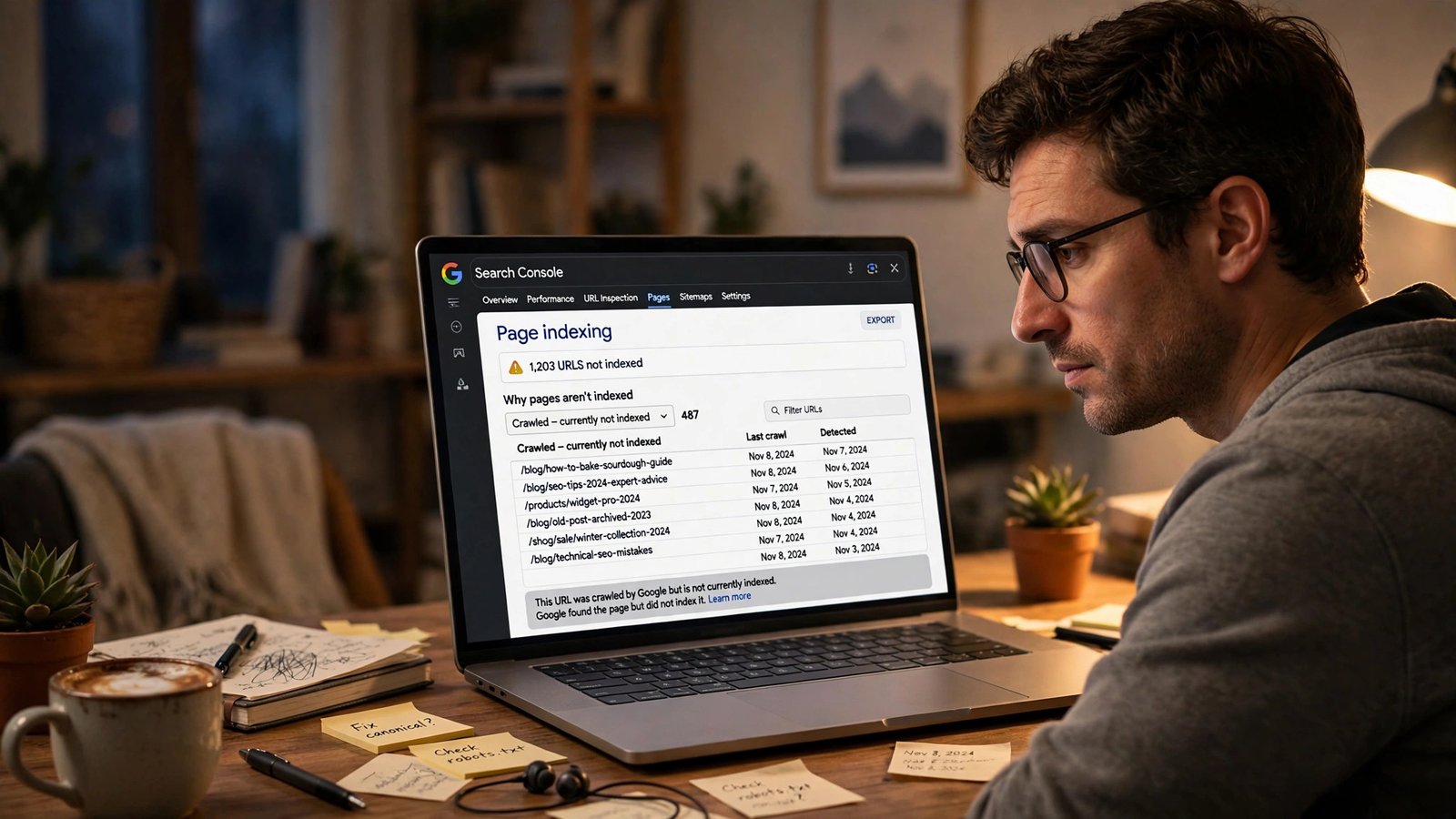
If you opened Search Console this week and found hundreds of pages sitting under “Crawled – currently not indexed,” Google has a message for you — and it’s calmer than you’d expect. On November 3, 2026, Google rewrote the help text for that status. The new wording says the status is common, that Google “doesn’t index all pages across the web,” and that it “doesn’t necessarily indicate an issue that needs attention.”
That’s the short version. The longer version matters more, because the rewrite also quietly dropped something: the old text’s framing, and any mention of page quality at all. This is a wording change, not a ranking change — Google didn’t change how it indexes pages. But the new text does change what a blogger should actually do when they see that status, and most of the advice floating around right now is still written for the old wording. This piece is the triage workflow: which of your pages to check, which to leave alone, and the honest limit of what the change means.
What Google actually changed on November 3
The change sits on Google’s Page indexing report help page, in the entry for “Crawled – currently not indexed.” Search Engine Roundtable reported it on November 3, 2026, and the before-and-after is stark.
| Old text (archived Oct 26, 2026) | New text (from Nov 3, 2026) | |
|---|---|---|
| Main message | The page “may or may not be indexed in the future” | Google “doesn’t index all pages across the web,” so this is “a common message for many sites” |
| Is it a problem? | Not stated | “Doesn’t necessarily indicate an issue that needs attention” |
| What to do | “No need to resubmit this URL for crawling” | Use the URL Inspection tool for important pages; report a complete, site-wide indexing problem through Google’s indexing issue form |
| Quality mentioned? | Not in this entry either | Still not mentioned — and that’s the part people are arguing about |
Two things are new and genuinely useful. First, Google now gives you an escalation path it didn’t spell out before: individual important pages go through URL Inspection, and a suspected site-wide bug goes to a reporting form. Second, the tone shifted from “unresolved, keep an eye on it” to “probably fine, ignore it unless it concerns you.”
One thing did not change: Google still hasn’t told you why a specific page wasn’t indexed. The status remains one of the least specific labels in Search Console. Googlebot visited the page, read it, and decided not to add it to the index for now — and the report doesn’t say which of a dozen possible reasons tipped the decision.
What “Crawled – currently not indexed” actually means
Before you triage anything, make sure you’re looking at the right status. Search Console has two that sound almost identical and mean very different things.
“Crawled – currently not indexed” means Googlebot fetched the page and chose not to index it. The crawl happened. The decision happened. The page is in a holding pattern, not a queue.
“Discovered – currently not indexed” means Google knows the URL exists — usually from your sitemap or an internal link — but hasn’t crawled it yet. That’s a queue problem, and on a small site it’s usually about priorities, not server load.
Confusing the two leads to the wrong fix. Requesting indexing for a “Discovered” URL can move it up the crawl queue. Requesting indexing for a “Crawled” URL just earns you another crawl that ends in the same decision — unless you’ve changed something on the page in the meantime. I’ve seen bloggers burn through batches of indexing requests on crawled-not-indexed pages and get nothing but fresh crawl dates for their trouble.
You’ll find both statuses in the same place: Search Console, then Indexing → Pages, in the “Why pages aren’t indexed” table. One practical note — the example list for each reason is capped at 1,000 URLs, so if your count is bigger than that, sort by pattern instead of trying to read the list line by line.
The missing word: quality
Here’s the part of the November 3 rewrite that deserves a careful read. The new text doesn’t mention page quality. Search Engine Roundtable’s Barry Schwartz flagged it directly in his November 3 writeup, noting that Google has named quality as a factor for this status before.
That omission is an observation, not a policy change. Google has said elsewhere — in older documentation and in public statements from its search representatives — that content quality is a known reason for this status. The updated help page doesn’t say quality has stopped mattering. It just doesn’t include it.
And the same day the rewrite landed, John Mueller of Google said the opposite in another thread: a site with only its home page indexed may have a Google search quality issue. So if you take one thing from the quality question, take this: the new wording is reassurance about the status, not a free pass on the content. A page Google crawled and skipped is still a page Google looked at and passed on. Quality is still the most likely reason for a real article — it just isn’t the only one, and Google’s own page no longer says so out loud. The same quality bar shows up everywhere else Google judges your site, including AdSense approval, which rejected plenty of thin-content blogs in 2026 for “low value content.”
The 10-minute triage workflow
This is the original piece of this article, and it’s the whole point. When you see the status, don’t start fixing pages. Start sorting them. Ten minutes, three buckets, and you’ll know whether you have a problem at all.
Minute 0–2: Export and count honestly
Open Indexing → Pages, click the “Crawled – currently not indexed” row, and export the list. Then ask the only question that matters first: how many of these URLs are pages you actually made?
This sounds obvious until you do it. One site owner who wrote about his experience in November 2026 opened his report to find 621 pages not indexed — and 596 of them were URLs he’d never created: spam search URLs left over from a hacked previous blog, the kind bots generate by hammering a WordPress search box with random strings. WordPress search pages carry a noindex tag by design, so they pile up in the report as “Excluded by ‘noindex’ tag.” The scariest number in Search Console is often counting pages you never made and never wanted. Underneath his spam corpses, the real situation was 13 pages.
So: filter the export for URLs you recognize. Tag pages, author archives, date archives, search-result pages, attachment pages, and parameter variants (?sort=, ?color=, ?sessionid=) are usually noise. Your real number is the count of actual articles and money pages.
Minute 2–5: Sort by page value, not by count
Split your real pages into three buckets:
- Bucket A — money pages. Posts that target a keyword with real search volume, pages that earn affiliate or ad revenue, your best pillar articles, product and service pages. These are the only pages worth real work.
- Bucket B — decent pages with a fixable flaw. Solid articles that are thin (under 800 words of genuine value), near-duplicates of another post on your own site, or orphans with no internal links pointing at them.
- Bucket C — pages Google will never index and shouldn’t. Thin tag archives, author pages with one post, date archives, auto-generated category pages, old posts you’ve superseded with a better version. These belong in Bucket C, and Bucket C’s correct action is usually nothing — or a deliberate noindex, not a rescue attempt.
If Bucket A is empty, you don’t have an indexing problem. You have a report full of pages that were never meant to be in Google’s index. Close the tab and go write something.
Minute 5–10: URL-Inspect your top 10
Take the top 10 pages from Bucket A — the ten that would hurt most to lose — and paste each one into the URL Inspection tool at the top of Search Console. For each, check three lines:
- Crawl allowed? If it says No, something is blocking Googlebot — a robots.txt rule, a plugin setting, a stray noindex. That’s a technical fix, and it’s the only kind of fix that works fast.
- Page fetch: Successful? A failed fetch means a server or rendering problem, not a content problem.
- Indexing allowed? If it says No, a noindex tag or HTTP header is sitting on the page. WordPress sites pick these up from SEO plugins, theme settings, and accidental checkbox clicks more often than anyone admits.
If all three say yes and the page still isn’t indexed, you’ve ruled out the technical causes — which is exactly what Google’s new guidance asks you to do before anything else. The remaining causes are the editorial ones: quality, duplication, and importance. And those are fixed on the page, not in Search Console.
Which pages to fix, and which to leave alone
The triage only works if you’re honest about Bucket C. Here’s the decision table I use:
| Page type | Action |
|---|---|
| Money page / pillar article, crawled but not indexed | Inspect it, fix what’s wrong, request indexing once |
| Decent article that’s thin or duplicated | Improve it properly (see below) or merge it into the stronger version and redirect |
| Orphan page with no internal links | Link to it from 2–3 relevant, already-indexed posts first — Google takes your own linking as a signal of importance |
| Tag / author / date archive | Leave it. These pages exist for navigation, not search |
| Old post superseded by a newer version | Redirect it to the newer post instead of trying to index both |
| Parameter, filter, or search-result URL | Leave it, or block it in robots.txt if it’s eating crawl budget |
| A page you no longer want at all | Delete it and let it 404, or noindex it — don’t try to force it into the index |
The orphan-page row deserves emphasis, because it’s the cheapest fix in all of SEO and the one most bloggers skip. Google’s own link best practices say every page you care about should have a link from at least one other page on your site, in a normal <a> element with an href. A post with zero internal links is a post your own site is telling Google doesn’t matter. Before you rewrite anything, link to it from two or three indexed posts where it genuinely fits. Then wait two to four weeks. That’s often the whole fix.
What not to do
Most of the bad advice about this status is some version of “just keep asking Google.” Here’s what wastes your time:
- Don’t hammer Request Indexing. It buys a recrawl, not a re-decision. If nothing on the page changed, the new crawl ends the same way. Use it once, after a real improvement, on a Bucket A page — not in batches across hundreds of URLs.
- Don’t resubmit your sitemap repeatedly. Your sitemap is a discovery list, not a persuasion tool. Google already knows these URLs exist; it crawled them. Resubmitting doesn’t change the decision.
- Don’t delete pages in a panic. Deleting a decent article because it sat unindexed for a month throws away the internal links, the backlinks, and the work — and a deleted page that later gets linked again just restarts the same process.
- Don’t noindex your money pages to “clean up the report.” Some bloggers do this to make the scary number go down. It works, in the same way that throwing away your map makes you less lost. The number was never the problem.
- Don’t assume a plugin will fix it. No SEO plugin can make Google index a page. Plugins can fix the technical blockers — a wrong noindex, a bad canonical, a broken sitemap — and those are worth fixing. But no setting changes the editorial decision.
When it IS a problem
Google’s new wording is reassurance, and reassurance is only useful if you know when it doesn’t apply. Treat “Crawled – currently not indexed” as a real problem when any of these are true:
- A money page has sat there for 4+ weeks after you’ve checked the technical boxes and linked to it internally. One stuck pillar article is worth more attention than 400 stuck tag pages.
- A large share of your real articles are affected. A handful is normal. Half your blog is a pattern, and patterns mean quality, duplication, or site structure — the things Google’s search reps keep pointing at.
- The count jumped suddenly. A slow trickle is Google being picky. A cliff — dozens of previously indexed pages flipping to crawled-not-indexed in a week — is a signal worth investigating the same day, starting with the Crawl stats report under Settings → Crawl stats for server trouble.
- Only your homepage is indexed. This was Mueller’s example on the day of the rewrite, and it’s the clearest red flag in the bunch. A site Google crawls but won’t index beyond the front door almost certainly has a quality or trust problem, not a technical one.
For the last case, be honest with yourself about what Google sees. A new site publishing hundreds of pages in its first months often hits what SEOs call the trust ramp: Google crawls to verify the site is clean, consistent, and real, and indexing follows when the watching is done. The November 2026 account I mentioned earlier fits this pattern — the author stopped hammering Request Indexing, fixed his sitemap, linked his pillar content properly, and moved to one Search Console check a week. There’s no shortcut through a trust ramp. There is a way to make it shorter, and it’s publishing fewer, better pages.
How to actually improve a stuck page
If a Bucket A page is technically clean, internally linked, and still unindexed after a few weeks, the page itself is the problem. Work through this checklist in order — most stuck pages fail on the first two items:
- Is it thin? Under 300 words with little value is the classic trigger. The fix isn’t padding; it’s substance — real examples, a comparison table, a FAQ section, step-by-step instructions. Target 800+ words of genuine value, not 800 words.
- Is it a near-duplicate? Compare it with your own posts first, then with what’s already ranking. If it says the same thing as another page on your site, merge them and redirect the weaker one. If it says the same thing as ten other sites, add the thing none of them have: your own test, your own numbers, your own worked example.
- Does it demonstrate expertise? No author, no credentials, no first-hand experience shown — Google’s quality guidance keeps coming back to this. A byline, a real bio, and specific details only someone who did the thing would know all help.
- Does it look auto-generated? Templated structure, generic phrasing, the same intro every post uses. If your last ten posts could have been written by the same prompt, that’s a signal — to Google and to your readers.
- Is the canonical right? A wrong canonical tag tells Google to index a different URL. Check it in the page source or in URL Inspection before you rewrite a word.
After a real improvement, request indexing once through URL Inspection, then wait. Indexing is not immediate even after a successful recrawl — Google may take days or weeks to process a page, and new or high-volume sites wait longest. Check back in two weeks, not two hours.
The honest limit of the November 3 change
Let me say the thing the changelog-style coverage mostly skipped: nothing about your rankings changed on November 3. No algorithm update shipped with this rewrite. Google didn’t confirm a core update, and as of November 10 the last confirmed update is still the September spam update that ended October 8 — see our November core update status check for the running tracker. The help page carries no date, and the edit falls somewhere between the October 26 archived copy and Schwartz’s November 3 report.
What changed is the advice — and the advice is genuinely better for bloggers. The old text left you with “may or may not be indexed in the future” and nothing to do. The new text tells you the status is common, points you to URL Inspection for the pages that matter, and gives you a form for the rare case where the whole site is affected. That’s a better starting point. It’s not a promise, and it’s not a policy shift on quality.
So the right response to the rewrite is boring, and boring is good news: export the list, count the pages you actually made, inspect your top 10 money pages, link your orphans, and leave the archives alone. If your money pages are indexed and your report is full of tag pages, you never had a problem — you had a number. If a money page is stuck, the fix was never in Search Console. It was always on the page.
Frequently Asked Questions
Does “Crawled – currently not indexed” mean my site is penalized?
No. It’s not a penalty and there’s no manual action attached to it. It means Googlebot crawled the page and decided not to include it in the index for now. A manual action would show separately in Search Console under Security & Manual Actions — if that section is clean, you’re not penalized.
How long should I wait before worrying about a crawled-not-indexed page?
For a new post on an established blog, give it two to four weeks. For a new site, longer — Google watches new sites before indexing deeply. Worry sooner only if a money page has been stuck for 4+ weeks after you’ve confirmed the technical checks and internal links, or if a large share of your real articles are affected at once.
Should I keep clicking Request Indexing?
Once, after you’ve made a real improvement to the page. Repeated requests without changes just earn repeat crawls that end in the same decision. For “Discovered – currently not indexed” pages, requesting indexing is more useful, because those pages haven’t been crawled yet.
Why did Google remove the mention of quality from the guidance?
Google hasn’t said. Search Engine Roundtable noted the omission on November 3, and Google’s own representatives have linked this status to quality in the past — John Mueller said the same day that a site with only its homepage indexed may have a quality issue. Read the omission as a wording choice, not as proof that quality no longer matters.
Will fixing this status improve my rankings?
Not directly. Getting a page indexed is a precondition for ranking, not a ranking boost — an indexed page still has to earn its position. But the work that fixes the status (better content, stronger internal linking, removing duplication) is the same work that helps rankings, so the effort is rarely wasted. And remember that getting indexed is only half the traffic question now: with AI Overviews and AI Mode reshaping how Google sends clicks to blogs, an indexed page still needs to earn the click.
What if my whole site is crawled but only the homepage is indexed?
Treat that as a quality and trust problem, not a technical one. Check for manual actions, then look honestly at the content: thin pages, heavy duplication, templated AI-style output, or hundreds of near-identical pages are the usual causes. If you’ve ruled out every technical cause and the pattern is site-wide, Google’s new guidance points you to its indexing issue report form — but use it only after the checks, not instead of them.