
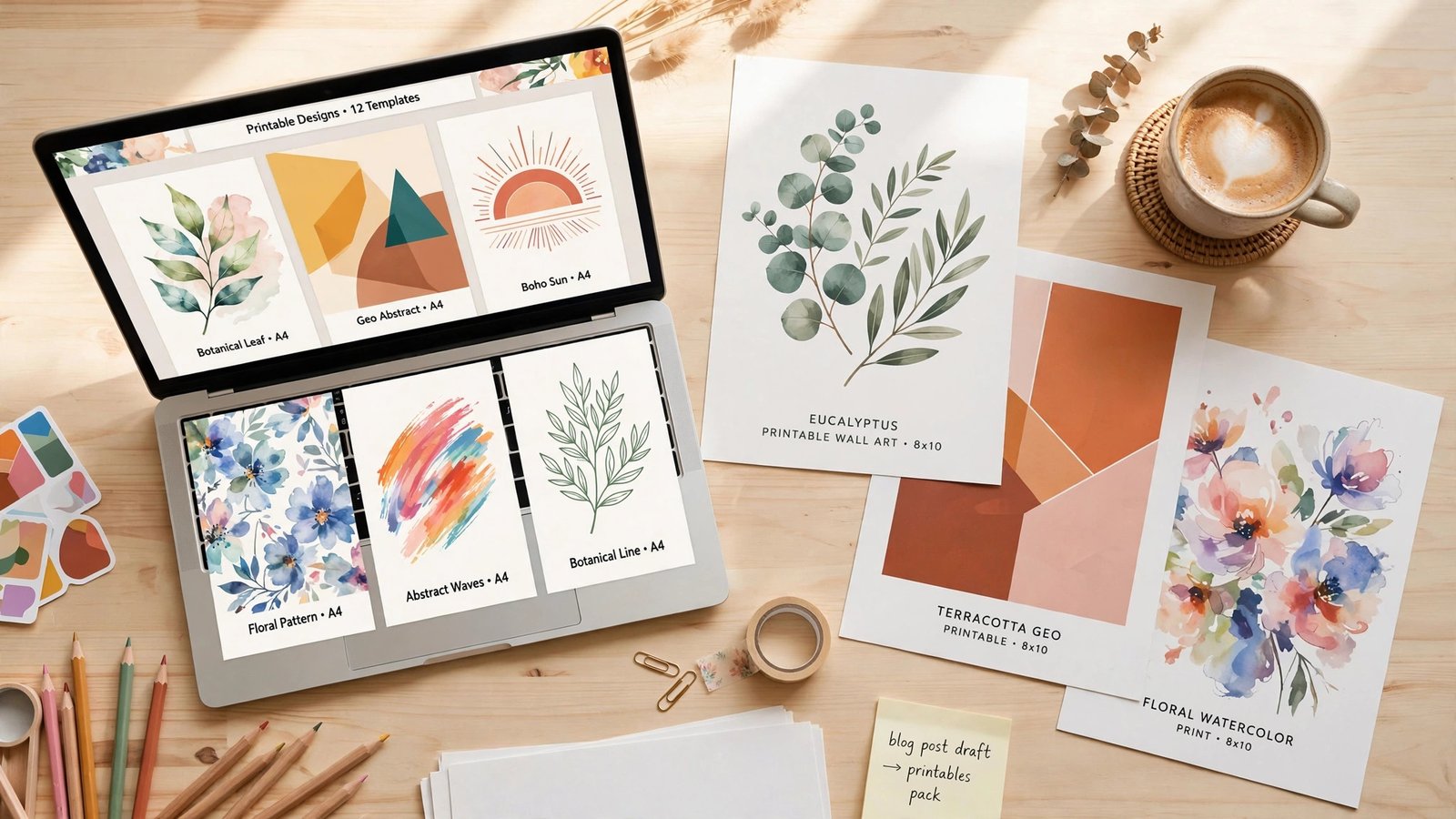
Selling digital products on Etsy is one of the most beginner-friendly online businesses out there. No inventory, no shipping, no customer complaints about late packages. You create a file once, and Etsy delivers it to buyers automatically while you sleep.
And AI just removed the biggest barrier — design skill. You don’t need to be an artist anymore. You need to know what sells, how to make it with AI tools, and how to list it so buyers find it. This guide covers all three.
What Actually Sells on Etsy in 2026
Not everything sells. The digital products that consistently move on Etsy share one trait: they solve a small, specific problem or scratch a specific itch. The winners:
Planners and organizers. Budget planners, meal planners, wedding planners, ADHD-friendly daily planners. Buyers love printable PDFs they can use forever.
Wall art and prints. Motivational quotes, nursery art, minimalist line art, seasonal decor. AI image generators made this category explode — which also means it’s competitive, so niches matter.
Coloring pages. For kids and adults. Themed packs (animals, mandalas, holidays) sell steadily year-round.
Templates. Resume templates, social media templates, business card templates, Notion templates. Buyers pay for the shortcut.
Invitations and party printables. Birthday invitations, baby shower games, wedding signage. Event-driven, so demand spikes seasonally.
Educational printables. Worksheets, flashcards, classroom decor. Teachers and homeschooling parents are reliable repeat buyers.
The pattern: pick a niche narrow enough that you can stand out, but broad enough that people are actually searching for it.
Step 1: Research Before You Create Anything
This is where most beginners fail. They make what they think is cool, list it, and hear crickets. Do the research first — it takes an hour and saves you weeks.
Use eRank (free tier works). It’s a keyword tool built specifically for Etsy. Search your niche idea and check two things: search volume (are people looking?) and competition (can a new shop rank?). You want the overlap — decent demand, manageable competition.
Study the bestsellers. Find shops with thousands of sales in your niche. Don’t copy them — dissect them. What price points work? How many listing photos do they use? What do their titles emphasize? What are buyers saying in reviews — especially the complaints, which tell you exactly what gap to fill.
Check the numbers. A healthy niche has multiple shops with 1,000+ sales and listings that are months (not years) old still getting traction. If every top listing is from 2019, the niche may be saturated.
Step 2: Create the Product With AI Tools
Here’s the workflow that actually works in 2026:
Images: Midjourney, Ideogram, or ChatGPT image generation. For wall art and coloring pages, AI image tools produce genuinely sellable output. Ideogram is especially good when your design includes text (planner covers, quotes). Generate at high resolution, and always inspect the output closely — AI still garbles hands, text, and fine details sometimes.
Assembly: Canva. This is where the product comes together. Drop your AI images into Canva, add text, arrange planner pages, build the PDF. Canva’s template library gives you professional layouts even if you’ve never designed anything. Export as print-quality PDF.
Text content: ChatGPT or Claude. Product descriptions, worksheet content, planner prompts, ebook text — AI writing tools handle all of it. Then edit for your voice (the same humanizing principles from any good blog apply here too).
One critical rule: AI output is a starting ingredient, not the finished product. The sellers making real money curate, combine, and refine. A raw AI image slapped on a listing with no editing is what fills the bargain bin.
Step 3: Set Up Listings That Get Found
Etsy is a search engine. Your listing lives or dies on SEO.
Titles: Front-load your main keyword. “Printable Budget Planner PDF, Monthly Budget Tracker, Personal Finance Organizer” beats “My Cute Planner!!!” every time. Use all 140 characters.
Tags: You get 13. Fill all 13. Use multi-word phrases buyers actually type (“budget planner printable,” not just “planner”). eRank’s keyword tool suggests these for free.
Photos: This is your storefront. Use 7 to 10 images: a hero shot, lifestyle mockups (your design on a wall, on a desk), close-up details, and an infographic showing what’s included. Canva makes mockups easy. Listings with more photos convert better — this is consistent across every seller survey.
Description: Lead with what the buyer gets and how it helps them. Include the practical details (file format, size, how many pages, instant download). End with clear usage instructions — many buyers are not tech-savvy.
Pricing: Check what comparable products charge and price in the same range. Digital planners typically sell for $3 to $15; art prints $5 to $25; template bundles $10 to $40. Don’t race to the bottom — suspiciously cheap prices signal low quality.
Etsy’s Rules on AI-Generated Products
This matters, so pay attention. Etsy requires sellers to disclose when AI tools were used to create a product. You’ll see a designation option when creating your listing — use it honestly.
This isn’t the penalty some sellers feared. Plenty of shops disclose AI use and sell well. What Etsy cracks down on is deception: claiming something is handmade when it isn’t, or selling AI output you don’t have the rights to use.
Rights check: Make sure your AI tool’s terms allow commercial use. Most paid tiers do (Midjourney’s paid plans, ChatGPT’s image generation under a paid account). Free tiers often don’t. If you’re building a business on this, pay for the tools — it’s a business expense, not a luxury.
For the full official picture, Etsy’s Seller Handbook covers policies, SEO guidance, and shop setup in detail. Bookmark it.
Realistic Earnings: What to Actually Expect
Let’s be honest, because the YouTube thumbnails won’t be. Nobody makes $10,000 in their first month selling printables.
A realistic trajectory looks like this: your first month, you might make $0 to $50 while you learn listing SEO and build inventory. Months two to three, with 20 to 50 listings up, $100 to $500 a month is achievable. Established shops with 100+ optimized listings and a proven niche commonly report $1,000 to $5,000 a month.
The sellers who win share three habits: they publish consistently (new listings weekly), they double down on what sells (when one planner takes off, they make ten variations), and they treat it like a business instead of a lottery ticket.
Your costs are minimal: Etsy’s listing fee is $0.20 per listing, plus transaction and payment processing fees on sales. AI tool subscriptions run $10 to $30 a month. That’s the whole overhead.
Mistakes That Kill New Etsy AI Shops
Listing three products and waiting. Etsy rewards active shops. Three listings is a hobby; fifty listings is a store. Volume matters, especially at the start.
Ignoring SEO. The best product in the world sells zero copies if nobody finds it. Tags, titles, and renewing listings matter more than most beginners think.
Selling what everyone else sells. If 10,000 shops sell “motivational wall art,” your version needs a twist — a specific audience, a unique style, a bundle nobody else offers.
Skipping mockups. Buyers can’t touch a digital product, so your photos do all the selling. Plain screenshots of a PDF page don’t convert. Show the product in context.
Giving up at 30 days. Most shops take two to three months to find traction. The sellers who quit at week four never learn what would have worked at week twelve.
Frequently Asked Questions
Do I need design skills to sell AI digital products on Etsy?
No — that’s the whole point. AI image and design tools handle the visual creation; your job is curation, assembly, research, and marketing. You do need taste and judgment, but not drawing ability.
Is it legal to sell AI-generated products on Etsy?
Yes, as long as you disclose AI use in your listing and your AI tool’s terms permit commercial use. Stick to paid tiers of reputable tools, and you’re on solid ground. Avoid generating images in the style of living artists or using trademarked characters.
How many listings do I need to make sales?
There’s no magic number, but most successful sellers report that traction started somewhere between 20 and 50 listings. More listings mean more chances to be found in search. Quality still matters — fifty bad listings won’t beat ten great ones.
What are Etsy’s fees for digital products?
Etsy charges $0.20 per listing (renewed every four months or on each sale), a 6.5% transaction fee on the sale price, and a payment processing fee that varies by country (around 3% + $0.25 in the US). Factor these into your pricing.
Can I sell the same digital product on other platforms?
Absolutely, and you should. Many sellers also list on Gumroad, Creative Market, or their own Shopify store. Diversifying protects you if Etsy’s algorithm changes or your shop hits a slow patch.
How do I handle customer support for digital downloads?
Most issues are “I can’t find my download” — Etsy delivers files automatically, and a polite templated response with instructions resolves 90% of messages. Keep responses fast and friendly; your star rating depends on it.
Digital products on Etsy won’t make you rich overnight, but they’re one of the few online businesses a complete beginner can start this week with almost no money. If you want another income stream to run alongside it, our guide to Google AdSense approval requirements covers how to monetize a blog the same way — the two pair well together.
[…] If you make AI-assisted digital products, this is also the moment to batch-produce: one afternoon generating a cohesive Christmas collection beats ten scattered uploads. I covered the workflow in my guide to using AI for Etsy digital products. […]