If your website uses an SSL certificate from eMudhra, mark November 16, 2026 on your calendar. Starting then, Chrome 153 and higher will stop trusting some certificates that chain to eMudhra’s emSign Root CA – G1 — specifically, any certificate whose earliest Signed Certificate Timestamp (SCT) falls after November 16, 2026 at 11:59:59 PM UTC. Certificates logged on or before that moment keep working until they expire. But that’s only half the story. A separate eMudhra root, emSign ECC Root CA – G3, has already been removed from Chrome’s trust store after a serious security incident in October, and any site still running a certificate chained to G3 is already in trouble. The good news: you can check your own site in about two minutes, and if you’re affected, the fix is a certificate replacement — not a rebuild of your site.
What Exactly Changes on November 16, 2026?
Google announced the change in a November 4, 2026 update to its Chrome security blog. The rule is narrow: despite the chatter, Chrome is not about to distrust every eMudhra certificate at once.
Here’s the precise rule: Chrome 153 and higher will stop trusting TLS server certificates that validate to emSign Root CA – G1 (CN=emSign Root CA – G1, OU=emSign PKI, O=eMudhra Technologies Limited, C=IN) when their earliest Signed Certificate Timestamp is after November 16, 2026 at 11:59:59 PM UTC.
First, the cutoff is about the SCT, not the date you installed the certificate and not its expiry date. An SCT proves your certificate was logged in a public Certificate Transparency log, and every modern certificate has one. So the question isn’t when you bought the certificate — it’s when it was first logged. If the earliest SCT is on or before November 16, 2026 at 11:59:59 PM UTC, this change doesn’t touch it; it keeps working in Chrome until it expires.
Second, it applies only to G1 certificates. Certificates from other authorities — Let’s Encrypt, Sectigo, DigiCert — aren’t affected at all, and the other eMudhra root in this story, G3, is already gone from Chrome’s trust store for a different reason.
So who needs to worry? Site owners with G1 certificates who renew with eMudhra after the cutoff. That new certificate’s earliest SCT will fall after November 16, and Chrome 153 and higher won’t trust it — visitors will hit a full-page security error instead of your site.
The practical takeaway: don’t renew with eMudhra. Move to another certificate authority before your current certificate expires. I’ll explain why below — but first, the backstory, because it explains why Google is drawing this line at all.
What Happened in October: The Weak Keys That Started All of This
On Saturday, October 17, 2026 at 18:05 UTC, the Chrome Root Program received a report from a security researcher. The report said the private keys for eight eMudhra subordinate CA certificates had been compromised. The cause was as basic as it gets: the keys had been generated with insufficient randomness — weak entropy.
How weak? The private keys turned out to be tiny integers below 256 — one was literally the number 4; the others were 56, 115, 66, 155, 156, 230, and 237. Those are numbers a computer can brute-force in a fraction of a second.
Why does that matter? A subordinate CA can issue certificates browsers trust. With one of these keys, anyone could forge a trusted HTTPS certificate for any website — your bank, your email provider, your store — and browsers would show the padlock as if everything were fine. Visitors would have no way to tell the forgery from the real site.
Chrome blocked the eight intermediates through CRLSet the same day, at 19:45 UTC — under two hours after the report. Firefox blocked them through OneCRL within about three hours. The intermediates were dead within hours, but the trust question around the root above them took longer — and that’s where the two roots split apart.
The Two Roots: G3 Is Gone, G1 Is on a Clock
All eight compromised intermediates sat under one root: emSign ECC Root CA – G3. Google removed that root from the Chrome Root Store, with the rollout planned for October 27, 2026 in Chrome Root Store version 43. Mozilla removed it in NSS 3.131.1, which shipped in Firefox 158.0.1 on October 20, 2026, tracked as CVE-2026-113470.
In plain terms: any certificate chaining to emSign ECC Root CA – G3 is no longer trusted by Chrome or Firefox. If your site still serves one, your visitors are already seeing errors. This isn’t a November 16 problem — it’s a now problem.
The other root, emSign Root CA – G1, is a different story. Mozilla isn’t removing G1 for now, and Google isn’t removing it outright — instead, Google chose the SCT cutoff above: G1 keeps trust for certificates logged on or before November 16, 2026, and loses it for certificates logged after. It’s a wind-down that avoids breaking every existing G1 certificate overnight.
About 30,000 to 30,800 certificates chain to the affected G3 root and need replacing. eMudhra says roughly 97% of them renew through ACME, the automated renewal protocol, so most replacements should happen automatically at renewal time. Most were issued through InCommon subordinate CAs, and eMudhra’s incident page notes the root distrust affects one US customer ecosystem. The number sounds large, but for you the question is simpler: which root does your certificate chain to?
Decision table: what your root means
| What your chain shows | What it means | What to do |
|---|---|---|
| emSign ECC Root CA – G3 | Already distrusted by Chrome and Firefox | Replace the certificate now, with a different CA |
| emSign Root CA – G1 | Works until expiry, but only if logged before Nov 16, 2026 | Don’t renew with eMudhra; switch CAs before expiry |
| Any other root (Let’s Encrypt, Sectigo, DigiCert, etc.) | Not affected by this change | Nothing to do — but still worth confirming the name |
| You can’t tell / no padlock at all | Your site may have a different certificate problem | Check with your host or the openssl command below |
Keep that table in mind — the check takes two minutes.
How to Check Your Site in 2 Minutes (Browser Method)
You don’t need any special tools for the first check — just Chrome and your website. Here’s the walkthrough:
- Open your site in Chrome.
- Click the padlock icon (or the tune icon, depending on your Chrome version) to the left of the address bar.
- Click “Connection is secure.”
- Click “Certificate is valid.” A certificate viewer window opens.
- Go to the Details tab — in some versions it’s labeled “Certification Path.”
- Look at the chain of certificates listed there. Read the root at the very top of the chain. That’s the certificate authority your site ultimately trusts.
Now match what you see against the table above:
- If the top of the chain says “emSign ECC Root CA – G3,” your certificate is already distrusted. Replace it now. Don’t wait for November 16 — that date is irrelevant to G3, and your Chrome visitors are already affected.
- If the top says “emSign Root CA – G1,” your current certificate keeps working until it expires. But make a note to switch certificate authorities before renewal. Renewing with eMudhra after November 16 produces a certificate Chrome won’t trust, so the renewal itself becomes the breaking point.
- If the top names any other root — ISRG Root X1 for Let’s Encrypt, for example, or a Sectigo or DigiCert root — you’re not affected by this change. You’re done.
Check the live site your visitors reach, not a staging copy. If your site redirects from the bare domain to www (or vice versa), check the final address — and check each subdomain separately, since they can serve different certificates. To check a site you don’t control, or skip the menus, use the command-line method below.
The Command-Line Check (openssl)
If you have a Mac or Linux terminal — or Windows Subsystem for Linux — you can inspect any site’s served certificate chain with one command:
openssl s_client -connect yoursite.com:443 -servername yoursite.com -showcerts </dev/null 2>/dev/null | grep -E '^ *[0-9]+ s:|^ *i:'
Replace yoursite.com with your actual domain, twice. The output lists the subject (s:) and issuer (i:) lines for each certificate in the chain. Scan the output for any mention of emSign or eMudhra.
No output mentioning emSign or eMudhra means the chain your server actually serves is clean. Run this even if the browser check looked fine — it shows exactly what your server sends, which can differ from what’s installed, especially if your host serves a cached or default certificate for some hostnames.
What to Do If You’re Affected
The fix is the same in both affected cases — replace the certificate with one from a different certificate authority — but the urgency is different. And a replacement doesn’t have to cost anything: Let’s Encrypt issues free certificates that work fine for most sites, and many hosts include them at no extra cost.
If your chain ends at G3: replace it now
This is the urgent case. Your certificate is already distrusted in Chrome and Firefox, which means a large share of your visitors are already hitting a full-page error. Don’t wait for a renewal window. Get a new certificate from another CA — Let’s Encrypt, Sectigo, or DigiCert are the common choices — and install it as soon as you can.
In practice, the steps look like this on most setups:
- Get the new certificate. If your host offers free Let’s Encrypt certificates, switching is often a single toggle in your hosting panel, and the host handles issuance and installation — see how to install a free SSL certificate on WordPress for the full walkthrough. If you buy certificates, purchase one from your new CA and generate a certificate signing request (CSR).
- Install it where the old one lives — your hosting control panel, your server configuration, or your CDN’s edge certificate settings. The old eMudhra certificate must be fully replaced, not just added alongside.
- Test right away: reload the site in Chrome, run the browser check above, and confirm the new root. Also test from a different device or a fresh browser profile so you’re not seeing a cached result.
- Watch for mixed-content warnings afterward — a new certificate doesn’t fix hardcoded http:// links to images or scripts, which still trigger warnings.
If you use a managed host, open a support ticket and say exactly this: “My site’s certificate chains to emSign ECC Root CA – G3, which Chrome and Firefox have distrusted. Please replace it with a certificate from another CA.” Hosting support teams have handled these replacements since October, and naming the root saves a round of back-and-forth.
If your site sits behind Cloudflare or another CDN, check the origin server’s certificate too, not just the edge — some setups surface the origin chain to visitors.
If your chain ends at G1: switch CAs before your next renewal
This is the calmer case, but don’t let that fool you. Your current certificate works until it expires — the risk is the renewal. If it auto-renews with eMudhra after November 16, 2026, the new certificate’s earliest SCT falls after the cutoff, and Chrome won’t trust it. A routine renewal becomes the moment your site breaks.
So move to a different CA before the expiry date. If your host offers Let’s Encrypt, switch now rather than at renewal time — it removes the risk entirely and costs nothing extra on most plans. If you buy certificates, buy the next one from your new CA and install it ahead of expiry, then verify the new chain with the browser check.
Also confirm what your automatic renewals are pointed at. An ACME setup aimed at eMudhra will keep doing exactly what it’s configured to do — automation is great until it automatically renews you into a distrusted root. Point it at the new CA, then verify.
What Happens If You Do Nothing
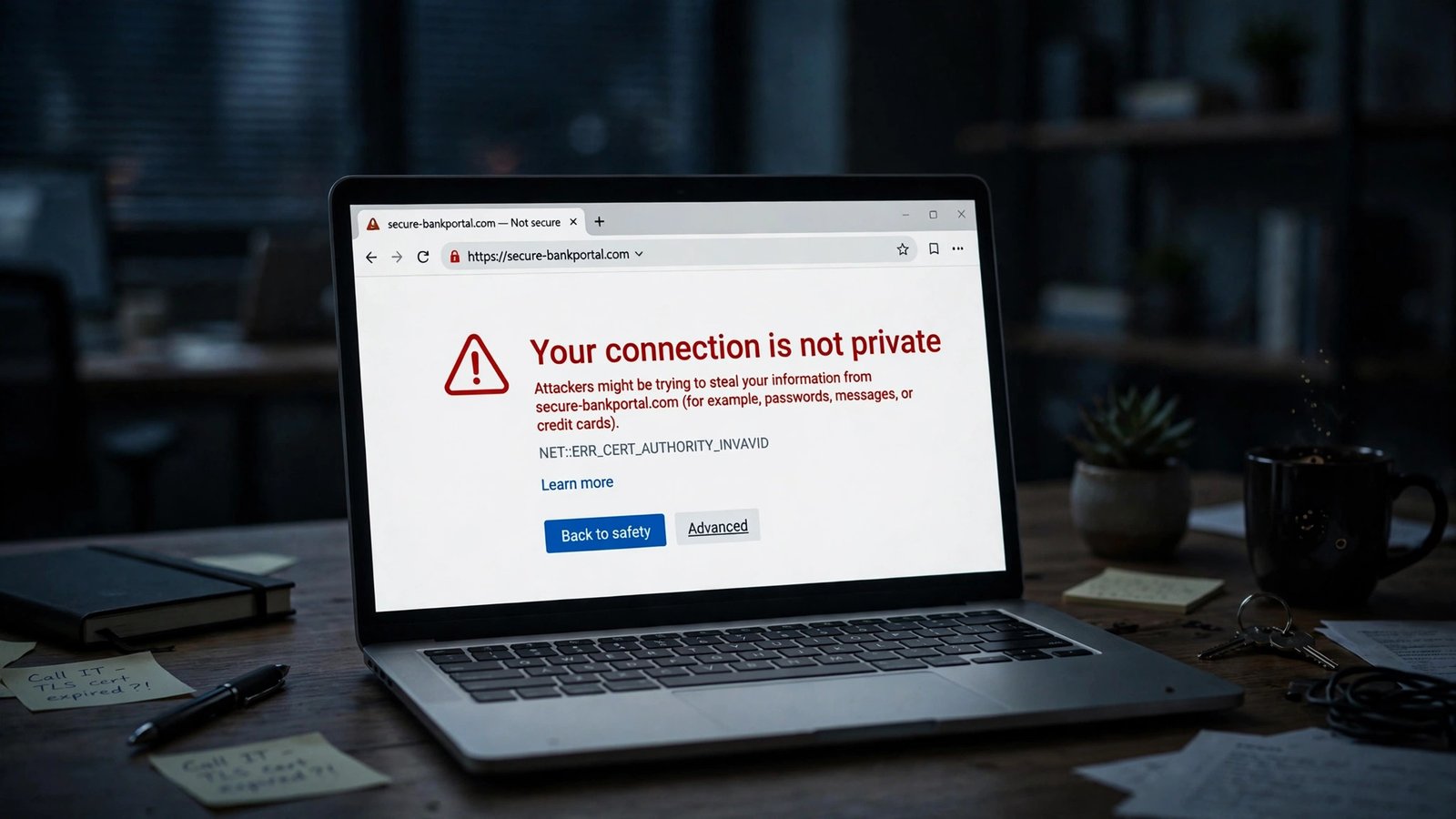
Visitors who reach an affected site in Chrome see a full-page “Your connection is not private” error, with the code NET::ERR_CERT_AUTHORITY_INVALID. There’s a small “Advanced” link for determined visitors, but most people won’t use it. They’ll bounce — close the tab and try a competitor. For a business site, that’s lost sales. For a blog, that’s lost readers who may never come back. And if your traffic comes largely from search, a broken site can quietly cost you rankings and revenue over time. If you’re getting your site into shape for monetization, the same discipline applies across the board — Google’s AdSense approval requirements cover the broader checklist of what Google expects before it will serve ads on your site.
Timing makes inaction riskier than it looks. Chrome 158 Stable was expected around November 17, 2026 — the day after the cutoff — though rollout timing may change. Browser updates roll out gradually, so the damage creeps in as each visitor’s browser updates. A site that looks fine on your own not-yet-updated browser can already be broken for part of your audience.
There’s a trap for G1 sites, too: the failure arrives at renewal, not at the cutoff. If your certificate expires in February 2027 and auto-renews with eMudhra, everything looks fine on November 16 — then breaks in February with no warning. Switch now, while nothing is on fire.
Why Moving to G1 Isn’t a Permanent Fix
If you’ve been following eMudhra’s own communications, you may have seen that the company is migrating customers to G1 RSA issuance. That sounds like a solution, but treat it as a stopgap at best — not a permanent home for your certificates.
First, G1’s future trust isn’t guaranteed. Google’s cutoff already limits G1 to certificates logged before November 16, and there’s no promise the root keeps its trust beyond that. A root one major browser has put on a clock isn’t one to build your next two years on.
Second, eMudhra announced on October 22, 2026 that it will exit the global SSL/TLS certificate business entirely. Its Indian DSC and eSign services aren’t affected, but the public TLS business is winding down — and a CA leaving the business won’t get more trustworthy over time.
Third, the other browsers are moving the same way on their own timetables. Mozilla isn’t removing G1 for now, but it did remove G3, and eMudhra has reported that Apple will remove all G1 trust on November 30, 2026 — reported by eMudhra, not confirmed by Apple. The direction is consistent: the eMudhra roots are being wound down, not rehabilitated. Moving to a well-established CA with no cloud over it is the only move that ends the story.
What About Firefox, Safari, and Other Browsers?
The November 16 cutoff is a Chrome decision for Chrome 153 and higher. But the incident affected every browser, and each vendor has responded in its own way.
Firefox already removed the G3 root in NSS 3.131.1, shipped in Firefox 158.0.1 on October 20, 2026, and blocked the eight compromised intermediates through OneCRL within about three hours of the October 17 report. Mozilla isn’t removing G1 for now, so a G1 certificate that survives Chrome’s cutoff keeps working in Firefox — but I wouldn’t count on that gap lasting forever.
Other Chromium-based browsers — Edge, Brave, Opera — generally follow Chrome’s root store decisions, so expect them to track Chrome’s treatment of both roots. Safari follows Apple’s root store, which is why the reported November 30 G1 removal date matters if it holds. Whichever browser your visitors use, a certificate from a mainstream CA with no trust issues sidesteps all of these timelines at once. Fix it once, and stop tracking root-store politics.
A Quick Timeline
The full sequence in one place — incident trackers like the eMudhra incident tracker keep a running version too:
- October 17, 2026, 18:05 UTC: A researcher reports to the Chrome Root Program that private keys for eight eMudhra subordinate CAs are compromised — generated with weak entropy, some literally tiny integers like 4, 56, and 115.
- October 17, 2026, 19:45 UTC: Chrome blocks the eight intermediates via CRLSet. Firefox blocks them via OneCRL within about three hours.
- October 20, 2026: Mozilla removes the emSign ECC Root CA – G3 in NSS 3.131.1 (Firefox 158.0.1; CVE-2026-113470).
- October 22, 2026: eMudhra announces it will exit the global SSL/TLS certificate business.
- October 27, 2026 (planned): Google removes the G3 root from the Chrome Root Store in version 43.
- November 4, 2026: Google updates its Chrome security announcement with the G1 SCT cutoff.
- November 16, 2026, 11:59:59 PM UTC: The cutoff. Chrome 153+ stops trusting G1 certificates whose earliest SCT is after this moment.
- November 17, 2026 (expected): Chrome 158 Stable rollout expected around this date, though timing may change.
- November 30, 2026 (reported): eMudhra reports Apple will remove all G1 trust — reported by eMudhra, not confirmed by Apple.
If you’re reading this after November 16, the checklist is unchanged: run the two-minute check, replace a G3 certificate immediately, and switch CAs before a G1 certificate renews.
The Bottom Line
This story sounds scarier than it is for most site owners. If your certificate comes from Let’s Encrypt, Sectigo, DigiCert, or any other mainstream CA, November 16 changes nothing for you. If it chains to G1, your current certificate is fine until expiry — just switch providers before you renew. The only group in real trouble right now is sites still serving a G3 certificate, and for them the fix is a same-day replacement.
So spend the two minutes: click the padlock, read the root at the top of the chain, and act on what you find. Certificate problems are cheap to prevent and expensive to ignore — and this one comes with a printed deadline.
Frequently Asked Questions
Will my website stop working on November 16, 2026?
Only if it chains to emSign Root CA – G1 and its earliest SCT falls after November 16, 2026 at 11:59:59 PM UTC. Certificates logged on or before that moment keep working in Chrome until they expire. If your certificate chains to emSign ECC Root CA – G3, it’s already distrusted — don’t wait for November 16. Any other CA is unaffected.
How do I know which root my certificate chains to?
In Chrome, click the padlock or tune icon, then “Connection is secure,” then “Certificate is valid,” then open the Details or Certification Path tab and read the root at the top of the chain. From the terminal, run the openssl command above and look for emSign or eMudhra — no mention of either means your served chain is clean.
What does the “Your connection is not private” error mean for my visitors?
It means Chrome doesn’t trust your site’s certificate, so it blocks the page with a full-page warning (NET::ERR_CERT_AUTHORITY_INVALID). Most visitors won’t click through — they’ll leave. Replacing the certificate with one from a trusted CA removes the error.
My certificate is from eMudhra G1 and expires next year. Do I need to do anything now?
Not urgently, but don’t ignore it. Your current certificate works until it expires — the risk is the renewal. If it auto-renews with eMudhra after November 16, 2026, Chrome 153 and higher won’t trust the new one. Switch to another CA before the expiry date, and check that automatic renewal points at the new CA. A replacement doesn’t have to cost anything: Let’s Encrypt certificates are free, and many hosts include them.
Is switching to eMudhra’s G1 issuance a safe fix?
No — a stopgap at most. Google has put G1 on an SCT cutoff, eMudhra announced on October 22, 2026 that it’s exiting the global SSL/TLS business, and eMudhra has reported Apple will remove all G1 trust on November 30, 2026 (reported by eMudhra, not confirmed by Apple). Move to a CA with no trust issues instead.
What happened to the eight compromised certificates?
On October 17, 2026, a researcher reported that the private keys for eight eMudhra subordinate CAs were compromised — generated with insufficient randomness, the keys were tiny integers below 256, one literally the number 4. With them, anyone could forge trusted certificates for any website. Chrome blocked the intermediates via CRLSet the same day, Firefox via OneCRL within about three hours, and the G3 root above them was then removed from both browsers’ root stores.