The Short Answer: Yes, It’s Still Rolling
Google’s November 2026 core update is still rolling out. I checked Google’s own Search Status Dashboard on the morning of November 18, and the entry for the November 2026 core update has not changed since the day it went live. There is still no completion notice, no end date, and no second update from Google. The rollout began on November 10 at 10:06 a.m. Pacific time, and it has now been running for over a week.
If you run a blog, here is the sentence that matters most: do not judge your traffic, rankings, or content until this rollout is marked complete and a full week has passed. Rankings during a rollout are not final — they can swing up on Tuesday and back down on Thursday, and neither move tells you what the finished update thinks of your site.
Expect noise this week — panic in the forums, hot takes from tool vendors, “recovery” advice with no data behind it. Your job is boring: watch, record, and wait.
What Google Has Actually Said — and What It Hasn’t
Google’s announcement for this update is short. The dashboard entry, incident WLxcJyC6jMWMfryxsKMc, reads in full: “Released the November 2026 core update, which applies globally and to all languages. The rollout may take up to 2 weeks to complete.” That is the entire message. It links to Google’s core updates documentation, and that is all Google has posted about this update as of this morning.
Here is what is confirmed, straight from the dashboard:
- Start: November 10, 2026, at 10:06 a.m. Pacific (1:06 p.m. Eastern).
- Scope: Global, all languages. No site type or country is exempt.
- Duration: Up to two weeks. That puts the latest finish at around November 24.
- Status as of November 18: Still rolling. No completion entry. The dashboard record shows a single update — the release notice — and nothing since.
And here is what Google has not said, which matters just as much. It has not said what this update changes. No ranking system, no content type, no category of query has been named. It has not said whether the update touches Discover, AI Overviews, or AI Mode in addition to regular web results. It has not published a blog post about this update, and there is no update-specific guidance. It has not named any winners or losers, and it never will.
That silence is normal: Google does not hand out a changelog for core updates, and its standing advice is to focus on helpful, people-first content and evaluate your site only after a rollout finishes.
This is the third core update of 2026; March and May each ran about 12 days. If November follows that rhythm it wraps up around November 21 to 24 — but Google’s two-week window is the only promise on the table.
The Timeline: November 10 to November 24 to December 1
Put the dates on the calendar — they turn this from an anxious blur into a plan.
November 10 — the rollout starts. Google posts the update to its dashboard at 10:06 a.m. Pacific. Rankings start shifting, though not everywhere at once. A core update does not flip a switch; it rolls out gradually, which is why your traffic can look normal on day one and different on day four.
November 10 to November 24 — the rollout window. Google says up to two weeks, and over a week is gone — a little past the halfway point of the longest possible window. The finish could come before the 24th, but the dashboard is the only place it will be confirmed.
November 24 — the latest expected finish. Two weeks from the start — and right after it: Thanksgiving on November 26, Black Friday on November 27, Cyber Monday on November 30. That timing is why this update has attracted so much attention.
November 25 to December 1 — the settling week. Google’s guidance is to wait at least a full week after a rollout completes before comparing performance. This is the week you wait. You do not judge, you do not rewrite, you let the new rankings sit.
December 1 — the first clean data week. Once the settling week has passed, you can compare a full week of post-update data against your baseline — the first honest read on what this update did to your site.
What To Do Right Now
There is a short list of useful things you can do during a rollout, and none of them involves touching your content.
Save your baseline today. If you have not already, open Search Console and record your numbers for the week before the rollout: November 3 to November 9. Clicks, impressions, average position, and your top pages and queries. Export the data or take screenshots. Do it now, while the data is easy to pull. I will show you exactly how to use it in the walkthrough below.
Check that nothing is technically broken. A core update is not the time to discover that your sitemap broke or your site started throwing errors. Look at Search Console’s Pages report for new errors, check that your most important pages are still indexed, and confirm your site loads normally. Fix genuine technical problems — a 500 error is a 500 error no matter what Google is doing — but do not confuse a technical fix with an SEO reaction.
Keep publishing on your normal schedule. If you publish three times a week, keep publishing three times a week. A rollout is not a reason to stop or to flood your site.
Watch, but on a schedule. Check your numbers once a day at most, and write down what you see in a sentence or two: “Clicks down 12% today, mostly the recipe pages.” That is a log, not a verdict — and it will be genuinely useful in December.
What NOT To Do
The don’t list matters more than the do list, because the mistakes people make during a rollout are expensive and hard to undo.
Do not rewrite pages mid-rollout. This is the big one. Your rankings are still moving. A page that dropped on day five can recover on day ten without you touching it, because the rollout had not finished reaching it yet. If you rewrite that page on day six, you will never know whether the rewrite helped, hurt, or did nothing at all. Wait for the completion mark. Then wait a week. Then look at the data.
Do not judge winners and losers before completion. That includes your own site, your competitors’ sites, and the niche as a whole — every “winners and losers” list published during a rollout is built on unfinished data.
Do not delete pages, change titles in bulk, or restructure your site. Drastic changes during a rollout mix two variables at once — the update and your edits — and leave you unable to tell which one caused whatever happens next. If a page is genuinely thin and you were already planning to improve it, that work can wait two weeks.
Do not buy a “core update recovery” service. There is no recovery service for an update that has not finished — nobody can recover rankings from a rollout still running. Save your money.
Do not chase tracker volatility. Rank tracking tools have shown elevated volatility since early November, some of it predating the update entirely. A tracker measures a sample of keywords, not your site — your Search Console data is the only measurement that describes it.
Do not assume a drop is a penalty. A core update is not a penalty: a page usually drops because another page was judged more relevant for that query, not because your page broke a rule. “Fixing” things that are not broken can create real problems while solving imaginary ones.
How To Read Search Console During a Core Update
When the rollout ends and the settling week passes, you will compare two weeks of data. Here is how to do it so the comparison means something.
Step 1: Lock in your baseline — November 3 to November 9
Your baseline is the seven days before the rollout — the last clean picture of your site under the old rankings.
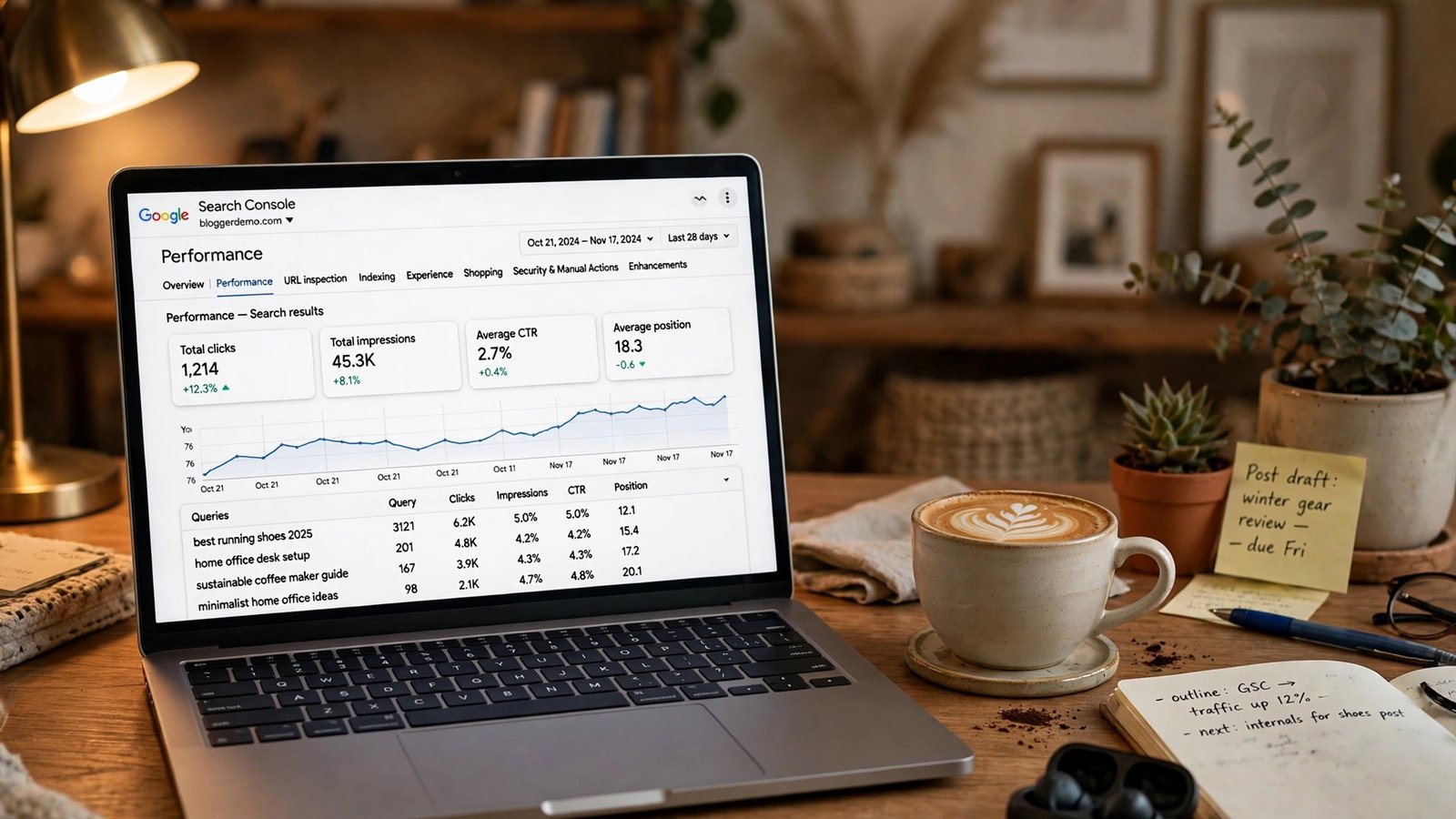
Open Search Console, go to Performance, then Search results. Set a custom date range: November 3 to November 9, 2026. Write down the totals for clicks, impressions, average CTR, and average position. Then click the Pages tab and export the list, and do the same for Queries. Save both files with a clear name, something like search-console-baseline-nov-3-9-2026.csv. Exports beat screenshots here, because you can sort them later.
One warning: do not use November 9 to 11 in any Generative AI report baseline — Google’s data anomalies page records a logging error that under-reported AI impressions on those three days.
Step 2: Wait for the completion mark, then wait a week
Do not start the comparison the day Google marks the rollout complete. Wait at least a full week after the rollout ends — rankings can keep shifting for a few days after the official end, and a comparison made too early captures that settling as if it were the result. If the rollout ends on November 24, your settling week runs November 25 to December 1.
Step 3: Pull the post-update week
Once the settling week has passed, pull the same report for the seven days after it — a full week of post-update data, the same length as your baseline. Comparing equal-length periods keeps the comparison honest; a week against a month, or a weekday stretch against a holiday weekend, will mislead you.
Step 4: Compare totals first, then pages, then queries
Start with the totals: clicks, impressions, average position. Clicks down 5% with average position unchanged is a different story from clicks down 30% with position down three places. Impressions alone can mislead — an impression only means your page appeared, not that anyone clicked.
Then sort the Pages tab by change in clicks and look for patterns, not single pages: did your how-to guides drop while news posts held steady? Did one category fall while the rest stayed flat? A pattern points to something real; a single page moving is usually just that page. Do the same for Queries — informational, commercial, or branded? — to see what your audience stopped finding you for.
Step 5: Check Discover and AI impressions separately
Your web results and Discover traffic can move in opposite directions during an update, so check the Discover report on its own. A drop in Discover with steady web search is a Discover story, not a site-wide one.
Do the same for the Generative AI report — and ignore November 9 to 11 in it entirely, because of the logging error. Either way, the error is in the data, not in your site.
Step 6: Decide what, if anything, to change
Most of the time, the honest answer is: nothing yet. If losses are concentrated in a few pages, read them with fresh eyes — are they genuinely the best answer to the query, and are they up to date? If not, improving them is reasonable, after the comparison, not before. If losses are spread evenly, or nothing much changed, keep publishing good content and check again in a month.
For the content-quality checklist, see our November core update what-to-do guide from November 11.
That November 9–11 AI Impressions Dip Is a Logging Error, Not a Drop
Google’s Search Console data anomalies page records that a logging error decreased impressions on the Generative AI performance report for data from November 9 to November 11, 2026. The issue affects data logging only. Your pages did not lose visibility in AI Overviews or AI Mode during those three days; Google’s logging simply failed to record some of the impressions that happened.
The dates matter: November 9 is the day before the update started, and November 10 and 11 are its first two days. The logging error sits on the most closely watched days of the whole update. If you opened your Generative AI report on November 12 and saw impressions fall off a cliff, you were looking at two things at once — a real rollout and a broken counter — and only one of them was real.
Here is how to handle it: do not include November 9 to 11 in any baseline or comparison for the Generative AI report. If you already saved a baseline that includes those days, re-pull it using November 3 to 8. And if you saw a scary AI impressions number last week, cross it off your list of worries — it was a logging error, and Google has said so in writing.
Black Friday Is Three Days After the Expected Finish
Here is the calendar fact that has made this update the most talked-about one of the year: if the rollout runs its full two weeks, it finishes on November 24. Thanksgiving is November 26. Black Friday is November 27. Cyber Monday is November 30.
That means the biggest shopping week of the year starts three days after the latest possible end of this update — and if the rollout ends early, the gap is only a little wider. There is no version of this calendar with a comfortable cushion between the update finishing and the holiday traffic arriving.
For bloggers who earn from affiliate links, gift guides, and deal roundups: first, do not make last-minute changes to your money pages during the rollout — a gift guide rewritten on November 20 may rank differently on Black Friday for reasons unrelated to your rewrite. Second, publish your Black Friday and gift guide content now and leave it alone once it is live. Third, check the technical basics on your money pages: fast loading, working affiliate links, images in place.
For sellers, the same logic applies, with one addition: your product pages and your blog content are judged separately, and a drop in one does not predict a drop in the other. We covered the seller side of this update in detail in our Black Friday core update guide for sellers and bloggers, including the product-page checks worth doing before the holiday rush.
Google does not schedule core updates around your sales calendar. The bloggers and sellers who come out of this week best will be the ones who prepared early, left their pages alone, and measured honestly afterward.
What the SEO Community Is Saying
Outside Google, the conversation has been loud since the announcement — and almost none of it is built on finished data, because that data does not exist yet. The rollout is still running.
Site owners have been swapping notes in r/SEO, r/bigseo, and r/TechSEO since November 10, and the reports are mixed: steep drops, small gains, no change at all. Forum self-reports are not data — the people who post are the ones who noticed a change — but the mix is a reminder that this update is not hitting everyone the same way, and one big-drop report says nothing about your site.
Rank tracking tools have shown elevated volatility through the first week — expected during a core update, and still not a measurement of your site. A tracker’s sample is not your traffic. Anyone selling you a conclusion about this update today is selling you a guess; it will not mean anything until December 1.
What Happens After November 24
Sooner or later — on November 24 at the latest, if Google’s window holds — the dashboard will get a second update: “The rollout was complete as of [date].” That line is the starting gun for the real work.
First, the settling week: wait a full week after the completion date before comparing anything — if the rollout ends November 24, that takes you to December 1. Second, the comparison: run the walkthrough above — baseline of November 3 to 9 against the first full post-settling week, totals first, then pages, then queries, Discover and AI impressions checked separately. Write down what you find in plain language: “Down 8% in clicks, mostly how-to pages” is a finding; “The update killed my site” is a feeling.
Third, the decision: if specific pages lost ground, improve them genuinely, with better information and up-to-date facts. If nothing much changed, carry on. If you gained, note what those pages have in common — that pattern is the most useful thing a core update can teach you.
On recovery: Google has said for years there is no quick fix for a core update drop and no guarantee changes will restore rankings. Its advice is to make your content better for readers, then wait for the next core update. Slow and unsatisfying — and the only approach Google has ever endorsed.
The Bottom Line
Over a week in, the facts are simple: the update started November 10, it applies everywhere, Google says it may take up to two weeks, and the dashboard still shows no end date. Your rankings are still moving. Your traffic numbers are still provisional. And the most useful thing you can do this week is the least dramatic one — save your baseline, keep publishing, fix only what is genuinely broken, and wait for the completion mark.
The bloggers who get hurt by core updates are rarely the ones with the worst content. They are the ones who react to unfinished data — rewriting good pages, deleting pages that were about to recover, chasing tracker charts. The rollout will end, the settling week will pass, and on December 1 you will have clean data and a clear head. That is when the real decisions get made.
Frequently Asked Questions
Is the November 2026 core update finished?
No — not as of the morning of November 18, 2026. Google’s Search Status Dashboard still lists the November 2026 core update as rolling out, with no completion entry and no end date. The rollout began November 10 at 10:06 a.m. Pacific, and Google says it may take up to two weeks, putting the latest finish around November 24. Check the Search Status Dashboard itself for the current status.
How long do Google core updates usually take?
Google’s standard window is up to two weeks, and the 2026 core updates finished inside it: March ran about 12 days (March 27 to April 8) and May about 12 days (May 21 to June 2). Historically some have taken longer — the March 2024 update ran about 45 days — so two weeks is a guide, not a guarantee. If November runs the full window, it ends around November 24.
Should I change my content while a core update is rolling out?
No. Wait until Google marks the rollout complete, then wait at least one more full week before comparing your Search Console data. Rewriting pages mid-rollout mixes your edits with the update’s changes, so you cannot tell which caused the result. The only exceptions are genuine technical problems — a page returning errors, a broken sitemap, a site that will not load — which you should fix whenever you find them.
Why did my AI impressions drop on November 9 to 11?
That was a logging error, not a traffic drop. Google’s Search Console data anomalies page records that a logging error decreased impressions on the Generative AI performance report for November 9 to November 11, 2026, and that the issue affects data logging only. Leave those three days out of any AI-report baseline or comparison. Your visibility in AI Overviews and AI Mode did not fall; the counter under-reported it.
How do I compare my traffic before and after the update?
Use a clean baseline and a comparison week of the same length. Save your Search Console Performance data for November 3 to 9, then wait for the rollout to complete and a full week to pass. Pull the same report for the first full week after that settling period, compare totals first, then sort Pages and Queries by change in clicks to find patterns. Check Discover and the Generative AI report separately, and leave November 9 to 11 out of the AI numbers.
Will this core update affect my Black Friday traffic?
It might, and the timing is tight: if the rollout runs its full two weeks, it ends November 24, three days before Black Friday on November 27. Publish your gift guides and deal content now, leave your money pages alone during the rollout, and check the technical basics — page speed, working affiliate links, images in place. For the seller angle, see our Black Friday core update guide.