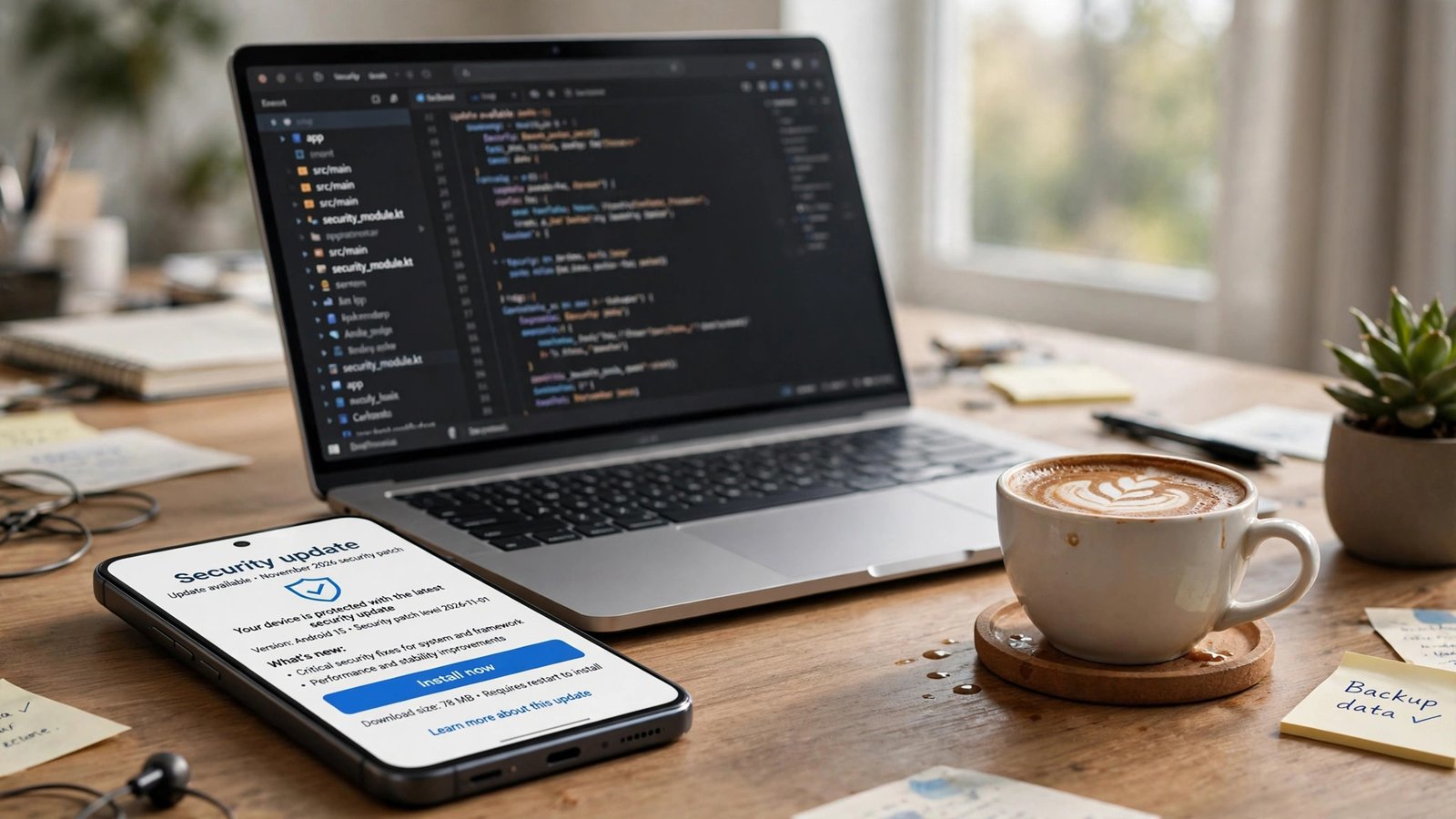
Google published the Android November 2026 security update on November 2, 2026, and it patches 216 vulnerabilities — 23 of them rated critical. The headline flaw, CVE-2026-58868, is a zero-click remote code execution bug in the Android Framework. That means an attacker could potentially run code on your phone without you tapping, clicking, or opening anything at all. The fix is already out, but only if your phone actually gets it — and whether yours does depends on your phone maker, your model, and one date buried in your settings. Here’s how to check in about two minutes, and what to do if your phone will never see this patch.
Why this update matters more if you’re a creator
Most people treat their phone as a phone. If you run a Facebook Page, a YouTube channel, an Etsy shop, or a blog, your phone is your business office. It holds your Facebook Page admin login, your AdSense and banking apps, your email, and — the part people forget — your two-factor authentication codes. A phone that gets compromised doesn’t just leak your photos. It can hand over the keys to every account that trusts that phone as a second factor.
That’s what makes a zero-click flaw different from the usual “don’t click suspicious links” advice. Phishing needs you to make a mistake. A zero-click flaw doesn’t. The whole point is that the victim does nothing wrong.
What “zero-click” actually means
Let’s strip away the jargon, because the term gets thrown around a lot.
Most phone attacks need your help. You tap a bad link, you install a shady app, you open a malicious file. Security people call that “user interaction.” It’s the reason every security tip you’ve ever read starts with “don’t click…”
A zero-click vulnerability skips that step entirely. The flaw lives in code that processes something your phone handles automatically — a message arriving, a media file being decoded in the background, a network packet your phone answers without asking you. The attacker sends something crafted to trigger the bug, and the phone’s own software does the rest.
Google’s own wording for CVE-2026-58868 is blunt: the flaw “could lead to remote code execution with no additional execution privileges needed” and “user interaction is not needed for exploitation.” Remote code execution means the attacker can run their own code on your device. No privileges needed means they don’t have to trick you into granting a permission first. No user interaction means you don’t have to do anything at all.
The three critical flaws you should know about
The bulletin rates 23 vulnerabilities as critical. Three of them are the ones that matter most to you, and all three are remote code execution flaws that need no user interaction.
| CVE | Component | What it does | Affected versions | Fixed at |
|---|---|---|---|---|
| CVE-2026-58868 | Android Framework | Heap buffer overflow in FrameDecoder.cpp can allow remote code execution with no user interaction | Android 14, 15, 16, 16-QPR2, 17 | 2026-11-01 |
| CVE-2026-58876 | System | Critical remote code execution, also zero-click | Android 14, 15, 16, 16-QPR2, 17 | 2026-11-01 |
| CVE-2026-58936 | System | Critical remote code execution, also zero-click | Android 14, 15, 16, 16-QPR2, 17 | 2026-11-01 |
CVE-2026-58868 is the worst of the three, and Google says so in the bulletin itself: “The most severe of these issues is a critical security vulnerability in the Framework component that could lead to remote code execution with no additional execution privileges needed.”
The technical cause is a heap buffer overflow — an out-of-bounds write — in a function called onOutputReceived inside a file named FrameDecoder.cpp. You don’t need to understand the code. What matters is where it sits: the Framework is core Android, the layer that runs underneath your apps. A flaw there can potentially reach any app on the phone, not just one badly written app.
The bulletin by the numbers
The November bulletin is a big one. Here’s the shape of it:
- 216 vulnerabilities patched in total, 23 rated critical.
- Patch level 2026-11-01: 119 fixes — covering the Android runtime, the Framework, and the System components. This is the level that carries the three critical remote code execution flaws above.
- Patch level 2026-11-05: 97 fixes — covering the kernel plus chip-level components from Arm, Imagination, MediaTek, Unisoc, and Qualcomm. These are the deep, hardware-adjacent parts of the phone: modem code, graphics drivers, Bluetooth and kernel fixes.
That split is why the bulletin has two patch levels instead of one, and it’s the source of the single most confusing thing about Android updates. Let’s unpack it, because this is the part most articles gloss over — and it’s the part that decides whether your phone is actually protected.
Two patch levels, one number to look for
Here’s how Android security updates actually work. Google doesn’t ship one monolithic update. It ships fixes in two waves each month, and each wave gets its own date stamp:
- 2026-11-01 covers the Android-side fixes: the runtime, the Framework, and the System. This is where CVE-2026-58868 and the other two critical RCEs live.
- 2026-11-05 adds the kernel and chip-vendor fixes on top of everything in 2026-11-01. A phone on 2026-11-05 has everything from 2026-11-01, plus the extra 97 fixes.
Google’s bulletin states it plainly: “Security patch levels of 2026-11-05 or later address all of these issues.”
So the number to look for on your phone is 2026-11-05. If your phone shows 2026-11-05 or later, you’re covered for the whole bulletin. If it shows 2026-11-01, you’re covered for the three critical remote code execution flaws, but you’re still missing the kernel and chip-level fixes. And if it shows October 2026 or earlier, you have none of this month’s fixes at all.
Think of it like a two-part delivery. The first truck brings the most urgent boxes. The second truck brings the rest.
How to check your patch level right now
This takes about a minute. Grab your phone and follow these steps:
- Open Settings.
- Tap Security & privacy, then Security updates. On some phones the path is Settings > System > Software updates instead — Samsung, for example, puts it under Settings > Software update.
- Look for the line that says “Android security update” (on Samsung phones it may say “Android security patch level”). The date next to it is your patch level.
- If there’s a Check for update button, tap it. Some manufacturers stage updates in waves, and manually checking can pull yours forward.
What the date tells you:
- 2026-11-05 or later: You’re fully covered for the November bulletin. You’re done — just keep an eye out next month.
- 2026-11-01: You have the critical Framework and System fixes, including the zero-click flaw. Good, but check again in a few days for the 2026-11-05 follow-up.
- October 2026 or earlier: You don’t have this month’s fixes yet. If an update is available, install it. If no update is offered, your phone maker hasn’t shipped it yet — or your phone has stopped getting updates entirely.
Pixels get Google’s updates first, usually within days of the bulletin. Samsung and other manufacturers roll out on their own schedules, which can mean weeks. Carrier-locked phones can lag further, because the carrier adds its own testing step. None of that is your fault, but it is your problem — which is why the check matters more than the announcement.
The delivery gap most people miss: Play system updates aren’t enough
Here’s the trap. Your phone has two different update dates, and they sound almost identical:
- Android security update — the patch level we’ve been talking about. This is the one that matters here.
- Google Play system update — a separate date, delivered through Google Play system updates (Project Mainline). This updates certain core components without a full firmware update from your phone maker.
For some vulnerabilities, the Play system update is enough. CVE-2026-58876, one of the two critical System flaws, is covered by Play system updates. But CVE-2026-58868 — the headline zero-click Framework flaw — is not delivered through Play system updates. It needs a full firmware update from your phone’s manufacturer.
That means you can open your settings, see a recent “Google Play system update” date, feel safe, and still be unpatched against the worst flaw in the bulletin. The Play system update date is not the security patch level. They are two different numbers, and only the Android security update date tells you whether CVE-2026-58868 is fixed on your phone.
This is the single most useful thing to take away from this article. When you check your phone, check the right date.
The “SMS of Death” hiding in the same bulletin
The zero-click Framework flaw isn’t the only attention-grabber in November’s bulletin. There’s also CVE-2026-58882, a critical telephony denial-of-service bug that security watchers have nicknamed the “SMS of Death.”
The idea is simple and nasty: a specially crafted text message could silently knock out voice calls on the receiving phone — including emergency calls. Not a crash you notice and reboot from. The phone just stops being able to make or receive calls, quietly.
The story behind it is worth a sentence, because it shows how this stuff actually surfaces. Independent researcher Mark Blaszczyk reported a flaw in the same function to Google on May 5, 2026, and went public on October 29 with a demonstration reproduced on Pixel and Samsung phones. One honest caveat: neither the bulletin nor the CVE record confirms that CVE-2026-58882 is the same bug the researcher demonstrated. Reports also say the fix shipped in Google’s October updates, even though the flaw only appears in the November bulletin — so if your phone got its October patch, you likely already have this fix.
There’s a catch, though. Android 12 and 13 phones reportedly have not received the SMS of Death fix. Which brings us to the real story of this bulletin: the phones that will never get it.
The phones this update leaves behind
Every Android update has a quiet second story: the devices that don’t get it. This month, that story has two chapters.
Pixel 6 and 6 Pro: support ended October 2026
Google’s security support for the Pixel 6 and Pixel 6 Pro ended in October 2026. That means they will not receive the November fixes — not CVE-2026-58868, not the SMS of Death fix, not any of the other 214 vulnerabilities. The phones still work fine, but from a security standpoint, they’re now frozen in time.
If you use a Pixel 6 or 6 Pro as your creator phone — the one logged into your Facebook Page, your bank, your AdSense — that’s a real problem, not a theoretical one. Every future bulletin will add to the list of unpatched flaws on that device. We covered the end of Pixel 6 support in detail when it happened; if you’re still on one, now is the moment to act on it. Pixel 6 end of support: what it means for your phone
The Pixel 6a has a longer runway — it runs until July 2027. Pixel 7 and 7 Pro are covered until October 2027. If you’re buying a used Pixel as a budget creator phone, check the support end date before you check the price.
Android 12 and 13: nearly half of all Android phones
This is the bigger number, and it’s the one that should worry the Android ecosystem most. Cybernews reports that 43.6% of active Android devices still run Android 13 or older and no longer receive security fixes. That’s not Google’s figure — it’s Cybernews’s reporting — but it matches what anyone who looks at Android distribution data already knows: a huge share of phones in daily use are past their security support window.
Those phones don’t just miss CVE-2026-58868 (which doesn’t affect them anyway). They miss everything: the SMS of Death fix, future zero-click flaws, every kernel and modem patch. A phone on Android 13 with no manufacturer support is a phone that will never be patched again, no matter how serious the next flaw is.
If that’s your creator phone, the honest answer isn’t “install an update” — there isn’t one. The honest answer is in the checklist below.
The 5-minute creator-security checklist
You’ve read this far, so let’s turn it into action. Set a timer. This should take about five minutes, and it’s the highest-value five minutes you can spend on your creator business this week.
1. Update your phone — then verify the date
Go to Settings and check for a software update. Install it if one is available, then restart and check the Android security update date again. You’re aiming for 2026-11-05 or later. If the update is still downloading, that’s fine — just don’t forget to finish it. An update that sits half-installed protects no one.
2. Check the right date, not the comforting one
Remember the delivery gap: the Google Play system update date is not the Android security update date. Confirm the Android security update line specifically. If it says 2026-11-05 or later, you’re covered. If it says 2026-11-01, you’re covered for the critical flaws — check again in a few days for the rest.
3. Re-check your two-factor authentication
Your phone is your second factor for your most important accounts. While you’re in a security frame of mind, open your Google and Facebook accounts and confirm that two-factor authentication is still on and pointing at a method you control. If your 2FA is SMS-based and your phone is one of the models affected by the SMS of Death flaw, consider switching to an authenticator app — it removes your phone number from the attack path entirely.
4. Review your app passwords and active sessions
If you use app passwords — for WordPress, for email clients, for anything that touches your creator accounts — this is a good moment to review them. Delete any you don’t recognize or no longer use. In your Google account, check the “Your devices” and active sessions list and sign out anything you don’t recognize. In Facebook, check Settings > Security and login for unrecognized sessions. A patched phone with a stale, leaked app password is still an open door.
5. If your phone will never get the patch, make a plan
This is the step most articles skip, and it’s the one that matters most for the 43.6% of devices on Android 13 or older — and for every Pixel 6 still in daily use.
- If your phone is on Android 12 or 13 and out of support: stop using it as your creator phone. Move your banking apps, your Page admin, your email, and your 2FA to a supported device. You can keep the old phone as a media player — just don’t let it hold the keys to your income.
- If your phone is a Pixel 6 or 6 Pro: same advice. The phone isn’t broken, but it’s done receiving security fixes, and every month from here on widens the gap.
- If your manufacturer just hasn’t shipped November yet: wait a couple of weeks and check again. If nothing arrives by the end of November, check your manufacturer’s update page to see whether your model is still on the list at all.
- If you can’t replace the phone right now: minimize the risk. Keep it off public Wi-Fi, uninstall apps you don’t use, and — most importantly — move your 2FA to a separate supported device or a hardware key so a compromise of the old phone doesn’t hand over your accounts.
What this bulletin tells us about Android security in 2026
Zoom out for a second, because the November bulletin fits a pattern worth noticing. The flaws are getting found in deeper layers — a heap buffer overflow in a media-decoding file inside the Framework is not the kind of bug a user could ever spot or avoid. The fix has to come from Google and your phone maker, and there is no user-side workaround. That reality is the strongest argument for buying phones with long support windows and actually installing the updates when they arrive.
The second lesson is the distribution problem. With more than four in ten active Android devices reportedly running versions that no longer get fixes, every bulletin is also a reminder that the Android ecosystem’s biggest security gap isn’t a single flaw — it’s the long tail of phones that will never be patched. If you’re a creator, the cheapest insurance against that gap is a phone that still gets updates, and the discipline to install them.
Windows users got the same lecture last month — Microsoft’s October Patch Tuesday also shipped a zero-day fix, and the advice was identical: check, install, verify. Windows 11 October 2026 Patch Tuesday: what the zero-day fix means for you Patching is boring. Patching is also the whole game.
The bottom line
Google’s Android November 2026 security update fixes 216 vulnerabilities, including three critical zero-click remote code execution flaws led by CVE-2026-58868. No flaw in the bulletin is flagged as exploited in the wild, and none is in CISA’s Known Exploited Vulnerabilities catalog as of November 3 — so this is a patch-now-while-it’s-quiet situation, not a crisis.
Check your Android security update date. You want 2026-11-05 or later. Don’t be fooled by the Google Play system update date — it doesn’t cover the headline flaw. If your phone is a Pixel 6, or it’s stuck on Android 12 or 13 with no support left, this bulletin is your signal to move your creator accounts to a phone that still gets fixes. The phone that holds your Facebook Page, your bank, and your 2FA codes deserves better than an update schedule that ended months ago.
For the full technical details, the Android Security Bulletin — November 2026 is the primary source, and The Hacker News’ coverage is a solid plain-English summary of the same bulletin.
Frequently Asked Questions
What is CVE-2026-58868?
CVE-2026-58868 is a critical remote code execution flaw in the Android Framework, caused by a heap buffer overflow in a file called FrameDecoder.cpp. Google rates it critical because it could let an attacker run code on a phone remotely, with no extra permissions and no user interaction — a zero-click flaw. It affects Android 14, 15, 16, 16-QPR2, and 17, and it’s fixed at security patch level 2026-11-01 or later.
How do I check if my phone has the November 2026 Android security update?
Go to Settings > Security & privacy > Security updates (or Settings > System > Software updates on some phones). Look for the “Android security update” date. If it says 2026-11-05 or later, your phone has every fix in the November bulletin. If it says 2026-11-01, you have the critical Framework and System fixes but not the kernel and chip-level ones yet. If it says October 2026 or earlier, check for an update.
Is the Google Play system update date the same as the Android security patch level?
No — and confusing the two is the most common mistake with this bulletin. The Google Play system update covers some components, but the headline flaw CVE-2026-58868 is not delivered through Play system updates. It needs a full firmware update from your phone’s manufacturer. Always check the “Android security update” date, not the Play system update date.
Has the Android November 2026 zero-click flaw been exploited?
As of the bulletin’s publication and CISA’s November 3 catalog update, no. Google has not flagged any flaw in the November bulletin as exploited in the wild, and none of the 216 vulnerabilities appears in CISA’s Known Exploited Vulnerabilities catalog. That doesn’t mean the flaws are harmless — it means patching now is the cheap, easy move, before attackers have time to build exploits.
Will my Pixel 6 get the November 2026 security update?
No. Security support for the Pixel 6 and Pixel 6 Pro ended in October 2026, so they will not receive the November fixes or any future security updates. The Pixel 6a is supported until July 2027, and the Pixel 7 and 7 Pro until October 2027. If you still use a Pixel 6 as your main phone — especially as a creator phone holding business accounts — it’s time to move to a supported device.
What should I do if my phone runs Android 12 or 13 and never gets updates?
First, check whether your manufacturer actually offers an update — some models get longer support than others. If your phone is genuinely out of support, stop using it for anything tied to your income: banking apps, Facebook Page admin, email, and two-factor authentication. Move those to a supported device. You can keep the old phone for media or as a backup, but don’t let it hold the keys to your accounts. Cybernews reports 43.6% of active Android devices run Android 13 or older without security fixes, so this is a widespread problem — and the fix is a supported phone, not a settings tweak.