
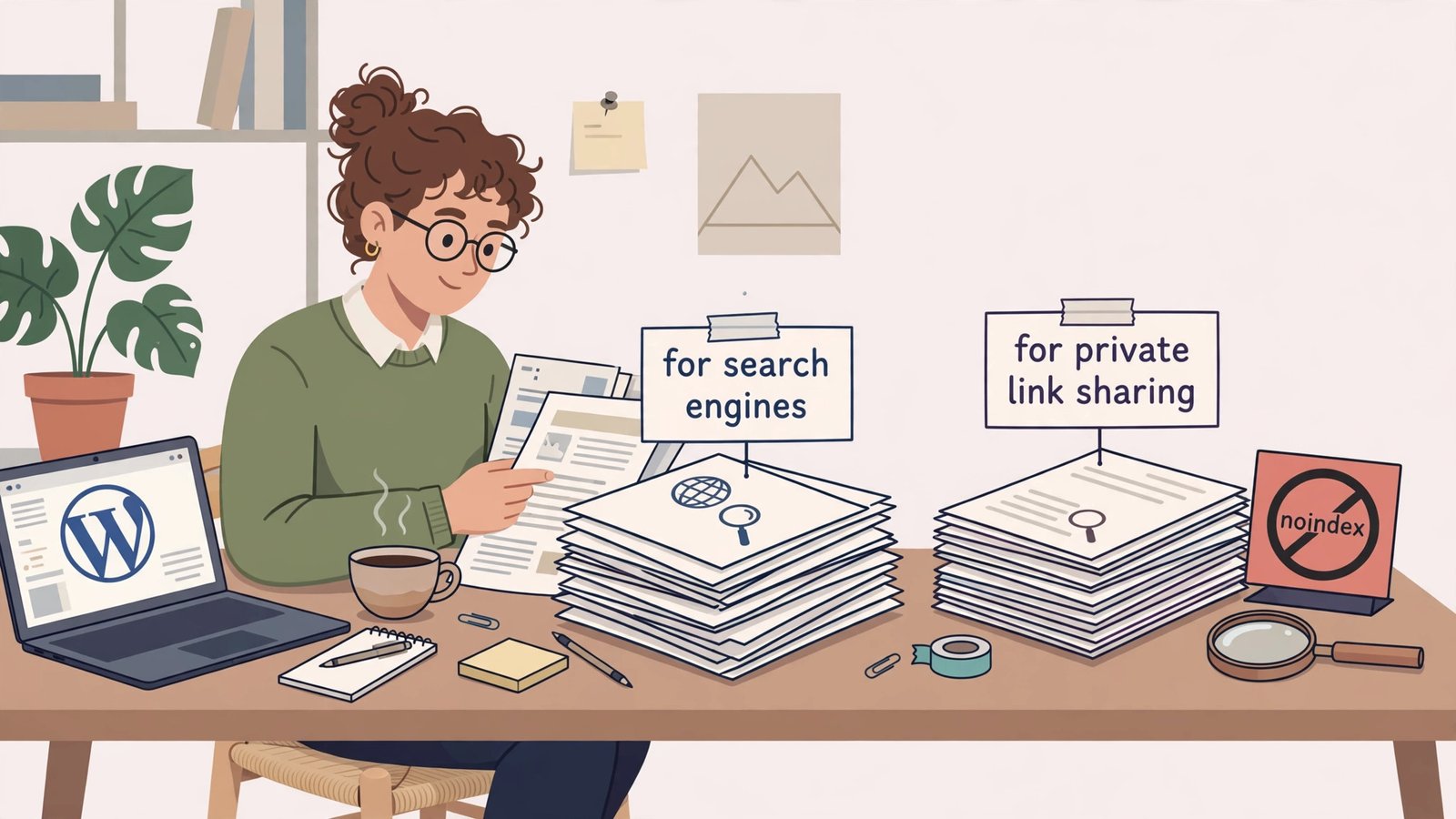
The short answer: if a page exists to be shared by link, Google now says it should not be indexed by default
On October 26, 2026, Google updated its Search Central guide on preventing user-generated spam. The new section is called “Only index content meant for Search,” and its message is blunt: if your service lets users create shareable pages, generated outputs, or interactive tools, decide whether that content is meant to be found through a search engine or only opened by people who have the link. When a page is made for direct sharing, collaboration, or utility rather than public search discovery, Google says to apply the noindex rule by default, using a robots meta tag or an X-Robots-Tag header, or to block crawling in robots.txt.
That is the whole update in one paragraph, and it matters to ordinary WordPress bloggers more than the headline suggests. You probably do not run a platform that lets strangers publish pages at scale. But you probably do run a site that quietly creates shareable, utility, or thin pages every week: thank-you pages after a form submission, internal search results, tag archives with one post, attachment pages, preview links, client or reader deliverables, and tool outputs. Google is not telling you to noindex your blog posts. It is telling you to stop letting every URL your site can generate act as if it were a publication.
This article translates a platform-focused update into a blogger-sized audit. You will learn what changed, what did not change, how to sort your pages into “meant for Search” and “not meant for Search,” how to apply noindex correctly in WordPress with Rank Math, the one robots.txt mistake that can leave a page indexed anyway, and the three Search Console checks Google now recommends. I have kept the advice practical and narrow: nothing here asks you to rebuild your site, and nothing here risks your real articles.
What Google actually changed on October 26
Google’s changelog describes the October 26, 2026 update as guidance on blocking indexing of link-shared content and monitoring abuse in Search Console. The stated purpose, quoted in coverage of the update, is “to help platforms keep user-created pages that aren’t meant for Search out of the index and detect spam earlier.” That purpose sentence is worth reading twice, because it tells you what Google is worried about and what it is not doing.
First, the worry is scale. The updated guide now covers tools that let users publish shared pages, generated content, or web apps. Think of the wave of AI tools and app builders that can turn one prompt into a public page, and then turn a thousand prompts into a thousand public pages. Some of those pages are useful to the person who made them and to the handful of people who receive the link. Very few of them are useful as search results for strangers. When platforms leave those pages indexable by default, Google’s index fills with pages nobody searched for, and spammers can ride the same machinery to publish at machine scale.
Second, the update is guidance, not a ranking launch. Google has not announced a new algorithm update, a new penalty, or a date when shareable pages will be demoted. Search Engine Journal and Search Engine Roundtable both covered the documentation change on October 26, and neither reported a ranking change. That distinction protects you from two opposite mistakes: ignoring the update because nothing changed in your rankings this week, and panicking as if your posts were about to be removed. The right response sits in the middle. Treat the update as an early, clear signal about where enforcement is heading, and clean up the pages that were never meant for search in the first place.
Third, Google paired the indexing advice with monitoring advice. Site owners should verify their site or subdomain in Search Console so they receive email alerts for manual actions and security issues, check the Page Indexing report and the Search performance report regularly for unexpected spikes, and track creation and indexing at the platform level, watching for anomalies such as a spike in newly published public pages or a small number of users generating a large share of indexable URLs. For a solo blogger, that last point translates simply: watch for URL counts that jump without you publishing anything. A jump usually means a plugin, a form, a tool, or a user feature is generating pages behind your back.
What this update is not
Let me clear away three misunderstandings I have already seen forming around this news, because each one leads to a bad decision.
It is not an order to noindex user-generated content in general. A helpful comment, a genuine forum thread, or a reader-submitted story that adds value can absolutely belong in search. Google’s test is purpose, not authorship. A page written by a user and meant for public discovery is different from a page generated for one recipient and passed around by link.
It is not a reason to noindex your category or tag archives wholesale. Some archives are genuinely useful landing pages. Others are thin duplicates. The audit later in this article helps you tell the difference instead of swinging a blunt instrument at your own taxonomy.
It is not a substitute for handling private content properly. Noindex is not security. A noindexed page can still be opened by anyone who has the URL, and it can still appear in other places, such as a shared link preview or a sitemap someone else crawls. If a page contains private, sensitive, or client-confidential material, it needs authentication, not just a robots tag. Google’s guidance says “only accessed directly by people with a link” for a reason: a link is an access method, not a lock.
The meant-for-Search test: one question for every page type
Here is the test I use, and it takes about ten seconds per page type once you get used to it. Ask: “Would a stranger typing a search query be helped by landing on this page, with no context about who made it or why?”
If the answer is a clear yes, the page is meant for Search. Keep it indexed, give it a good title and description, and make sure it stands alone. Your articles, guides, reviews, and genuinely useful category pages pass this test easily.
If the answer is no, or if the page only makes sense to the person who received the link, it is not meant for Search. Noindex it by default. Thank-you pages, order confirmations, private share links, tool outputs, internal search results, and empty archives fail this test. They are not bad pages. They are simply not search pages, and treating them as search pages helps nobody.
If the answer is “it depends,” look at the page, not the page type. A tag page with twelve strong posts and a clear introduction might pass. The same tag page with one post and no introduction probably does not. A user profile with a real bio, a portfolio, and published work might pass. A bare profile with a username and nothing else does not. The test works at the level of the actual page, which is why a blanket rule for a whole post type can be too crude.
| Page type on a typical WordPress blog | Meant for Search? | Default action |
|---|---|---|
| Blog posts and guides | Yes | Index, with a real title and meta description |
| Strong category pages with many posts | Yes, if genuinely useful | Index, and improve thin ones rather than hiding them |
| Thank-you and confirmation pages | No | Noindex |
| Internal search results pages | No | Noindex |
| Attachment pages for images and files | No, in most cases | Noindex, or redirect to the file itself |
| Tag pages with one or two posts | Usually no | Noindex, or merge the tag into a stronger one |
| Author archives for a single-author blog | Usually no | Noindex, or redirect to the About page |
| Login, account, and checkout pages | No | Noindex, and keep them behind login where possible |
| Shared documents, proposals, and tool outputs | No | Noindex, and add authentication for anything private |
| Draft previews and staging pages | No | Noindex, and keep staging off the public web entirely |
That table is a starting point, not a verdict on your site. Run through it with your own sitemap open, and mark anything that surprises you. The surprises are the audit.
The WordPress audit, step by step
You do not need a developer for this audit. You need about an hour, your WordPress dashboard, and Google Search Console. Work through the steps in order, and stop after each one to check what you changed before moving on.
Step 1: Look at what Google has actually indexed
Open Google Search Console, go to the Page Indexing report, and look at the “Indexed” count and the reasons pages were not indexed. Then run a site search in Google for your domain, such as site:example.com, and scan the first few pages of results. You are looking for three things: pages you did not mean to publish, pages with gibberish or auto-generated titles, and page types that repeat dozens of times with almost no content. Write down every page type that looks wrong. That list is your audit backlog.
Step 2: Set the defaults in Rank Math
Rank Math lets you control indexing by content type, and that is where most bloggers should start. In your WordPress dashboard, go to Rank Math, then Titles and Meta, and work through the content types and taxonomies one at a time. For each one, ask the meant-for-Search question.
Posts and pages stay indexed. That is your content. Categories deserve a real decision: if your categories are curated landing pages with descriptions and many posts, keep them indexed. If they are thin auto-generated lists, either improve them or noindex them until they earn their place. Tags are the most common offender on small blogs. A tag used once or twice creates a near-empty page that competes with the post itself. Noindexing thin tag archives, or better, cleaning up stray tags, usually improves a site’s overall quality signal without costing any real traffic.
Attachment pages deserve special attention. WordPress historically created a separate page for every uploaded image, and those pages are almost never useful as search results. Rank Math has a setting to redirect attachment pages to the file URL itself, and turning that on removes a whole class of thin pages in one move. Check it, test an old attachment URL, and confirm it redirects cleanly.
Step 3: Fix individual pages by hand
Defaults handle the bulk, but individual pages need individual decisions. Edit a page or post, open the Rank Math meta box, go to the Advanced tab, and set the robots meta to “No Index” for anything that fails the meant-for-Search test. Save, then view the page source and confirm the robots meta tag is present. This is the step people skip, and it is the step that catches the odd thank-you page, the one-off landing page, or the shared document that a default rule missed.
Step 4: Do not make the robots.txt mistake
This is the most important technical point in the whole article, so I will state it plainly. A robots.txt disallow rule stops Googlebot from crawling a page. It does not stop Google from indexing the URL. If other sites link to that URL, Google can index it anyway, showing only the URL with no description, and Search Console will report it as “Indexed, though blocked by robots.txt.”
The noindex tag works the opposite way: Googlebot must be able to crawl the page to see the noindex instruction. So if you want a page removed from the index, use noindex and leave the page crawlable. Do not block it in robots.txt at the same time, or Google will never see the instruction telling it to drop the page. This is exactly the trap Search Engine Journal flagged in its coverage of the October update: a robots.txt rule that blocks Googlebot from shareable pages means Google never reads the noindex tag on them.
The practical rule is simple. Use noindex when you want a page out of the index. Use robots.txt only when you want to save crawl budget on pages that do not need to be crawled at all, and accept that a blocked URL can still be indexed if it is linked elsewhere. Never apply both to the same page and expect the noindex to win, because the crawler never gets far enough to read it.
For non-HTML files such as PDFs, the equivalent tool is the X-Robots-Tag HTTP header, which your host or server configuration can set for a file type or directory. Rank Math’s own glossary on the noindex tag explains the difference between the meta tag and the header, and it is worth reading if you publish downloadable files that should not appear in search results.
Step 5: Run the three Search Console checks Google recommends
Google’s updated monitoring advice gives bloggers a short routine, and it is worth turning into a weekly habit.
First, confirm your site is verified in Search Console and that alert emails go to an address you actually read. A manual action notice sitting in an unread inbox helps nobody. Check the verification status and the notification settings in one pass.
Second, review the Page Indexing report for unexpected spikes. A sudden jump in indexed pages, especially pages you did not publish, is the earliest warning that something on your site is generating URLs. Look at the examples Google lists, identify the pattern, and fix the source rather than deleting URLs one by one.
Third, review the Search performance report for queries and pages that do not match your site’s purpose. If you are getting impressions for gibberish queries, or for pages that should never have been indexed, those pages are polluting your site’s search footprint. Noindex them at the source, then watch the report over the following weeks to confirm the impressions fall away.
Set a calendar reminder for this routine. Monthly is fine for a small blog. Weekly is better if you run forms, tools, memberships, or anything that lets visitors create content.
What this means if you run tools, forms, or AI-generated pages
The October update lands hardest on a specific kind of site: the tool site, the AI-output site, and the platform that lets users generate a page and share it. If that describes any part of your site, the audit above is not optional housekeeping. It is the core of your SEO strategy.
A tool output page, such as a generated report, a calculator result, or a shareable document, is useful to the person who generated it. It is rarely useful to a stranger, because the stranger lacks the inputs, the question, and the context. Defaulting those pages to noindex protects your index from thousands of near-identical outputs and protects your real content from being buried under them. The same logic applies to generated pages from AI tools: if the page exists because someone clicked a button, and its value lives in the link that was shared, noindex is the honest default.
Five mistakes to avoid
The first mistake is noindexing your best content by accident. The WordPress setting “Discourage search engines from indexing this site” under Settings, then Reading, applies noindex site-wide, and it is famously easy to leave on after a staging launch or a redesign. Check it now. It should be unchecked on any live site.
The second mistake is blocking and noindexing the same page, as described above. Pick one tool for the job. For index removal, pick noindex.
The third mistake is noindexing a page that already ranks and earns traffic without checking first. Before you noindex any page type, look at its traffic in Search Console. If a tag page or a category page is actually bringing in visitors, improve it instead of hiding it. Noindex is for pages with no search value, not for pages you have not bothered to improve.
The fourth mistake is treating noindex as a privacy control. It is not. Anything that must stay private needs a login, a password, or removal from the public web. Noindex only affects search engines, and a determined visitor with the link can still open the page.
The fifth mistake is doing the audit once and forgetting it. Sites generate new page types constantly: a new plugin adds an archive, a new form adds a thank-you page, a new tool adds an output template. Re-run the sitemap and Page Indexing check whenever you install a plugin that creates pages, and add the check to your quarterly site maintenance routine.
Your one-week action plan
Day one, spend thirty minutes in Search Console and your sitemap, and write down every page type that fails the meant-for-Search test. Day two, set the Rank Math defaults for the worst offenders: thin tags, attachment pages, and internal search results. Day three, fix the individual pages on your list by hand, and verify each noindex tag in the page source. Day four, check the WordPress “Discourage search engines” setting and confirm it is off, and confirm no page carries both a robots.txt block and a noindex tag. Day five, run the three Search Console checks and set a monthly reminder to repeat them.
That is the whole plan. It is not a crisis, it is a clarification: Google is telling site owners, in plain language, to decide what belongs in search and keep everything else out by default. Bloggers who do that work now will have cleaner indexes and one less thing to worry about when enforcement catches up with guidance.
For related reading on how Google treats site structure, see our guide to Google’s URL structure clarification, and for the September spam update that set the stage for this one, see the September 2026 spam update checklist. If your blog is working toward monetization, the AdSense approval requirements for 2026 explain why a clean, genuinely useful index matters beyond rankings. External sources for this article include Search Engine Journal’s coverage of the October 26 update, Search Engine Roundtable’s report, Rank Math’s noindex tag glossary, and Google’s own Search Central guide.
Frequently Asked Questions
Does Google’s October 26 update mean I should noindex all user-generated content?
No. Google’s test is purpose, not authorship. User-generated pages meant for public discovery, such as a helpful forum thread or a genuine reader story, can stay indexed. Pages made for direct sharing, collaboration, or utility should be noindexed by default, whether a human or a tool created them.
Is this a ranking update or a penalty announcement?
Neither. It is a documentation update to Google’s spam-prevention guide. Google has not announced a ranking change or a new penalty tied to it. Treat it as an early signal about where spam enforcement is heading, and clean up pages that were never meant for search.
Should I use robots.txt or noindex to keep a page out of search?
Use noindex if you want the page out of the index, and leave the page crawlable so Googlebot can read the noindex instruction. A robots.txt disallow stops crawling but does not guarantee the URL stays out of the index, especially if other sites link to it. Never apply both to the same page.
What happens if I accidentally noindex a page that ranks?
The page will drop out of search results as Google recrawls it. The fix is to remove the noindex tag and let Google recrawl the page, which can take days to weeks depending on crawl frequency. Before noindexing any page type, check its traffic in Search Console so you do not hide a page that is actually earning visitors.
Do thank-you pages and internal search results really need noindex?
Yes, in almost every case. A thank-you page only makes sense after a form submission, and an internal search results page only makes sense for the query someone just typed. Neither helps a stranger arriving from a search engine, and both can dilute your site’s index if they accumulate.
How often should I re-run this audit?
Monthly is a good rhythm for a small blog, and weekly makes sense if your site lets visitors create pages, runs tools, or publishes generated outputs. Re-run it immediately after installing any plugin that creates new page types, and include it in your quarterly site maintenance.