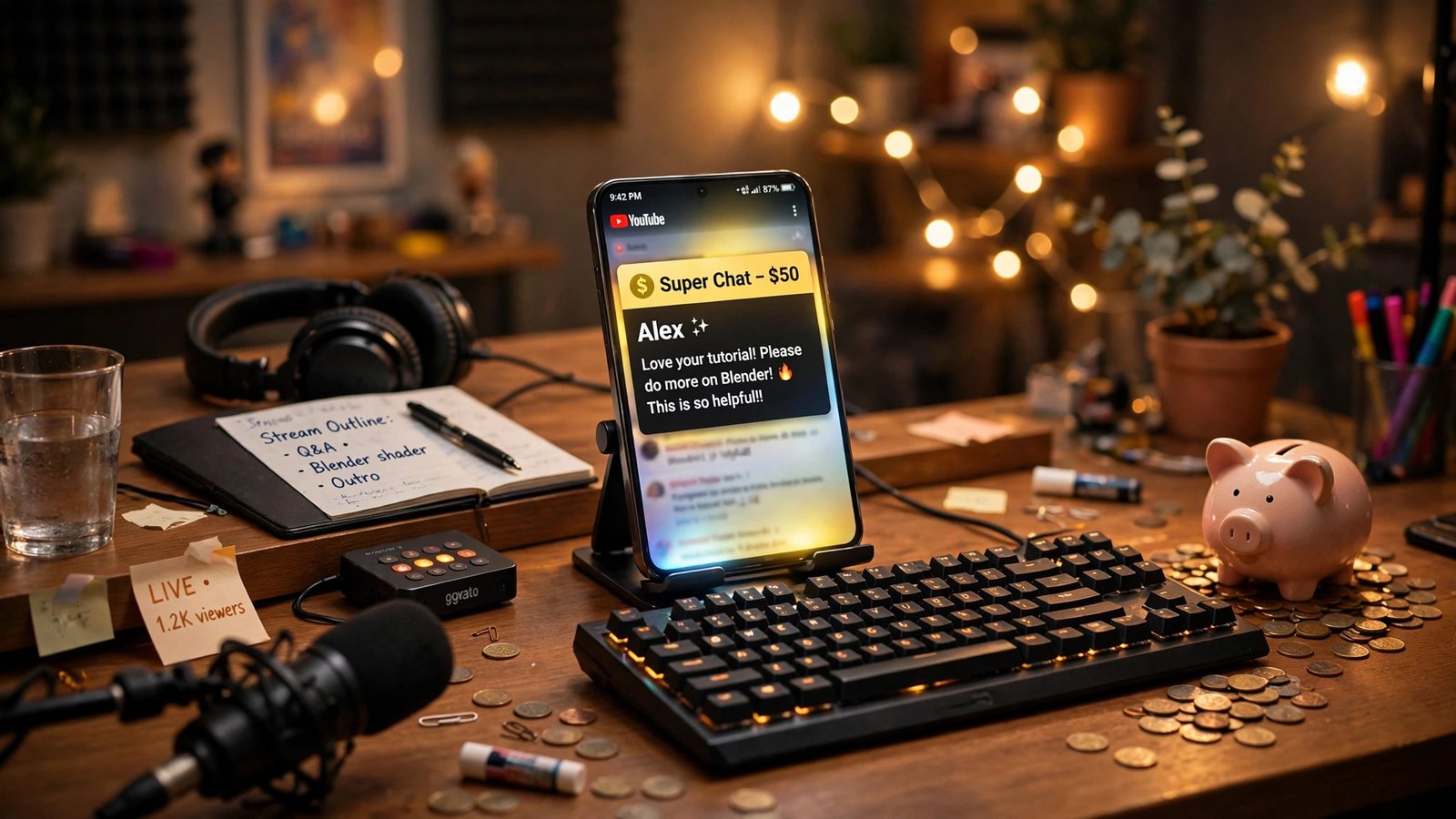
A fan sends you a $10 Super Chat during your live stream. How much of that ten dollars actually lands in your bank account? If they bought it on a desktop browser, you keep about $7. If they bought it in the YouTube app on an iPhone, you keep about $4.90 — barely half of what your fan paid. The headline split YouTube publishes is 70/30 in your favor, and that number is real, but it is calculated after Apple takes its cut and after sales tax comes off. This guide works out the exact take-home math for Super Chat, Super Stickers, Super Thanks and channel memberships, shows you how to steer fans toward the payment route that pays you more, and flags the February 1, 2027 deadline that changes who can join the Partner Program in the first place.
The short answer: 70% — with one big asterisk
YouTube groups Super Chat, Super Stickers and Super Thanks together under the name “Supers.” Its help pages state the rule plainly: creators receive 70% of Supers revenue confirmed by Google, calculated after local sales tax and App Store fees on iOS are deducted. YouTube currently covers transaction costs like credit card fees itself, so those don’t come out of your share.
That sentence hides the whole story. The 70% is not 70% of what your fan paid at checkout. It is 70% of what is left after two deductions that happen first:
- Local sales tax — taken out where it applies, before the split is calculated.
- Apple’s App Store fee — taken out when a viewer buys through the YouTube app on an iPhone or iPad. Apple’s standard commission on in-app purchases of digital goods is 30%.
So the honest formula looks like this: your take-home = 70% × (what the fan paid − sales tax − Apple’s 30%, if iOS). On the web or on Android, there is no Apple fee, so the math is clean: a $10 Super Chat nets you $7. On iOS, Apple takes roughly $3 first, YouTube then pays you 70% of the remaining $7, and you land on $4.90. Same fan, same ten dollars, same stream — 30% less money for you, and your fan never sees the difference.
One more wrinkle worth knowing: YouTube does not publish the exact App Store fee it passes through on Supers, nor the order in which tax and the Apple fee are applied. The tables below apply Apple’s standard published 30% rate, which is how every independent calculator and creator guide models it, and the real-world report in the next section lands almost exactly on those numbers. Treat the figures as what YouTube’s own wording produces, not as a promise down to the cent.
The take-home table: what each Super actually pays you
Super Thanks comes in four fixed price points in the US: $2, $5, $10 and $50. Super Chat is more flexible — viewers can send anything from $1 to $500, and the size of the payment decides how long the highlighted message stays pinned in chat. Here is what each amount leaves you, before any income tax on your end.
| Viewer pays | You keep (web or Android) | You keep (iOS app) | You lose on iOS |
|---|---|---|---|
| $2 Super Thanks | $1.40 | $0.98 | $0.42 |
| $5 Super Thanks | $3.50 | $2.45 | $1.05 |
| $10 Super Chat / Thanks | $7.00 | $4.90 | $2.10 |
| $50 Super Thanks | $35.00 | $24.50 | $10.50 |
| $100 Super Chat | $70.00 | $49.00 | $21.00 |
| $500 Super Chat | $350.00 | $245.00 | $105.00 |
Read that last row again. A generous fan sends you $500 during a stream, and if they did it from their iPhone, $105 of it never reaches you — it goes to Apple before YouTube ever calculates your share. The fan paid the same $500 either way. Nobody in the chat can tell the difference. Only your AdSense statement can.
Sales tax makes the gap wider in some states. Where local sales tax applies, it comes off before the 70% is calculated too, so a $10 Super Chat in a high-tax state nets you slightly less than $7 even on the web. YouTube does not publish a per-state tax table for Supers, so I have left tax out of the table above — the numbers assume no sales tax, which is the best case. Your real take-home is the table figure minus whatever tax applied.
There is also a cap on the fan side: a viewer can spend roughly $500 a day and $2,000 a week across all Supers combined (Super Chat, Super Stickers, Super Thanks and Gifts together), not $2,000 on each one. If a whale fan hits the weekly cap mid-stream, their next Super Chat simply won’t go through.
The $199 Super Thanks that paid $98
This is not just theory. A creator reported on Reddit that a single $199 Super Thanks — a larger, custom-style amount above the standard $50 tier — paid out just $98. That is 49.3% of what the viewer paid, which matches the iOS math almost exactly: 70% of the 70% that remains after Apple’s 30% is 49%. The report was picked up and verified against Apple’s developer terms by the team at ytgrowth.io, and it is the cleanest real-world proof of the double fee I have seen.
Think about what that means for a small channel. A $199 tip is the kind of moment a creator remembers — a fan who really believes in the channel, putting real money behind it. The fan thinks they just gave you $199. You actually received less than half. Neither of you did anything wrong. The money leaked out in a fee structure that YouTube’s own help pages describe in a single subordinate clause.
That is why this article exists. The 70/30 headline is not a lie, but it is only the second fee. The first fee is the one your audience never sees, and on iOS it is just as big as YouTube’s.
Super Chat vs Super Thanks vs memberships: what is actually different
The three Supers share the same 70% split, but they work in different places and unlock at different moments in a channel’s life.
Super Chat is the live-stream tip. A viewer pays to pin a highlighted message in live chat during a stream or a Premiere. Bigger payments pin the message longer. It is the most visible form of fan funding — everyone in chat sees who paid and how much — which is exactly why it works well for streamers who acknowledge tippers out loud.
Super Stickers are the same mechanic with an animated image instead of a text message. Same split, same live-only restriction, same iOS problem.
Super Thanks is the one-off tip for uploaded videos and Shorts. A viewer taps the Thanks button on any video — including one you uploaded years ago — picks $2, $5, $10 or $50, and gets a highlighted, colored comment plus a short animation. This is the quiet earner: evergreen videos can collect Super Thanks for years with no new work from you. Industry estimates put the tip rate at roughly 1–5% of viewers, which sounds tiny until you multiply it across a video with 100,000 views.
Channel memberships are the recurring one. Fans pay monthly for perks like badges, emojis and members-only posts. Industry sources consistently report the same 70% net split, and YouTube’s own membership pages describe creators keeping 70% after taxes and fees including App Store fees on iOS. The membership math is where the iOS fee really bites, because it repeats every month: a $4.99 membership bought in the iOS app nets you roughly $2.44 a month instead of $3.49 — and over a year, that is about $12.60 lost per member, per year, for every member who subscribed on an iPhone.
All four unlock at the same place: the expanded YouTube Partner Program tier, which opens at 500 subscribers. That matters, because it means fan funding is the first money most small channels ever see — it arrives long before ad revenue does.
The eligibility bar: fan funding opens at 500 subscribers
You do not need 1,000 subscribers and 4,000 watch hours to turn on Supers. The expanded Partner Program tier — sometimes called the early-access tier — opens fan funding, Shopping and Creator Partnerships at 500 subscribers, 3 public uploads in the last 90 days, and either 3,000 qualified watch hours in the last 12 months or 3 million qualified Shorts views in the last 90 days. No ad revenue at this tier, but the tip jar is open.
That is the good news. The deadline is the catch. From February 1, 2027, YouTube is doubling the entry bar for the full ad-revenue tier: new applicants will need 1,000 subscribers plus either 8,000 qualified watch hours in the last 365 days or 20 million qualified Shorts views in the last 90 days. That is double today’s 4,000 hours and 10 million Shorts views. YouTube announced the change on August 10, 2026, its first significant Partner Program change since 2018.
Three things stay the same, and they matter more than the doubling:
- The 500-subscriber fan-funding tier does not move. YouTube’s own update page says plainly that there are no changes to the eligibility requirements for fan funding, Creator Partnerships or YouTube Shopping. If your plan is to earn from Supers first and ads later, the door stays exactly where it is.
- Channels already in the Partner Program are not affected. Existing partners do not have to requalify under the new bar.
- Every partner must accept the updated terms in YouTube Studio by January 31, 2027, or stop earning from the affected features from February 1. Your status is not lost, but the money pauses until you accept.
There is also a timing trick worth knowing: an application that reaches YouTube by 23:59 UTC on January 31, 2027 is judged against the old 4,000-hour bar even if the decision comes weeks later. A channel rejected in January reapplies at 8,000 hours. If you are anywhere near the current bar, applying before the deadline is worth real money. For the full breakdown of what changes and what to do about it, see our YouTube Partner Program February 2027 action plan.
How to steer fans to the payment route that pays you more
You cannot change Apple’s fee, and you cannot change YouTube’s split. But you can change where your fans pay — and the difference is 21 cents on every dollar. Here is the playbook.
Say it out loud on stream. This is the single highest-leverage move, and it costs nothing. When someone sends a Super Chat, thank them — and once per stream, say something like: “If you’re watching on your phone, tips sent from a computer browser actually get more money to me — same amount for you, more for the channel.” Fans who tip are your most loyal viewers. Most of them have no idea the iOS fee exists, and most of them would happily switch devices for the next tip if they knew.
Put it in your video descriptions and channel About section. One line is enough: “Tips sent from youtube.com on a computer keep about 70% for the channel; tips sent through the iPhone app keep about 49% because of Apple’s fee.” It reads as honest, not grabby, because it is honest. You are telling fans how to give you more without spending more.
Push memberships to the web, hard. Memberships are where the iOS leak compounds, because the fee repeats monthly. If you run a membership drive, link directly to your channel’s membership page on the web and say so: join from a browser, not the app. A member who joins on the web pays you $3.49 a month on a $4.99 tier; the same member on iOS pays you $2.44. Over a year with 100 members, that is the difference between about $4,188 and about $2,928 — $1,260 a year, gone to a fee your members never chose.
Track it in Studio. YouTube Studio shows Supers earnings under Analytics → Revenue → Supers. You cannot see per-purchase device breakdowns there, but you can see your total Supers revenue against your total Super volume and check whether the ratio looks closer to 70% or 49%. If it sits near 49%, your audience is overwhelmingly on iPhones, and the steer-to-web message is worth repeating every stream.
Don’t ditch iOS tips — just don’t depend on them silently. Some fans will only ever tip from their phone, mid-stream, in the moment. That impulse is worth more than the fee. Never make a fan feel bad for tipping the “wrong” way. The playbook is about shifting the margin where you can, not about shaming the people who fund your channel.
When the money actually lands
Supers earnings are paid through AdSense for YouTube, bundled with your other YouTube income, usually between the 21st and 26th of the month once you cross the payment threshold. The standard threshold is $100 — you do not get paid until your balance reaches it, which is why a small channel earning $35 a month from Supers waits about three months between payouts.
That is changing, slowly. In late October 2026, YouTube began testing a $20 payout threshold for a randomly selected group of creators in the US, India and Indonesia, starting with October payments. Creators in the test get a notification and can track payments in the YouTube Studio mobile app. It is a test, not a rollout — YouTube has not said how many channels are in it, how long it will run, or whether it will reach everyone. Do not assume you are in it. But if you are, a channel earning $35 a month from Supers gets paid monthly instead of quarterly, and that cash-flow difference matters when you are small.
Refunds come out of your share, too. If a viewer gets a Super Chat refunded, the creator’s portion is deducted back from the same AdSense account. It is rare, but it is one more reason to watch your Supers revenue line rather than your gross Super volume.
For the wider picture of how YouTube’s take compares with the platforms that compete for the same fan dollar, our YouTube vs Patreon vs Substack take-home comparison works the same math across all three.
Is fan funding worth it for a small channel?
Honestly? As a primary income, no — not at first. The realistic numbers are small. Industry guides estimate roughly 1–5% of viewers tip, and most tips land at the $2 or $5 tier. A channel with 10,000 to 50,000 subscribers typically earns somewhere around $50–$300 a month from Super Thanks; a channel with 50,000 to 200,000 subscribers might see $300–$1,500. Those are wide ranges because they depend on how loyal the audience is, not how big it is. A 5,000-subscriber channel with a tight community that watches live every week can out-earn a 100,000-subscriber channel whose viewers never show up live.
But as a first income, fan funding is the best deal on YouTube for a small creator, for three reasons. First, it opens at 500 subscribers, while ad revenue needs 1,000 subscribers and 4,000 watch hours — and from February 2027, 8,000. Second, it pays per fan action, not per thousand views, so a loyal audience of hundreds can produce real money while the same audience would earn pennies from ads. Third, it is the only YouTube income that is not at the mercy of advertiser demand — a Super Chat is worth the same in January, when ad rates crash, as it is in December.
Here is a worked example for a small channel doing one live stream a week:
- 200 live viewers per stream, 4 streams a month
- 10 Super Chats per stream at an average of $5 = $50 per stream, $200 a month gross
- If half your tippers use iOS: web half nets $70, iOS half nets $49 — about $119 a month to you
- If you steer most tippers to the web: closer to $140 a month
The difference between the two scenarios is about $250 a year. That is a microphone, or a year of editing software, or the plane ticket to a creator event — bought with a sentence you say once per stream.
The bottom line
YouTube’s 70% split is real, and it is generous compared with the 55% you keep from long-form ad revenue. But 70% of what is left after Apple takes 30% is 49%, and that is the number that actually hits your bank account when your fans tip from their iPhones. The fix is not a different platform or a different feature — it is a sentence, said on stream and written in your descriptions, that tells your most loyal viewers how to give you more without spending more. And if you are anywhere near the Partner Program bar, do the paperwork before January 31, 2027. After February 1, the ad-revenue door gets twice as heavy — but the fan-funding door, the one that pays you first, stays exactly where it is.
Frequently Asked Questions
How much does a creator keep from a $10 Super Chat?
About $7 if the viewer buys it on the web or Android, and about $4.90 if they buy it in the YouTube app on an iPhone or iPad. YouTube pays creators 70% of Supers revenue after local sales tax and iOS App Store fees are deducted, and Apple’s standard fee is 30%.
Do Super Thanks pay the same as Super Chat?
Yes. Super Chat, Super Stickers and Super Thanks all share the same 70% creator split, calculated the same way. The difference is where they work: Super Chat and Super Stickers are live-stream only, while Super Thanks works on uploaded videos and Shorts. Super Thanks comes in fixed tiers of $2, $5, $10 and $50.
Why did my Super Thanks pay less than 70%?
Almost always because the viewer paid through the iOS app. Apple’s 30% in-app purchase fee comes off before YouTube calculates your 70%, leaving you about 49% of what the viewer paid. Sales tax, where it applies, also comes off first. A creator reported a $199 Super Thanks paying out just $98 — almost exactly the 49% the iOS math predicts.
How many subscribers do I need for Super Chat?
500 subscribers, plus 3 public uploads in the last 90 days and either 3,000 qualified watch hours in the last 12 months or 3 million qualified Shorts views in the last 90 days. That is the expanded Partner Program tier, and it is not changing on February 1, 2027 — only the full ad-revenue tier doubles to 8,000 watch hours or 20 million Shorts views.
When do Super Chat earnings get paid out?
Through AdSense for YouTube, usually between the 21st and 26th of the month, once your balance crosses the $100 payment threshold. YouTube is testing a $20 threshold for a randomly selected group of US creators, but it is a test, not a rollout — do not assume you are included.
Can I avoid the Apple fee on Super Chats?
You cannot remove it, but you can steer around it. Ask fans to tip from youtube.com in a desktop browser instead of the iPhone app, and link your membership page on the web during membership drives. The fan pays the same amount; you keep about 70% instead of about 49%.