
The short answer: yes, Grok Bot can shop for you, but you should stay in the loop
Grok Bot can now turn a shopping request into a real order, show you the product as a card, and pay through X Money or Stripe Link after you approve it. The part that matters for your money is not whether the Bot can buy something. It is how approval works, what happens when a card is saved in the Bot’s Vault, and which jobs are sensible to hand over in the first place.
Think of Grok Bot less like a store and more like an assistant who can walk into stores on your behalf. You still decide what to buy, you still approve the spend, and you still need to check the order before it ships. When that setup is working, it saves you the dull parts of shopping: comparing listings, watching a price, remembering to cancel a trial, or tracking a delivery. When the setup is loose, the same assistant can spend faster than you can react. This guide walks through the shopping cards, the payment flow, the approval rules, and the one Vault setting that changes everything, using only what xAI’s changelog and docs actually say — and flagging what they do not say yet.
What Grok Bot is, and who actually gets it
Grok Bot is xAI’s — now SpaceXSI’s — always-on agent product, launched in beta in August 2026. You create a named Bot, give it a job, and it keeps working on a cloud computer even after you close your laptop. Shopping is one of those jobs, but it is not available on every plan.
For new customers, Grok Bot comes with The X Subscription from Premium at $30 per month. Super costs $100 per month and Ultra costs $200 per month. The annual prices are $300, $1,000, and $2,000 respectively. Free and Plus, at $8 per month, do not include it. That distinction matters because a lot of older write-ups still describe earlier plan lineups. Some docs still describe older plans in places, and older Cursor plans keep their old prices unless the customer switches. Before you sign up for shopping specifically, verify the plan on the signup page itself rather than trusting a roundup, including this one, on price alone.
That pricing context also helps you judge value honestly. If you are already paying for a higher tier for other work, shopping is a bonus feature inside that subscription. If you are thinking of upgrading just to let a Bot buy things, the math is harder to justify unless you will genuinely use it for repeated, boring purchases and subscription cleanup. For comparison, see this breakdown of creator subscription fees compared at $100 in 2026.
How shopping cards work, step by step
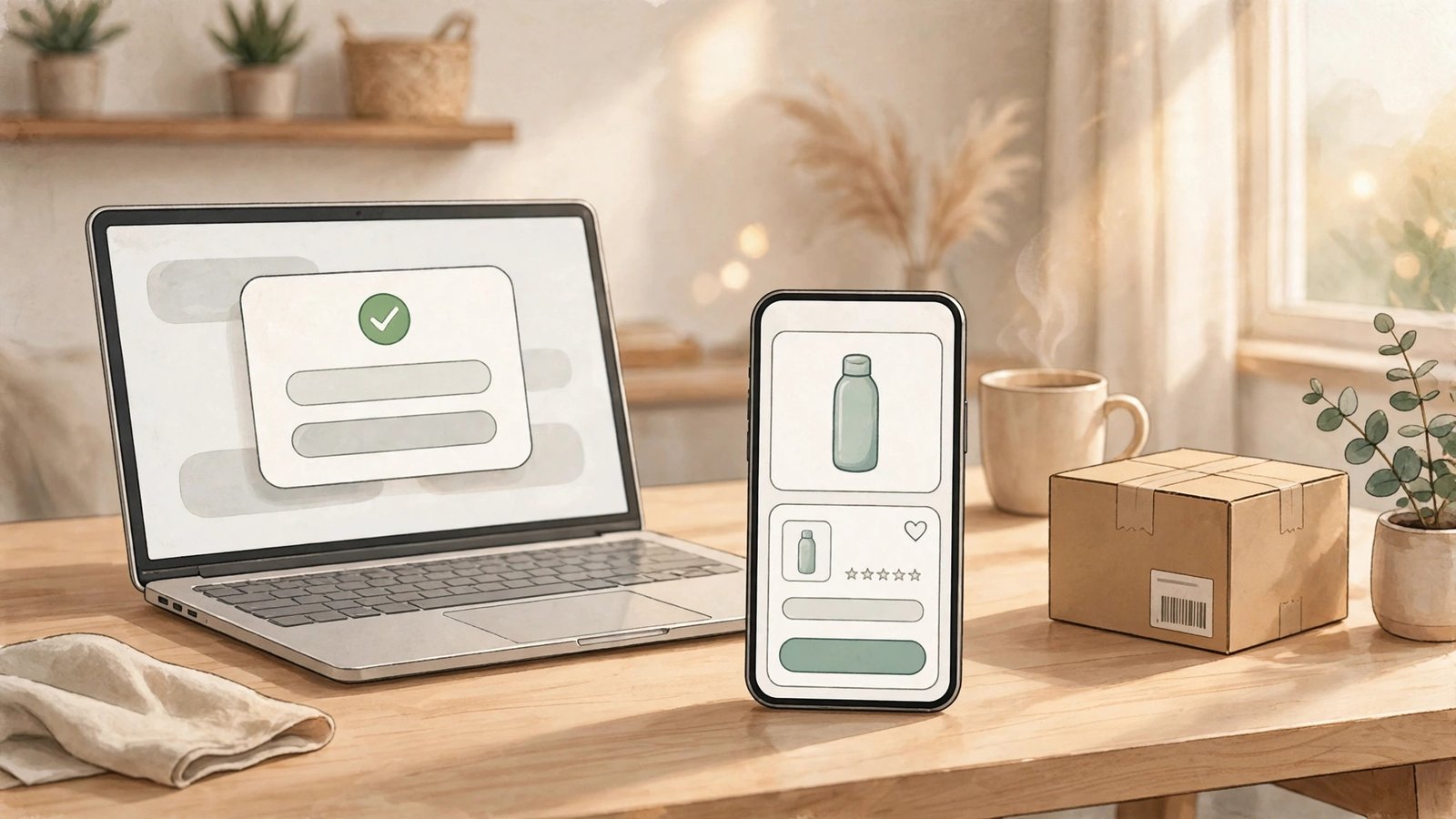
Shopping cards arrived in changelog version 0.78.1, dated October 27, 2026. Before that, shopping was already possible. The cards changed how it looks and feels. Instead of a wall of text with a link you have to open and check yourself, products now show as cards with a photo, a rating, a price, and the store name. That sounds cosmetic, but it changes the decision you are making. You are no longer approving a vague idea like “buy the charger.” You are approving a specific product, from a specific store, at a specific price, with its rating visible right there.
Here is the flow as described in the changelog and in xAI’s approvals material:
Step 1: You send the Bot shopping
You tell the Bot what you want, in normal language: a replacement for something you already own, a gift with a budget, or a household item you keep running out of. The Bot searches and returns product cards. This research stage is where the Bot is most useful — it compares options without you opening ten tabs.
Step 2: You check the card, not just the price
Look at the photo, the rating, the price, and the store. A low price from an unfamiliar store is not the same deal as the same price from a store you trust. Check the exact variant too: size, color, quantity, and whether the listing is for one item or a multipack. Bots are good at finding a match, but they can still match the wrong variant if your request was loose. If anything on the card looks off, ask the Bot to clarify before you tap anything that looks like a purchase button.
Step 3: “Buy now” starts an order you approve
Tapping “Buy now” on a card does not finish the purchase on its own. It starts an order that you approve. That approval step is the whole safety model, and the next section explains why you should treat it as a real checkpoint, not a pop-up to dismiss. Once approved, payment goes through the connected method — X Money or Stripe Link — and the Bot tracks the order until it arrives.
Step 4: The Bot tracks the order until arrival
Order tracking is easy to underrate until you have three deliveries coming from three stores. The Bot follows the order through to arrival, which means you can ask where something is instead of digging through confirmation emails. If an order is delayed or wrong, do not assume the Bot will handle the return — keep that job yourself until you have tested it.
Shop Pay also connects from the Vault’s Payments tab in the same update — same rule: check the card, approve deliberately, keep the receipt.
The approval flow, walked through slowly
Approvals are where Grok Bot shopping either earns your trust or loses it, so it is worth slowing down here. xAI’s docs list purchases among the actions that should always stop for the user. Payment confirmations, passwords, and codes should be done by you through Take over, meaning you take control of that step yourself rather than letting the Bot type or confirm on your behalf.
In practice, an approval looks like a card. The Bot proposes an action — in this case, a purchase — and you choose to allow it or deny it. A denied purchase stays denied. An unanswered request expires, and the action does not run. Silence is not consent here: if you miss the card, the purchase does not quietly go through later.
The waiting window changed recently. In version 0.77.0, dated October 26, 2026, the approval wait was extended from 10 minutes to 30 minutes. That is more forgiving if you step away from your phone, but it is not unlimited. Do not start a shopping task and then go offline for hours expecting the card to still be there. If the window closes, the Bot should stop, and you will need to restart that step.
There is one more limit to understand clearly: approval does not undo work that is already done. Approving a purchase authorizes that action; it is not an undo button if the order was already placed, shipped, or charged. Read the card first, approve second, and treat the approval as the purchase decision itself.
For a fuller walkthrough, see the changelog summary at What’s new in Grok Bot and the approvals explainer at Grok Bot can now pay for things. Stripe, whose wallet powers the checkout, confirms Grok Bot is among the personal agents now using Link’s wallet for agents in Helping personal agents shop more intelligently and reliably with Link.
The Vault caveat you need to know before your first order
Grok Bot has a Vault where logins and cards can be saved. Version 0.77.0 added a Payments tab in the Vault where you pick which payment method Bots use first. That sounds convenient, and it is. The catch, flagged in an October 30 roundup of xAI’s docs, is this: a card saved in Vault fills in at checkout without a separate approval each time.
Read that again, because it changes the safety story. If you save a card to the Vault and leave the save option on, later checkouts can fill that card in without stopping for a fresh approval on every purchase. That is not necessarily a bug. It is how a saved payment method is supposed to work in many products. But it is very different from the “you approve every spend” picture most people carry in their heads when they first hear about agent shopping.
If you want per-purchase approval to actually mean per-purchase approval, the roundup’s advice is straightforward: leave “Securely save to Bot’s vault” unchecked when you are offered it, or remove the card under Settings, then Vault. Then each purchase has to come back to you for a decision.
My own take: start strict. Use the one-time payment route first, approve a few small orders, and only loosen the setup once you know how your Bot behaves with your stores and budgets. You can always save a card later. You cannot un-spend the orders that went through while you were still learning the system.
Note too that 0.78.1 limited Shared Bots to “Only you” — keep shopping Bots private and their payment access narrow.
How payment actually works: X Money, Stripe Link, and the one-time card
Payment capability was listed in changelog version 0.70.2, dated October 11, 2026: Bots can pay with X Money or Stripe Link. Shopping itself was announced August 28, 2026: connect Stripe Link, send the Bot shopping, and it completes purchases after your approval.
The safe route, and the one you should use, is Link’s one-time card. You connect Stripe Link. When a purchase is approved, Link issues a one-time-use virtual card for that transaction, or a Shared Payment Token, after your approval. The merchant gets that one-time number, not your real card number, and the Bot never sees your real card number. Stripe named Grok Bot on September 29 among personal agents using Link’s agent wallet — a useful external check that this is a real, named integration rather than a vague promise.
X Money is the other named payment route in the changelog. If you follow creator payouts on X, you will already know X Money is part of a wider move toward payments inside the platform. For background, see X Money creator payouts in the US for 2026. That background helps, but it does not answer the shopping-specific questions, and this is where honesty matters: which countries, plans, and fees apply to X Money or Link payments in Grok Bot is not stated in the changelog. Do not assume your country, plan, or fee setup is covered just because the feature exists. Check the current docs and the checkout screen for your own account before you rely on either method.
The changelog likewise states no spending limit or per-transaction cap for these payments. That does not mean none exist — it means you should not invent one, and you should keep early orders small.
Safe to delegate vs never delegate: a practical table
Not every purchase is a good test for an agent. The table below is my judgment, built on the approval and Vault rules above, not a quote from xAI.
| Purchase type | Delegate? | Why |
|---|---|---|
| A repeat household item you already buy, same brand and size | Yes, with approval on | The card is easy to verify, and a mistake is cheap and obvious |
| A gift under a budget you set, from a store you name | Yes, with approval on | You control the budget and the store, and the card shows the exact item |
| A low-cost accessory or replacement part | Yes, with approval on | Low stakes, easy to check, good first test |
| A subscription trial you want to test | Yes, with the trial template | The template is built to cancel before billing, which is the whole point |
| A high-value item, limited edition, or one-time purchase | No, or only with a manual double-check | A wrong variant or a wrong seller is expensive to fix |
| Anything where the seller, return policy, or warranty matters more than price | No | The Bot can find a price faster than it can judge trust |
| A purchase that needs your password, code, or payment confirmation | Never delegate that step | Use Take over and do it yourself, per xAI’s own docs |
| Any order where you have saved a card in Vault and forgotten about it | Pause and fix the Vault setting first | Without a fresh approval, you are not really deciding each time |
The pattern is simple: delegate the finding and the tracking, and keep the deciding.
The subscription templates: where this feature actually shines
Shopping cards got most of the attention in 0.78.1, but the three templates in the same update may be more useful day to day. They are:
- Start free trials and cancel before billing.
- Cancel subscriptions you pick.
- Watch renewal prices.
Each one solves a real, annoying problem. Free trials are easy to start and easy to forget; a Bot set to cancel before billing removes the calendar reminder you were going to snooze. Canceling subscriptions you pick saves logging into five different account pages. Watching renewal prices gives you time to downgrade, cancel, or switch before a higher price hits.
Even here, keep the approval rule in place. A template that cancels a subscription is doing something you cannot easily undo if it cancels the wrong one. Name the subscription exactly, check the confirmation, and note the trial end date yourself as a backup.
The card-photo controversy, handled honestly
Between October 10 and 15, 2026, a separate story ran alongside the official shopping rollout, and you need to hear it accurately because it spread fast and it confused a lot of people.
Elon Musk posted that users could photograph a credit card, drop it in chat, and Grok would find a deal and order it. He later posted about a $241.34 LEGO order — five sets from lego.com — and said SpaceX would “make you whole” if Grok made a purchase mistake or leaked a card. Those posts are real and widely criticized, but they are not the official safe route described in the changelog.
xAI’s terms, updated around October 12, say user data and credentials may be retained in the cloud environment, and that financial transactions need human review. The terms place responsibility primarily on the user. That combination is exactly why the card-photo idea drew criticism: a photo of a card carries a name, a number, and an expiry date, and xAI’s own privacy material warns users not to include personal information in prompts.
So here is the honest position, stated plainly. Do not photograph your credit card and drop it in chat. Do not use the card-photo method as your shopping setup. The official safe route is Stripe Link’s one-time-use virtual card, issued after your approval, where the Bot never sees your real card number.
One related claim sometimes appears in discussions of this story: that Amazon blocks the bot. That claim is unverified in the material used for this article — treat it as unverified unless you find a primary source, and do not plan your shopping around it.
Outages, limits, and other caveats from community reports
No honest guide to a beta agent product can skip the rough edges, but it also has to label them correctly. The following points are community reports, not verified facts from xAI’s changelog. They are included because they affect how you should test the feature, not because they prove a flaw.
First, there was an outage reported on October 29. If a shopping task stalls or an approval card never appears, check whether the service itself is having trouble before you blame your setup or retry a purchase.
Second, some users reported cloud agents burning through roughly 70 percent of weekly limits in two days. That is a report, not a confirmed limit rule, but it is a practical warning: do not launch a large, open-ended task without checking your usage, especially early in a billing week.
Third, one user reported a password leak after linking Google. That is a single user report, and it is not verified here. Still, it reinforces the Take over rule: passwords, codes, and payment confirmations belong to you, not to a Bot’s saved credentials.
None of these reports mean you should avoid the feature entirely. They mean you should test it the way you would test any tool that touches money: small orders first, approval on, Vault checked, usage watched, and receipts saved.
What is still unconfirmed, and why that list matters
It is tempting to fill gaps with guesses. Resist that. Here is what remains unconfirmed or unstated in the sources used for this article:
- Which countries, plans, and fees apply to X Money or Link payments in Grok Bot. The changelog does not state them.
- Whether a specific store, including Amazon, blocks agent checkout. That claim is unverified.
- What spending limits, if any, apply beyond your own approval and your payment method’s limits.
- How returns, disputes, and refunds work when an agent placed the order, beyond the normal store process.
- Whether the card-photo approach will ever become an official, supported method. The official route remains Link’s one-time card.
That list is not a reason to distrust the feature. It is a reason to keep your setup conservative until xAI documents more of it. Check xAI’s current docs before a large purchase, and re-check the Vault setting after any major update.
A safe first-week setup
If you want to try this without turning your wallet into a test lab, here is a setup that follows everything above:
- Verify your plan includes Grok Bot, and confirm the price at signup.
- Connect Stripe Link, not a photographed card, and keep your real card number out of chat.
- Leave “Securely save to Bot’s vault” unchecked, or remove any saved card under Settings, then Vault, until you deliberately decide otherwise.
- Start with one repeat, low-cost item from a store you already trust.
- Read the full shopping card — photo, rating, price, store, and variant — before you approve.
- Approve inside the 30-minute window, and do payment confirmations yourself through Take over.
- Save the receipt, note the delivery tracking, and check your usage after the first few tasks.
- Only then try a subscription template, starting with one trial or one cancellation you can verify.
That sequence is boring on purpose. Boring is what you want from a tool that spends money. The interesting part — finding a better price, catching a renewal hike, clearing out forgotten subscriptions — comes after the boring setup is solid.
Frequently Asked Questions
Does Grok Bot need my real credit card number to shop for me?
No, not through the official route. With Stripe Link, Link issues a one-time-use virtual card or a Shared Payment Token per transaction after your approval, and the Bot never sees your real card number. Do not send a photo of your card in chat.
How long do I have to approve a purchase?
Approval cards now stay open for 30 minutes, extended from 10 minutes in version 0.77.0 on October 26, 2026. If you do not answer in time, the request expires and the action does not run.
If I save a card in Vault, do I still approve every purchase?
Not necessarily, and this is the key caveat. A card saved in Vault can fill in at checkout without a separate approval each time, according to an October 30 roundup of xAI’s docs. To force per-purchase approval, leave “Securely save to Bot’s vault” unchecked or remove the card under Settings, then Vault.
Can Grok Bot pay with X Money or Stripe Link?
Yes, changelog version 0.70.2 on October 11, 2026 lists both X Money and Stripe Link as payment options for Bots. Which countries, plans, and fees apply to those payments in Grok Bot is not stated in the changelog, so check your own account and the current docs before you rely on either method.
What should I never let a shopping Bot do?
Never let it handle your password, payment confirmation, or security code. xAI’s docs say those steps should be done by you through Take over. Also avoid delegating high-value, one-of-a-kind, or warranty-sensitive purchases without a manual double-check, and avoid any purchase where you have not read the full shopping card first.
Is the card-photo method safe because Musk said SpaceX would cover mistakes?
No, do not treat a public post as a safety guarantee. xAI’s October 12 terms say user data and credentials may be retained in the cloud environment, that financial transactions need human review, and that responsibility rests primarily on the user. The safe, documented route is Link’s one-time card after your approval.