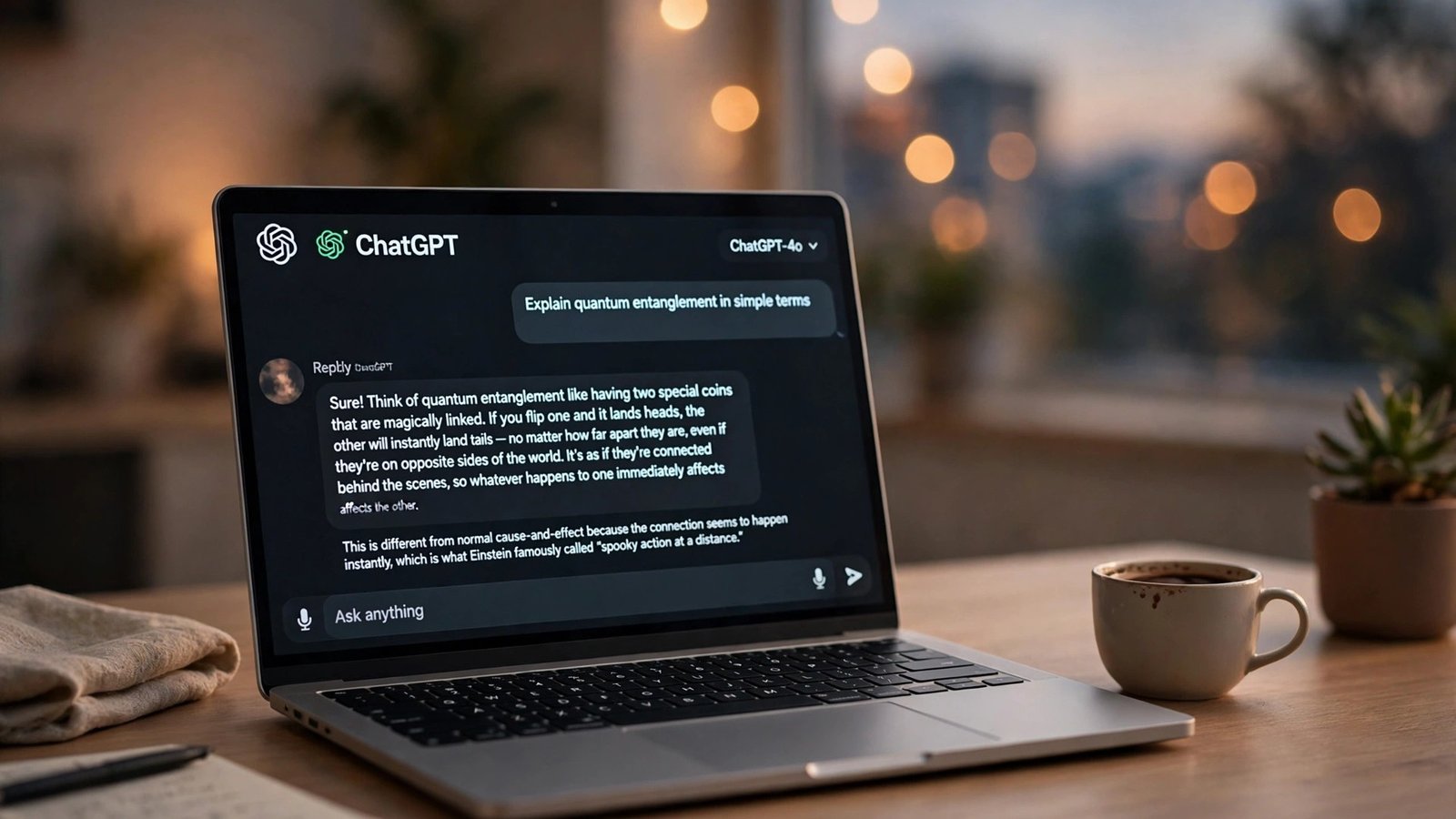
If you pay for ChatGPT and you opened the app this week, something changed under the hood — and you probably didn’t have to click anything. On November 23, 2026, OpenAI started rolling out a version of GPT-6.2 Sol as the model behind the everyday Chat tab for Plus, Pro, Business, and Enterprise users. No toggle to flip, no setting to hunt down, no new app to download. The chat window you already use every day simply got a new brain.
That sounds like a small thing. It isn’t, quite. The Chat tab is where most paying users spend nearly all of their ChatGPT time — quick questions, drafts, plans, photos, research, the “help me decide between these two hotels” chats. Until now, that tab ran on GPT-6. The new model is the everyday-work sibling from the GPT-6.2 family that OpenAI launched on November 17, tuned specifically for the back-and-forth conversation that happens in regular chat. So what does that actually mean for you? Let’s walk through it: what changed, what you’ll notice, what stays exactly the same, and the one honest catch worth knowing about before you trust it with anything important.
What actually changed on November 23
OpenAI’s ChatGPT release notes for November 23, 2026 put it plainly: “We’re rolling out a version of GPT-6.2, optimized for the chat tab, for Plus, Pro, Business and Enterprise tiers.” The rollout started globally that day, and the model behind it is “powered by a version of GPT-6.2 Sol” and “tuned for everyday conversation.”
A few details in that entry matter more than they look at first glance.
First, this is a paid-plans-only change. Free and Go users are not included yet, and OpenAI has not given a date for them. If you’re on the free plan, your Chat tab still runs on GPT-6 Luna, the model that arrived in regular chat in October. That gap is worth remembering if you ever compare notes with a friend on the free tier and wonder why your answers look different from theirs.
Second, Enterprise access depends on workplace admin settings. If you use ChatGPT through your employer and nothing has changed for you yet, your admin may not have switched it on. That’s a policy decision at your company, not a bug in your account.
Third — and this is the part people keep missing — the models powering Work and Codex are not changing as part of this release. GPT-6.2 Astra and Sol arrived in ChatGPT Work and Codex on November 17, and they stay exactly where they are. This November 23 change is only about the regular Chat tab. If you do your heavy lifting in Work, your setup is untouched.
Fourth, there’s nothing to turn on. OpenAI’s wording is that the new model “starts rolling out globally… today in the Chat tab.” It arrives on your account when the rollout reaches you, which takes days, not minutes. If your account still shows the old default, that is the rollout doing its thing — not a settings problem on your end. We’ll come back to that, because it’s the source of most of the confusion this week.
And one housekeeping note with a real deadline: OpenAI announced the same day that GPT-5.6 Sol will be retired from Chat on December 23, 2026, along with GPT-5.6 Sol and Terra in Work and Codex. If you still have GPT-5.6 Sol picked manually in your model picker, you can keep using it until then — but after December 23 it’s gone, so there’s no reason to cling to it now.
Sol vs. Astra: which model is doing what now
The GPT-6.2 family has two members, and the naming is genuinely confusing, so here’s the short version. Astra is the frontier model — the heavy lifter for complex professional work, deep research, and hard coding problems. Sol is the everyday model — fast, efficient, built for the writing, planning, comparing, and multi-step tasks that fill a normal day. OpenAI launched both on November 17 in Work, Codex, and the API. Now Sol — in a version tuned for conversation — is also the engine of the regular Chat tab.
Think of it this way: Astra is the colleague you call when a project is genuinely hard. Sol is the colleague sitting next to you all day, the one you ask a dozen small things. The Chat tab is Sol’s natural home, and that’s the whole point of this change. You’re not getting the frontier model in your everyday chat. You’re getting the everyday model, properly tuned for everyday chat.
That distinction explains a lot of what follows. If you were hoping this rollout would turn the Chat tab into a deep-research powerhouse, temper that hope. Sol is better than GPT-6 at the things the Chat tab is for — but for the hardest work, Astra is still the pick, and you still have to choose it yourself.
What you will notice in everyday chats
OpenAI’s release notes list specific improvements, and each one maps to something you can actually test yourself. Here’s what to look for, in plain terms, with a quick way to check each one.
Long, detailed requests actually stick
This is the biggest practical change. GPT-6.2 follows complex instructions better than GPT-6 did. In OpenAI’s own Chat tab tests, it followed instructions on especially challenging prompts 78.1% of the time, up from 62.5% for GPT-6. At the lowest reasoning setting, it scored 65% on an internal evaluation of expert-level tasks, up from 52%.
What does that look like in real life? It’s the difference between a five-part request where the model quietly drops part three, and one where all five parts survive. Try it with something like: “Plan a three-day weekend in Chicago for two adults under $900 total, no flights, one museum per day, a vegetarian-friendly restaurant each evening, and a packing list at the end.” Before, you’d often get a decent plan with the budget quietly ignored or the packing list missing. With Sol, the constraints hold together more often.
A practical tip: this is the moment to start giving ChatGPT the full brief instead of dumbing your request down. If you’ve trained yourself to ask for one thing at a time because the model kept losing track, try the whole request in one message. That’s exactly the use case this model was tuned for.
Photos get read properly now
This is the most dramatic number in the release notes. On image understanding in the Chat tab, GPT-6.2 scored 71.7%, up from 47.4% for GPT-6. That’s not a small bump; it’s a jump of more than 24 percentage points.
In practice, it means the model picks up finer details in the photos you share — text on a label, symbols on a sign, small print you can’t quite read yourself. Upload a photo of a restaurant menu and ask what’s gluten-free. Snap a picture of a whiteboard after a meeting and ask for the action items. Photograph a hotel room listing, a product label, a handwritten recipe card — the kind of everyday photo questions that used to come back with a confident-sounding guess and a missed detail.
One honest note: these are OpenAI’s own internal test numbers, not independent results. Treat the direction as real and the exact percentages as the company’s own measurement. If you use ChatGPT to read documents, labels, or screenshots at work, this is the improvement most likely to save you real time this week.
Comparing options gets smarter
OpenAI’s own example in the release notes is a good one: if you’re comparing hotels for a weekend trip, the new model “can help you weigh trade-offs like price and location and recommend the one that best fits your priorities.” That’s a small sentence with a big idea behind it. The model isn’t just listing facts about each hotel anymore; it’s supposed to rank them against what you actually care about.
Try it the next time you’re deciding between two or three options — hotels, laptops, flights, insurance plans, apartments. Give it your priorities in order: “Price matters most, then location, then free cancellation. Which of these three fits best, and what am I giving up with each one?” A recommendation you can trust tells you the trade-off, not just the winner.
Web research gets stronger
If you ask ChatGPT to find information online, GPT-6.2 is better at tracking down answers to difficult questions. On an internal version of BrowseComp, OpenAI’s web-research benchmark, it beat GPT-6 at all four reasoning settings. At the Extra High setting, it scored about 10 percentage points higher — 64.5% versus 54.4%.
For you, that mostly means fewer dead ends on research questions: the obscure product comparison, the local regulation, the “is this actually true” check. It does not mean you can stop verifying. Web research answers still need a quick sanity check against the source, especially when money or a deadline is involved.
It follows up — including price-drop alerts
Here’s the most surprising change: GPT-6.2 is better at knowing when to follow up. OpenAI’s example is simple — if you ask whether something is on sale, ChatGPT can offer to let you know when the price drops. That’s a small shift in how the assistant behaves: from answering the question in front of it to spotting the next question you were about to ask.
You’ll probably notice this one gradually. It might offer to check back on a flight price, a product restock, or a deadline. Some people will love it; others will find it a bit eager. Either way, it’s optional — you can say no, and you should, whenever the follow-up isn’t something you actually want.
What does not change
A model swap in the Chat tab sounds sweeping, but the boundaries matter, and OpenAI drew them clearly.
Your plan and your price don’t change. This is not a new tier and not a price rise. ChatGPT Plus is still $20 a month, and the rollout doesn’t add a fee or move you to a different plan. If you want a refresher on what each tier actually costs and includes, OpenAI’s ChatGPT pricing page lays it out in full. The model changed; the bill didn’t.
Work and Codex don’t change. As noted above, the models powering Work and Codex are untouched by this release. If your workflow lives in Work, nothing about it moved.
The model picker still exists. If your model picker shows GPT-6.2, the “Latest” option now uses it across the thinking modes — Instant, Medium, High, and Extra High. The Pro thinking level still uses GPT-6 Pro, because there’s no GPT-6.2 Pro option yet. You can still pick a specific model manually when you want to. The default changed; your ability to override it didn’t.
Free and Go users don’t get it yet. If you’re on one of those plans, nothing changes for you this week, and there’s no date announced. That’s a real two-tier split in the Chat tab now, and it’s worth knowing about before you assume everyone is on the same model.
Your chats, memory, and settings are untouched. A model swap doesn’t delete conversations or reset preferences. Everything you had yesterday is still there, running on a newer engine.
The rollout: why your account may still show the old model
Here’s the part that will cause the most head-scratching this week. The rollout is gradual. OpenAI says GPT-6.2 “starts rolling out globally” on November 23, and multiple reports confirm it reaches accounts over several days, not all at once. If you open ChatGPT today and your Chat tab still runs on GPT-6, nothing is wrong. You haven’t missed a setting, your subscription hasn’t lapsed, and you don’t need to reinstall the app.
There’s no switch to flip and no waitlist to join. The honest advice is to wait a few days and check again. If you’re on Enterprise, check with your workspace admin first — availability there depends on admin settings, and your admin may be rolling it out on their own schedule.
A few things you can check while you wait: make sure your app is updated to the latest version, and confirm you’re signed in to the paid account you think you’re signed in to. People with two accounts — personal and work, for instance — sometimes find the rollout reached one and not the other. Beyond that, patience is the whole fix. Gradual rollouts feel annoying when you’re the one waiting, but they’re how OpenAI catches problems before they reach everyone.
The honest catch: shorter answers, less hedging
Now the part OpenAI didn’t put in its release notes. Shortly before this rollout, Artificial Analysis published an evaluation of GPT-6.2 Astra and Sol that found a real trade-off in how the new models communicate. Compared with their predecessors, both models give much shorter answers — Astra’s average answer fell from 352 to 210 words, and Sol’s from 337 to 223 — and they use far fewer headings and less structure. At the same time, their scores for admitting uncertainty dropped sharply: Astra fell from 96 to 24 and Sol from 98 to 51 on that trait.
Just as important is what those scores actually mean. They are relative rankings from 1 to 100 among all tested models, not percentages of answers — a score of 24 does not mean the model admits uncertainty in only 24% of its replies. And the benchmark measures communication style, not accuracy. Still, the direction is worth knowing: in a separate comparison, Claude Fable 5.2 and Opus 5.5 scored 81 and 90 on the Transparency Index, well ahead of Astra at 41 and Sol at 57, and they led on organization too. If you want the full comparison behind those numbers, our GPT-6.2 Astra vs. Claude Fable 5.2 breakdown covers it in detail.
What does that mean for you in the Chat tab? Two practical things. First, expect tighter, more direct answers — which most people will like. The new default gets to the point faster and wastes less of your time with filler structure. Second, be a little more careful on questions where uncertainty matters. When the stakes are real — a medical question, a legal detail, a financial decision, anything where “I’m not sure” would change your next step — ask the model to show its reasoning, name its sources, and say plainly where it’s guessing. A shorter answer isn’t a more certain answer, and a confident tone isn’t evidence. The model sounds sure of itself more often now; your job is to make sure that confidence is earned.
When to switch to Astra manually
Sol is the default now, and for most everyday chats it’s the right one. But “default” and “best for this task” aren’t the same thing. Here’s a simple decision table for when to leave the default alone and when to switch to Astra yourself.
| Your task | Stay on Sol (the default) | Switch to Astra manually |
|---|---|---|
| Quick questions and everyday chat | Yes — this is what it’s tuned for | No need |
| Writing, editing, and drafting | Yes — fast and natural | Only for long, complex documents |
| Comparing hotels, products, or plans | Yes — trade-off weighing is a strength | No need |
| Reading photos, labels, and screenshots | Yes — much improved at 71.7% | No need |
| Deep research with sources | Try Sol first, verify sources | Yes, for multi-source research |
| Hard coding or debugging across files | No | Yes — Astra is the frontier model |
| Complex professional work (legal, financial analysis) | No | Yes, and verify everything |
| Multi-step projects with deliverables | Consider Work instead | Yes, in Work or Codex |
The Chat tab got better this week, but it didn’t become the place for your hardest work. That’s still what Work is for.
Is this worth paying for?
If you’re already paying for Plus, this change costs you nothing extra and makes the plan you already have noticeably better at everyday tasks. That’s a straightforward win. If you’re on the free plan and wondering whether this is the reason to upgrade, be honest with yourself about what you’d actually use. The Chat tab upgrade is real — better instructions, better photo reading, better comparisons — but it’s an improvement to the tool you already know, not a new capability. The $20-a-month question is still the same one it was last month: do you use ChatGPT enough, every day, for faster responses, higher limits, and the newest models to be worth it?
One more comparison worth making if you’re shopping around: the AI assistant market didn’t stand still while OpenAI shipped this. Google’s Gemini 4 launch and Anthropic’s Claude updates are all competing for the same $20 a month. Our Gemini 4 Neon launch guide covers what Google just shipped, including its pricing and the December 1 carbon-neutral claim, if you want to weigh the options side by side. The right pick depends on which assistant fits your daily work, not on which one shipped most recently.
The bottom line
GPT-6.2 Sol becoming the Chat tab default is a quiet upgrade with real consequences. Your everyday chats should follow long instructions better, read your photos more accurately, compare options against your actual priorities, and research the web more effectively. You don’t need to do anything to get it — it arrives with the rollout, and if it hasn’t reached your account yet, waiting a few days is the fix. What hasn’t changed matters just as much: your price, your plan, your chats, and the fact that Astra is still the model for your hardest work.
The one thing to carry with you is the trade-off. Shorter, more direct answers are a genuine improvement for daily use, but they come with less hedging and less structure. Enjoy the speed, but keep asking for sources and reasoning when the answer matters. The model got better at sounding sure of itself. Your judgment is still the part that decides whether that confidence is justified.
Frequently Asked Questions
Is GPT-6.2 Sol now the default model in ChatGPT?
For paying users, yes — with a rollout caveat. OpenAI started rolling out a version of GPT-6.2 Sol in the Chat tab on November 23, 2026, for Plus, Pro, Business, and Enterprise users. Because the rollout is gradual and global, it may take a few days to reach your account. Free and Go users stay on GPT-6 Luna for now, with no date announced.
Do I need to turn GPT-6.2 Sol on in settings?
No. There’s nothing to turn on. OpenAI’s release notes describe it as a rollout, not a setting. If your account still shows GPT-6, that means the rollout hasn’t reached you yet — not that you missed a toggle. On Enterprise workspaces, availability depends on your admin’s settings.
What’s the difference between GPT-6.2 Sol and GPT-6.2 Astra?
Sol is the everyday model: fast, efficient, tuned for writing, planning, comparing options, and multi-step daily tasks. Astra is the frontier model for complex professional work, deep research, and hard coding. Sol now powers the regular Chat tab; Astra remains available in ChatGPT Work and Codex, and you can pick it manually when a task is genuinely hard.
Will GPT-6.2 Sol change my ChatGPT price?
No. The model change doesn’t change your plan or your bill. ChatGPT Plus remains $20 a month. This is a model upgrade inside the plan you already pay for, not a new tier.
What happens to GPT-5.6 Sol?
OpenAI announced that GPT-5.6 Sol will be retired from Chat on December 23, 2026, and GPT-5.6 Sol and Terra will leave Work and Codex the same day. If you still have GPT-5.6 Sol selected manually, you can keep using it until then, but there’s no reason to stay on it now that GPT-6.2 Sol is the default.
Is GPT-6.2 Sol better than Claude for everyday chat?
It depends on what you value. GPT-6.2 Sol is faster and more direct, with much better photo reading and instruction following than GPT-6. But independent testing by Artificial Analysis found Claude’s Fable 5.2 and Opus 5.5 score well ahead on transparency and organization — they hedge more honestly and structure longer answers better. For quick everyday tasks, Sol is a strong pick. For work where you need to see the reasoning and the uncertainty, Claude still has an edge.