
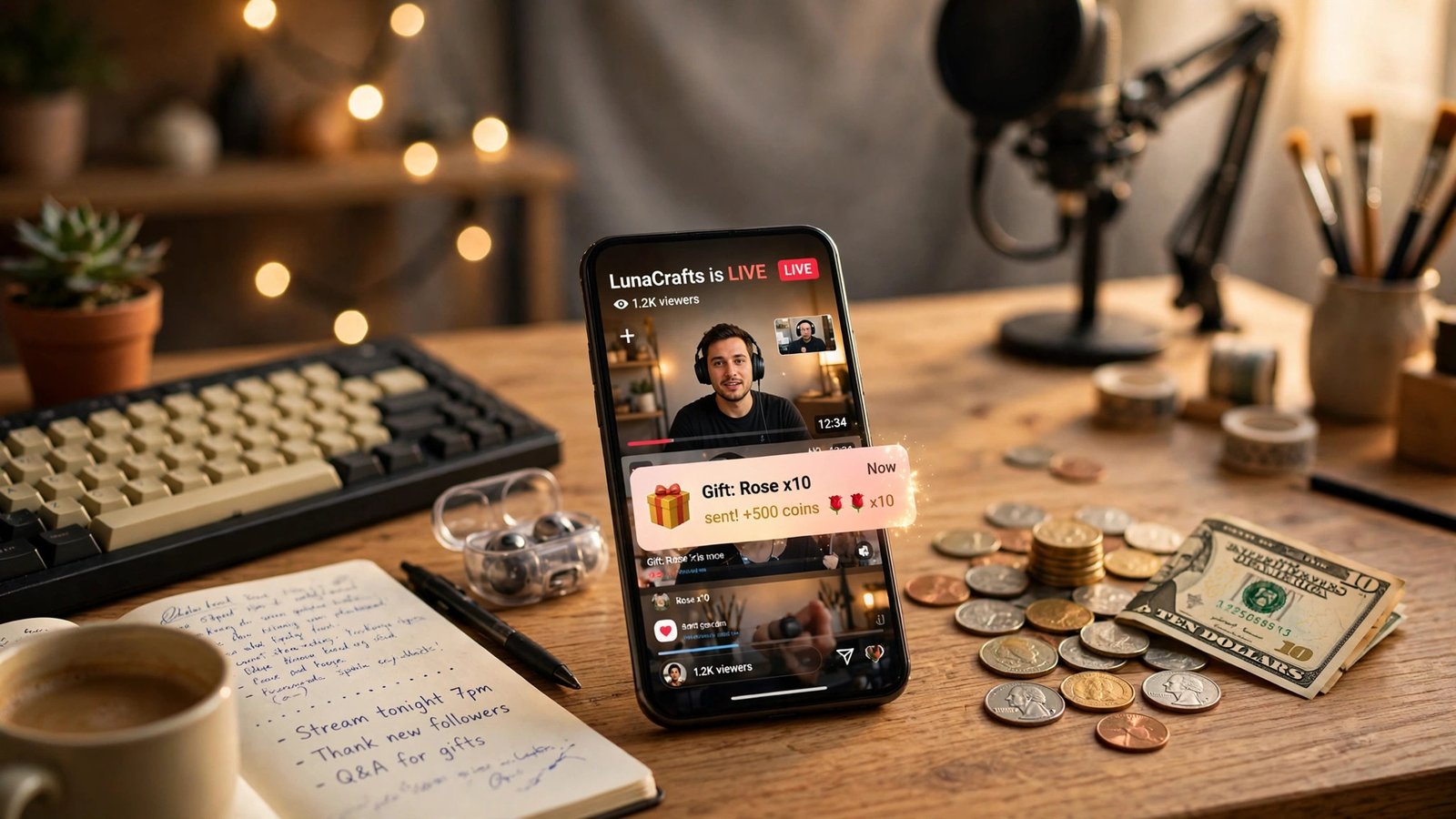
A fan sends you $10 on Facebook Stars, TikTok gifts, Twitch Bits, YouTube Super Chat, or Kick Kicks — and you do not keep $10 on any of them. On the best platforms you keep about $7.14. On the worst, you keep somewhere between $2.50 and $5.00, and you may not be able to touch that money until you clear a payout minimum that takes months to reach. That gap is the whole story of fan gifts: the platform you push, and where your fans buy their coins, matters more than how generous your audience is.
This is the question every small creator should ask before they start thanking people for gifts on stream. A $10 gift sounds like $10. After the platform takes its cut, after the app store or the coin bundle markup takes its bite, and after payout minimums and withdrawal fees do their work, the number that lands in your bank account can be less than a third of what your fan spent. I worked through the real rates for all five major gift systems so you can see exactly where each dollar goes and decide which button deserves your call to action.
The $10 test: what a fan’s ten dollars becomes on each platform
Here is the whole comparison in one place. Every row starts with the same thing: a fan spends $10. Independent creator-rate trackers such as Who Pays Influencers confirm the same per-unit rates (checked Nov 1, 2026).
| Platform | Fan spends | Creator keeps | Platform cut | Payout minimum and timing |
|---|---|---|---|---|
| Facebook Stars | $10 | ~$7.14 | ~29% | $25 minimum (US creators); paid around the 21st of the following month |
| TikTok LIVE gifts (web coins) | $10 | ~$2.50–$5.00 | ~50–75% | ~$100 withdrawal minimum (commonly reported); daily cap ~$1,000 |
| TikTok LIVE gifts (in-app coins) | $10 | ~$1.65–$3.55 | ~65–84% | Same ~$100 minimum; same daily cap |
| Twitch Bits | $10 | ~$7.14 | ~29% | $50 minimum; paid within 45 days of month-end |
| YouTube Super Chat | $10 | $7.00 | 30% | $100 AdSense minimum; paid monthly |
| Kick Kicks | $10 | ~$10.00 before processor fees | ~0% (processor fees apply) | Varies by payout method; no gift-specific minimum published |
Two things jump out right away. First, Facebook Stars, Twitch Bits, and YouTube Super Chat cluster together — you keep roughly $7 of every $10, which is a 70% share. Second, TikTok is the outlier, and not in a good way. A $10 fan spend on TikTok gifts turns into roughly $2.50 to $5.00 for you, depending on which conversion estimate you believe, and that is before withdrawal fees. Kick is the other outlier in the opposite direction: Kicks are a direct 1:1 tip, so nearly the whole $10 reaches you.
Facebook Stars: $0.01 per Star, every time
Facebook Stars are the simplest gift system to understand, and that simplicity is a real advantage. Meta pays creators exactly $0.01 per Star. There is no mystery conversion, no Diamond step, no range of estimates. One Star equals one cent, full stop.
Here is how the $10 test works out. A fan buying Stars on the web pays about $1.40 per 100 Stars. So $10 buys roughly 714 Stars, and 714 Stars pay you $7.14. The fan spent $10, you got $7.14, and Meta kept about $2.86 — roughly a 29% cut. For an independent check on the Star math, see Lilach Bullock’s breakdown of what 1,000 Stars are worth.
To receive Stars at all, you need 500 followers for 30 consecutive days. That is a low bar compared with most monetization programs, and it is one reason Stars work well for creators who are still growing. You do not need thousands of followers or a partner contract. You need a page or profile in good standing, 500 people who stuck around for a month, and content that makes someone want to send a Star.
Payouts land around the 21st of the following month once you clear the minimum, which is $25 for US creators according to Meta’s payout help pages. Do the math on that: at $7.14 per $10 of fan spend, you need roughly $35 of fan spending before you see a single payout. The money is not lost — it waits in your balance — but it is not in your bank account either. One more warning: if your payout account lapses, unclaimed Stars earnings can be forfeited, so set it up on day one — see our guide to the Facebook payout account forfeit rule.
TikTok LIVE gifts: the worst rate, and the least transparent
It starts with coins. Fans buy TikTok coins, then spend coins on gifts during a LIVE stream, and those gifts convert into Diamonds in your account. Diamonds are what you eventually withdraw as cash. Each step takes a cut, and the price of coins depends on where your fan buys them: about $0.0105 per coin on the web, versus roughly $0.0141 to $0.0152 per coin inside the app. That in-app markup is the app store’s cut baked into the coin price, and your fan pays it before you ever see a cent.
A 1,000-coin Galaxy gift costs a fan about $10.60 on the web. Those 1,000 coins convert to Diamonds at roughly 2 coins per Diamond, so you receive about 500 Diamonds, and each Diamond is worth about $0.005. That works out to roughly $2.50 to you. Read that again: your fan spent $10.60, and you got $2.50.
But here is the honest complication. Because TikTok publishes no conversion rate or Diamond value, some calculators model the conversion differently — roughly 1 Diamond per coin, which would put the same 1,000-coin gift at about $5.00 to you. The real number is probably somewhere in the $2.50 to $5.00 range per 1,000 coins, and I am presenting that range because neither end of it is TikTok’s published rate. Both are reported estimates. If anyone tells you a single exact TikTok gift rate with total confidence, they are guessing and not saying so.
To receive LIVE gifts at all, you need 1,000 followers and you must be 18 or older. Once you qualify, the withdrawal rules are the next hurdle. The commonly reported withdrawal minimum is around $100, with a daily withdrawal cap of about $1,000. On top of that, PayPal withdrawals carry a fee of 1.5% plus $0.10, and bank transfers cost $2.90 per withdrawal, according to TikTok’s own Diamond Reward Payment limits page as reported in November 2026. At $2.50 to $5.00 per $10 of fan spend, reaching a $100 minimum takes $200 to $400 of fan spending — and that is before the withdrawal fee takes its share.
The catch, then, is threefold: the worst effective rate of any major platform, the least transparency about what you actually earn, and a high withdrawal minimum that strands small balances. TikTok LIVE can still be worth it if your audience is huge and gifts rain down in volume. But for a small or mid-size creator, TikTok gifts are the weakest dollar-for-dollar return in this comparison, and you should know that before you spend your stream asking for Galaxies.
Twitch Bits: $0.01 per Bit, with a $50 payout wall
Twitch Bits work almost exactly like Facebook Stars, and that is a compliment. A streamer gets exactly $0.01 per Bit. A fan pays about $1.40 per 100 Bits, so $10 of fan spend buys roughly 714 Bits and pays you about $7.14. Same rate, same math, same roughly 29% platform cut.
There is one wrinkle worth knowing. Bits used in third-party extensions pay the streamer $0.008 per Bit — 80% of the standard rate — instead of the full cent. If your stream leans heavily on extension-based Bit interactions, your effective rate drops. For ordinary Bits cheered in chat, you get the full $0.01.
The payout minimum is $50, and Twitch pays within 45 days of the end of the month in which you earned it. That is a slower payout cycle than Facebook’s, and the $50 minimum is double Facebook’s $25. At $7.14 per $10 of fan spend, you need about $70 of fan spending before a payout triggers. For a streamer with a small but loyal audience, that can take a month or two.
Twitch also has subscriptions, and they are worth comparing because many streamers earn more from subs than from Bits. A Tier 1 sub costs $5.99 on the web, and the creator keeps 50% under the standard split — about $3.00. Partners on the Partner Plus program can earn 60/40 or 70/30 splits, which push the creator’s share to roughly $3.59 or $4.19 per sub. Subs are steadier income than Bits because they recur monthly, but Bits have no revenue-share negotiation — every Bit is a cent, every time.
The catch with Bits is the combination of the $50 minimum and the 45-day payout window. If you are a small streamer, your Bits balance can sit below $50 for a long time, and even after you cross it, you wait up to a month and a half for the money. Bits are a good system with a slow payout. Plan around that, and do not count Bit income as this month’s money.
YouTube Super Chat: 70% of every Super, paid through AdSense
YouTube Super Chat is the most straightforward of the big-platform gift systems after Stars and Bits. Creators receive 70% of Super Chat revenue, according to YouTube Help. A $10 Super Chat pays you $7.00, and YouTube keeps $3.00. No coin bundles, no Diamond conversion, no range of estimates — just a clean 70/30 split.
Super Chat is paid monthly through AdSense, and the AdSense payout minimum is $100. That is the highest minimum in this comparison, and it is the real catch. At $7.00 per $10 Super Chat, you need about $143 of fan spending before AdSense sends you anything.
To use Super Chat at all, you need to be in the YouTube Partner Program, which requires 500 subscribers plus either 3,000 watch hours in the past year or 3 million Shorts views in the past 90 days. That is a meaningful bar. It is higher than Facebook’s 500 followers, and the watch-hour requirement means you need real viewing time, not just a subscriber count. Super Chat is a reward for creators who have already built an audience, not a tool for getting one.
The other thing to know is that Super Chat sits alongside Super Stickers and channel memberships. Memberships are recurring monthly payments, more like Twitch subs — but Super Chat is the one-time gift, the digital equivalent of someone handing you a ten and saying “great stream.” For a full comparison of what subscription income looks like across platforms, see our breakdown of creator subscription fees compared.
YouTube’s advantage is trust and scale. Your audience already has a Google account, they already trust YouTube’s payment flow, and Super Chat is visible in the live chat where everyone can see it — which encourages more Supers. The disadvantage is the $100 AdSense minimum and the YPP eligibility bar. If you are already in YPP and your live streams draw Supers regularly, Super Chat is one of the best gift systems available. If you are not in YPP yet, it is not an option at all.
Kick Kicks: the closest thing to a direct tip
Kick Kicks are the outlier in this comparison, and they are the best deal for the creator by a wide margin. Kicks work as a direct 1:1 tip: $1 spent equals 100 Kicks equals $1.00 to the streamer, before processor fees. A fan sends $10, you keep about $10 minus whatever the payment processor charges. There is no platform cut in the middle.
Kick subscriptions are generous too. The split is 95/5 in the creator’s favor, so about $4.74 of a $4.99 subscription goes to the streamer. Compare that with Twitch’s 50% standard split on a $5.99 sub — about $3.00 — and the difference is stark.
The eligibility bar for Kick’s Creator Program is also the lowest in this comparison: 75 followers, 5 hours streamed, 5 unique streaming days, and 3 concurrent viewers.
So why is everyone not on Kick? Because the audience is smaller. A great rate on a small audience can pay less in total than a mediocre rate on a huge audience. A streamer with 50 viewers on Twitch earning Bits may take home more per month than a streamer with 5 viewers on Kick earning Kicks, even though Kick keeps a bigger share of each dollar. The rate matters, but the size of the room matters more. Kick is the best choice if your audience will follow you there. It is the wrong choice if they will not.
The catch with Kicks is therefore not a fee or a minimum. It is reach. Kick’s discovery is weaker than Twitch’s or YouTube’s, and building from zero on Kick is harder than building from zero on a platform where your audience already lives. If you can bring an audience, Kicks are the best gift system in this comparison. If you cannot, the rate does not matter.
The three traps that shrink a gift
The platform cut is only the first place your fan’s money disappears. Three traps shrink gifts further, and they hit small creators hardest.
Trap 1: in-app coin markups
On TikTok, the same coins cost more inside the app than on the web — about $0.0141 to $0.0152 per coin in-app versus about $0.0105 on the web. That is a markup of roughly 35% to 45%, and it comes straight out of your fan’s pocket before the platform cut even applies. A fan who buys coins in the TikTok app and sends a 1,000-coin gift has spent about $14.10 to $15.20, and you still receive the same $2.50 to $5.00. The extra money went to the app store, not to you.
The fix is simple and worth saying on stream: tell your fans to buy coins on the web, not in the app. It takes thirty seconds to explain, and it means more of their money turns into gifts instead of app-store fees. The same logic applies anywhere a platform sells its currency both in-app and on the web — the web price is almost always lower.
Trap 2: payout minimums that strand small balances
Every platform in this comparison has a payout minimum, and the minimums are the quiet killer of small-creator gift income. Facebook wants $25. Twitch wants $50. YouTube wants $100 through AdSense. TikTok’s commonly reported withdrawal minimum is around $100. Add up the fan spending needed to clear each one — roughly $35 on Facebook, $70 on Twitch, $143 on YouTube, $200 to $400 on TikTok — and the picture is clear: gift income is real money, but it is slow money for a small creator.
A stranded balance is not lost money. It waits in your account until you cross the threshold. But a balance that sits below the minimum for six months is money you cannot use, and for a creator deciding whether streaming is worth the time, “you have $42 you cannot withdraw” feels a lot like earning nothing.
Trap 3: withdrawal and daily-cap fees
TikTok charges withdrawal fees on top of everything else: PayPal withdrawals cost 1.5% plus $0.10, and bank transfers cost $2.90 per withdrawal. On a $100 withdrawal, that is $1.60 via PayPal or $2.90 via bank transfer — small in percentage terms, but real money on a small balance. TikTok also caps daily withdrawals at about $1,000, which only matters to large creators.
The other platforms are cleaner here. Facebook, Twitch, and YouTube do not charge you a fee to receive a standard payout — the platform cut is the fee, and it is already taken. Kick’s processor fees on Kicks are the exception, and they are small compared with the platform cuts elsewhere. The lesson is to check the withdrawal fee before you choose a payout method, and to withdraw less often in larger amounts when a per-withdrawal fee applies.
Which gift system should you push?
There is no single best gift system. There is a best one for your audience size, your platform, and your goals.
If you have a small audience on Facebook or Twitch, push Stars or Bits. The rate is good — about $7.14 per $10 of fan spend — the eligibility bar is low, and the payout minimums are the most reachable in this comparison.
If you are already in the YouTube Partner Program and your live streams draw a crowd, push Super Chat. The 70% split is clean and the AdSense payout is dependable. Just know that the $100 minimum means you will wait for your first payout, and do not count on Super Chat income before you are in YPP.
If you have a loyal audience that will follow you to Kick, push Kicks. The 1:1 rate is the best in this comparison by a wide margin, the Creator Program bar is the lowest, and the 95/5 sub split is the most generous anywhere. The risk is audience size, not the rate. Test it with a few streams before you commit.
If your audience lives on TikTok LIVE, take the gifts — but do not make them your main income plan. The effective rate is the worst in this comparison, the conversion is unpublished, and the $100 withdrawal minimum is the hardest to clear. TikTok is a discovery machine and a great place to build an audience. It is a poor place to collect gift income, so treat LIVE gifts as a bonus on top of brand deals, TikTok Shop, or moving followers to a platform that pays better.
And whatever you choose, do one thing on every stream: tell your fans to buy coins or Stars on the web, not in the app. It is the easiest money you will ever save them, and it costs you nothing to say.
Frequently Asked Questions
How much does a creator keep from a $10 fan gift?
It depends on the platform. On Facebook Stars and Twitch Bits, you keep about $7.14. On YouTube Super Chat, you keep $7.00. On Kick Kicks, you keep about $10.00 before processor fees.
Why do TikTok gifts pay creators so much less than Stars or Bits?
TikTok gifts pass through two conversions — coins to gifts, then gifts to Diamonds — and each step takes a cut. Fans also pay more for coins bought inside the app than on the web. The result is an effective creator share of roughly 25% to 50%, compared with about 70% on Facebook Stars, Twitch Bits, and YouTube Super Chat. TikTok also publishes no official Diamond value, so the exact rate is a reported estimate rather than a confirmed figure.
What is the minimum payout for Facebook Stars, Twitch Bits, and YouTube Super Chat?
Facebook Stars pay out once you clear a $25 minimum for US creators, around the 21st of the following month. Twitch Bits require a $50 minimum and pay within 45 days of month-end. YouTube Super Chat pays through AdSense with a $100 minimum, on a monthly cycle. TikTok’s commonly reported withdrawal minimum is around $100.
Do I have to pay taxes on gift income from streaming?
Yes. Gift income is taxable self-employment income in the United States, whether it arrives as Stars, Diamonds, Bits, Supers, or Kicks. Platforms report it differently — some issue 1099 forms above certain thresholds, others do not — but the tax obligation does not depend on receiving a form. Keep records of every payout and talk to a tax professional about your situation. This is general information, not tax advice.
Should I ask fans to buy TikTok coins on the web instead of in the app?
Yes. Coins cost about $0.0105 each on the web versus roughly $0.0141 to $0.0152 each inside the app, so the same gift costs your fan 35% to 45% more in-app — and none of that extra money reaches you.
Is Kick really better than Twitch for small streamers?
On rates, yes — Kicks pay 1:1 before processor fees, Kick subs split 95/5 in your favor, and the Creator Program only needs 75 followers, 5 hours streamed, 5 unique days, and 3 concurrent viewers. On audience size, usually not yet — Twitch has far more viewers and better discovery. Kick wins if your audience will follow you there. Twitch wins if you need the bigger room to find that audience.