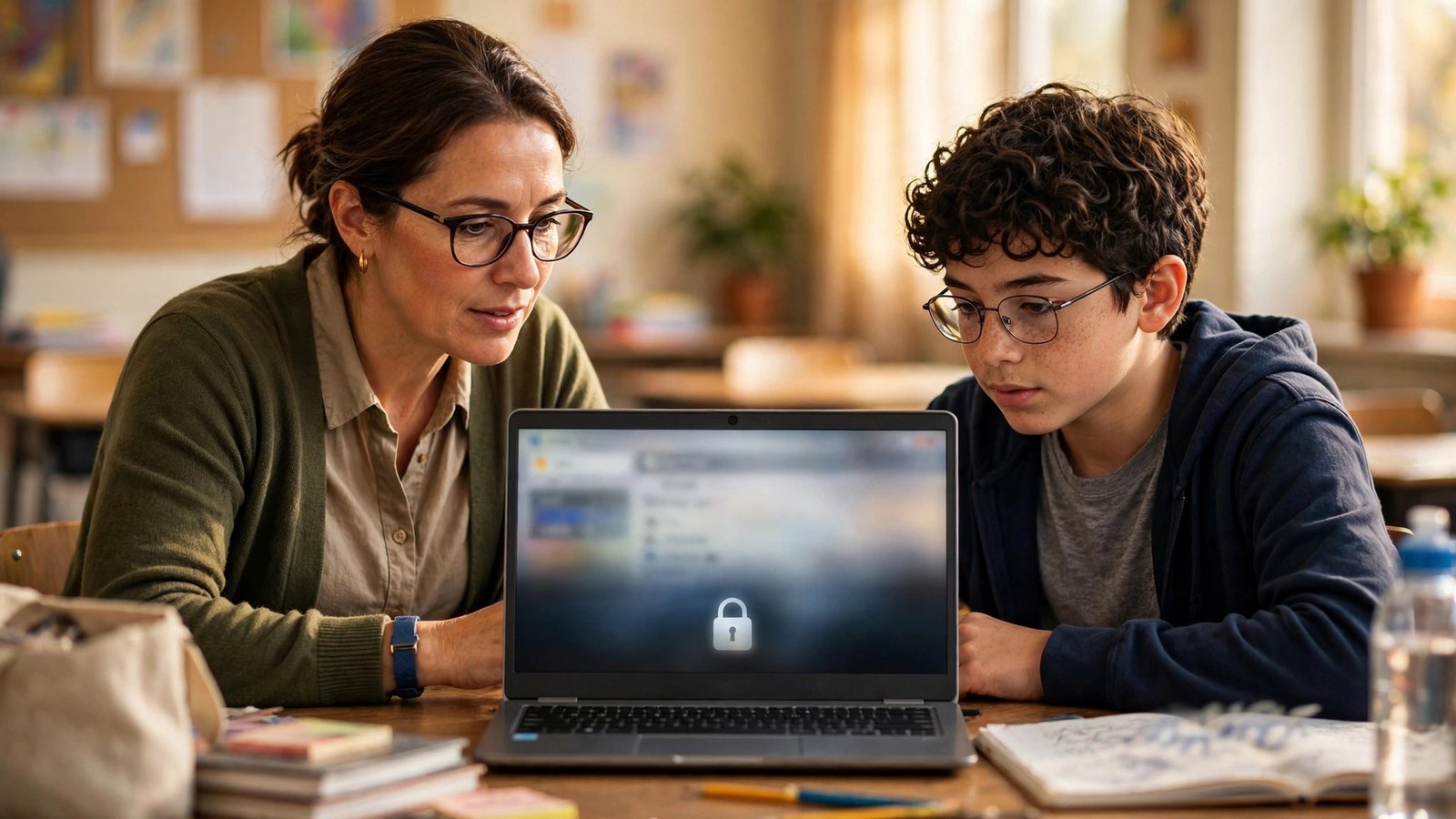
On November 3, 2026, Google announced that Gemini, Gemini Notebook, Gemini in Classroom, and Google Search will be “entirely off for K-12 student accounts until school administrators explicitly turn them on.” For education bloggers, the headline is not the opt-in. It is the catch Google confirmed the same day: there is no version of Search without AI, so a school that rejects AI entirely loses Search too — and the students who do keep Search will increasingly meet a step-by-step tutor called Guided Learning instead of a list of links.
That changes what “ranking for a homework question” means, and it changes it on a timetable you can still prepare for. The new defaults roll out in early 2027, the Guided Learning pilot in Search starts in select US schools later this month, and the exact switch-off date has not been published. If your site earns traffic from students, parents, or teachers, now is the time to audit which of your pages depend on school-account searches — and to reshape the ones that do.
What Google actually announced on November 3
The announcement came in a blog post by Chris Phillips, Google’s vice president and general manager of education, titled “Responsible AI for schools with Guided Learning.” The post has two halves, and bloggers who only read the first half will misunderstand the second.
The first half is Guided Learning. Google describes it as an interactive study tool that coaches students through problem solving with open-ended questions and step-by-step breakdowns, instead of handing over the answer. The philosophy, in Google’s words, is “productive struggle” — students should be actively challenged without getting so overwhelmed that they give up. Google says its research shows Guided Learning leads to measurable learning gains for students.
Guided Learning is live globally in Google Classroom from November 3, 2026. In Classroom it works as a teacher-assigned activity, anchored in class material, and it gives teachers real-time insight into where the class is struggling. In Search, it works differently: when Google’s systems understand that a student is looking for certain types of homework help — the blog’s examples are a student pasting a complex physics problem or asking for help writing a book report — Search will walk them through the topic or problem step by step, with prompts to help them think critically, instead of going directly to the answer. That Search version starts as a pilot in select US schools later in November, and expands to more districts in the coming months.
The second half is the controls change, and it is the bigger story. After what Google describes as listening to schools, teachers, leading researchers, and policymakers, all four products — Gemini, Gemini Notebook, Gemini in Classroom, and Google Search — will be entirely off for K-12 student accounts until a school administrator explicitly turns them on. Google says it will share more specifics with schools in the coming months, ahead of the changes rolling out, so districts have time to prepare.
One detail matters a lot and is easy to miss: the change applies to K-12 student accounts in Google Workspace for Education. It does not apply to teachers, and it does not apply to personal Google accounts. A student doing homework on a home computer signed into a personal account sees nothing change. A student on a school-issued Chromebook signed into a school account sees whatever their district decided.
The catch: there is no AI-free Search
The announcement’s wording is careful, and the first wave of coverage mostly got the framing wrong — presenting it as Google punishing schools that ban AI. That is not what happened. What happened is subtler and, for bloggers, more consequential.
Hours after the blog post, Google clarified on X that schools “can choose to turn ON one, two, or all of these services individually.” A district can switch on Search without switching on Gemini. That sounds like a clean menu of choices. It is not, because of what Search now contains. ThinkFacility’s plain-English summary of the announcement makes the same point: schools can pick each service on its own, but if they pick Search, its AI answers come with it.
Phillips told The New York Times that “Search and AI are deeply integrated,” and told Chalkbeat that AI cannot simply be turned off inside Search. A school that turns Search on gets AI Mode and AI Overviews with it — in their coaching, Guided Learning form for student accounts. A school that wants no AI at all has exactly one option: leave Search off, in which case students see a message saying their school has not made it available.
So the real choice districts face is not “AI or no AI.” It is “Search with AI, or no Search on school accounts at all.” That is the sentence every education blogger should sit with, because it decides how much homework-search traffic still flows through Google at all.
This is also a reversal. Earlier in 2026, Google switched Gemini on for students by default, which caught many school districts off guard and fed a backlash from parents and teachers. The November 3 change is Google walking that back — giving administrators the control districts asked for — while quietly making the point that the control has a price. The company is not offering to rebuild a pre-AI Search for schools. It is offering a bundle: take the AI, or take nothing.
There is one more nuance worth knowing, because it shapes how uneven the rollout will be. Google told Education Week that settings can differ by grade — a district could block AI for younger students, limit another group to a coaching mode, and give older students the full search experience. Expect the rollout to look patchy: one district’s sixth graders lose Search entirely while its twelfth graders keep a Guided Learning version of it. National traffic numbers will not show a clean cliff. They will show a slow, lumpy erosion of one specific kind of query.
What Guided Learning does to a search results page
To understand the SEO impact, you have to picture what a student actually sees. Today, a student who pastes a physics problem into Google gets a results page: AI Overviews at the top, then links to pages that explain the problem, then videos, then forums. A blogger who wrote a clear worked solution can win the click.
Under Guided Learning, that same student gets something closer to a tutor. Google’s own example is explicit: the student sees prompts to help them think critically and work through the concepts, “without going directly to the answer.” Chalkbeat reported that Guided Learning will replace AI Overviews when students search on school accounts. The direct answer — the thing a homework-answer page exists to provide — is the one thing the interface is designed to withhold.
That does not mean education content is dead. It means the unit of value changes. A page that exists only to hand over the answer to a specific textbook problem is the page most exposed, because the new interface is built to do exactly the opposite of what that page does. A page that teaches the method — how to set up the equation, where students usually go wrong, how to check the answer — is the page that aligns with what Guided Learning is trying to do, and with what a student still needs after the tutor has walked them through the steps.
Think of it this way. Guided Learning is a coach, not a textbook. A coach can ask good questions and keep a student moving, but a student who wants to see five worked examples of the same type of problem, or a clear explanation of why one method beats another, still needs a page to read. The pages that survive this shift are the ones that teach, not the ones that merely answer.
Some of that demand does not vanish — it moves: to personal devices, to after-school hours, to parents searching on behalf of their children, and to teachers looking for classroom material. Query volume may shrink, but it concentrates where a well-written page still wins: the home, the parent’s phone, the teacher’s lesson planning.
The timeline: when this actually hits your traffic
Google has not published a single switch-off date, and anyone who gives you one is guessing. Here is what is actually confirmed, in order:
- November 3, 2026: Guided Learning goes live globally in Google Classroom. The announcement and the X clarification go out the same day.
- Later in November 2026: the Guided Learning pilot in Search begins in select US schools. Google says it will gather and incorporate educator feedback before expanding.
- Coming months: Google says it will share more specifics with schools ahead of the changes rolling out, so districts have time to prepare.
- Early 2027: the new defaults take effect, according to reporting by The New York Times, Education Week, and Chalkbeat. This is the window for the two Search experiences schools that allow AI will choose between: standard Search with AI Overviews and AI chats, or Search routed through Guided Learning.
That gives education bloggers roughly a two-month runway before the defaults flip. Districts move at different speeds and settings differ by grade, so expect a slow, lumpy erosion of homework-answer queries from school accounts starting in early 2027 — not a cliff, and permanent once it starts.
That is also why the worst response is to wait and see. Two months is enough time to audit a content library and rework the most exposed pages. It is not enough time to rebuild a site’s entire traffic base from scratch. The work to do now is the audit, not a redesign.
Which of your pages are actually exposed
Not all education content is homework content, and the distinction decides how much of your traffic is at risk. Before you change anything, sort your pages into four buckets. You can do this in an afternoon with your analytics and Search Console data.
Bucket 1: direct-answer homework pages. These are the pages built around a single problem and its answer — “what is the answer to…” style queries, textbook exercise solutions, worksheet keys, and essay prompts answered in full. These are the most exposed pages on your site. On a school account with Guided Learning, the interface itself is designed not to surface this content, and on a school account with Search off, the student never reaches Google at all. If these pages are a large share of your traffic, they are also the pages that need the most rework.
Bucket 2: concept explainers. These are the pages that teach a topic — how photosynthesis works, how to factor a quadratic, what a metaphor does in a poem. These are far less exposed. A student working through a problem with Guided Learning still needs a clear explanation of the underlying concept, and a parent helping with homework at home will search for exactly this. These pages may even gain value as the direct-answer pages fade, because the coaching format creates demand for good explanations rather than replacing it.
Bucket 3: parent and teacher resources. Lesson plans, study schedules, how to help a child who is stuck, classroom activities, printable worksheets. This traffic barely touches the change at all. Parents search from personal accounts. Teachers are explicitly outside the scope of the new defaults. If anything, these pages become more valuable as districts rethink how homework works.
Bucket 4: adult and general-knowledge content. Test prep for adults, professional certification, general explainers, news about education. Unaffected. A student account is not the audience.
Once you have the buckets, the arithmetic is straightforward. If bucket 1 is 10% of your traffic, this is a footnote. If it is 60%, it is a strategy problem, and the fix is to convert as much of bucket 1 as you can into bucket 2 — which is a rewriting job, not a traffic-buying job.
The content audit: four moves to make before early 2027
Here is the practical sequence. It assumes you have a site with education content and a Search Console account, and it fits inside the two-month runway.
1. Find your school-account traffic. In Search Console, filter your top queries for homework-shaped patterns: “answer,” “worksheet,” “textbook,” exercise numbers, and specific problem phrasings. Cross-check with analytics for the school-hours pattern — weekday traffic spikes between roughly 8 a.m. and 3 p.m. in US time zones, from desktop devices, are a reasonable proxy for school-account use. You will not get a perfect number, and you should not pretend you have one. What you need is a ranking: which pages depend most on that pattern.
2. Rewrite the most exposed pages as explainers. Take your top ten bucket-1 pages and rebuild each one around the method, not the answer. Lead with the concept, show two or three worked examples, name the common mistake, and end with a practice problem the reader solves themselves. Keep the original answer on the page — removing it would be dishonest to readers who still want it, and it may still rank for home searches — but stop making it the whole point of the page. A page that teaches the method is useful to a student with a tutor, a parent at the kitchen table, and a teacher planning a lesson. A page that only gives the answer is useful to exactly one of those people, and only on a personal account.
3. Build for the audiences the change does not touch. If your site has been student-first, rebalance toward parents and teachers. Parent-facing titles (“how to help your child with fractions without doing the homework for them”) and teacher-facing titles (“a 20-minute classroom activity for teaching photosynthesis”) target searches that happen on personal accounts, outside school hours, and outside the scope of the new defaults. This is also the content that earns email subscribers and return visits, because parents and teachers come back and students mostly do not.
4. Watch Search Console like a hawk from January. The rollout will be uneven, so the signal will be a slow drift, not a cliff. Set up a simple monthly check: your top twenty homework queries, their impressions and clicks, and the same for your concept explainers. If homework queries fade while explainers hold, your diagnosis is confirmed and your rewrite work is paying off. If both fade together, something else is happening — a core update, a seasonal dip — and you should not blame the schools policy for it. Keep the two series separate so you can tell the difference.
One more thing to do in the same pass: check how your pages actually read inside an AI Overview. Open your top education queries in a logged-out browser and look at what Google shows above your link. If the overview already answers the question and your page adds nothing — no worked example, no mistake to avoid, no practice problem — that page was already living on borrowed time. The schools change just makes the same point faster.
What not to do
A few responses to this announcement would be mistakes, and they are worth naming because they are tempting.
Do not write a post claiming Google is banning Search for students. It is not. Search is off by default on school-managed K-12 accounts until an administrator turns it on, and most districts will turn it on — the question is in which form. A headline that says “banned” will get clicks and cost you credibility with the teachers and parents who are your best readers.
Do not assume every district will opt out. The districts most likely to leave Search off are the ones already skeptical of AI in classrooms, and they are a minority. The majority outcome is Search on, with Guided Learning shaping what students see. Your planning should assume the coaching format, not the blackout.
Do not try to game Guided Learning. There is no published guidance on how it selects sources, no ranking factor to optimize for, and no evidence that stuffing a page with step-by-step phrasing will make it surface inside a tutoring flow. Write for the human who reads the page after the tutor has done its job. That is a durable strategy. Chasing an unpublished interface is not.
And do not panic about the January timing. The pilot is small, the rollout is early 2027, and Google has said it will share more specifics in the coming months. The bloggers who lose out here will not be the ones who moved slowly. They will be the ones who never audited their homework-answer pages at all.
What this tells us about where search is going
Step back from the schools announcement and the pattern is hard to miss. Google is no longer treating Search as a list of links that happens to have AI features. It is treating Search as an AI product that happens to have links in it — and it is now willing to make that explicit, even when the cost is telling schools that the old version is gone for good.
For bloggers, that is the real takeaway. The November 3 announcement is about K-12 accounts, but the direction is general: answers get handled by the interface, and pages earn their place by teaching something the interface does not. The sites that will keep growing are the ones whose pages a reader still wants after the AI has already answered the question. That was true before November 3. It is simply harder to ignore now.
If you run an education blog, the next two months are a gift: a dated, public, well-documented change with a clear runway. Use it to find out which of your pages teach and which merely answer — and to fix the second group before the districts do it for you.
Frequently Asked Questions
Is Google really turning off Search for schools?
Not exactly. Google announced on November 3, 2026 that Gemini, Gemini Notebook, Gemini in Classroom, and Google Search will be entirely off for K-12 student accounts until a school administrator explicitly turns them on. Most districts are expected to turn Search back on. The change is to the default, not a ban — but a school that refuses AI entirely will have no Search on student accounts, because Google says there is no AI-free version of Search.
When does the change take effect?
There is no single published switch-off date. Guided Learning is already live in Google Classroom worldwide, and its Search pilot starts in select US schools later in November 2026. Reporting from The New York Times, Education Week, and Chalkbeat puts the new defaults in early 2027, and Google says it will share more specifics with schools in the coming months.
What is Guided Learning, and how is it different from AI Overviews?
Guided Learning is a tutoring mode that coaches students through a problem step by step with open-ended questions, instead of giving the answer directly. It is live in Google Classroom and is being built into Search for student accounts. Chalkbeat reported that it will replace AI Overviews when students search on school accounts — so instead of a summarized answer at the top of the results, the student gets prompts to work through the problem.
Does this affect teachers or personal Google accounts?
No. The change applies only to K-12 student accounts in Google Workspace for Education. Teachers are not affected, and students searching from a personal Google account on a home device see no change. That is why parent- and teacher-facing content is much less exposed than student homework-answer content.
Will this hurt my education blog’s traffic?
It depends on what your pages do. Pages that exist only to hand over the answer to a specific homework problem are the most exposed, because Guided Learning is designed to withhold direct answers and because some districts will leave Search off. Pages that teach a concept, show worked examples, or serve parents and teachers are far less exposed and may gain value. Audit your top queries in Search Console to see which bucket your traffic sits in.
What should education bloggers do before early 2027?
Four things: find which pages depend on school-hours homework searches; rewrite the most exposed answer pages as method-first explainers with worked examples and common mistakes; build more parent- and teacher-facing content, which the change does not touch; and track homework queries versus concept-explainer queries separately in Search Console from January so you can see the real effect instead of guessing.