
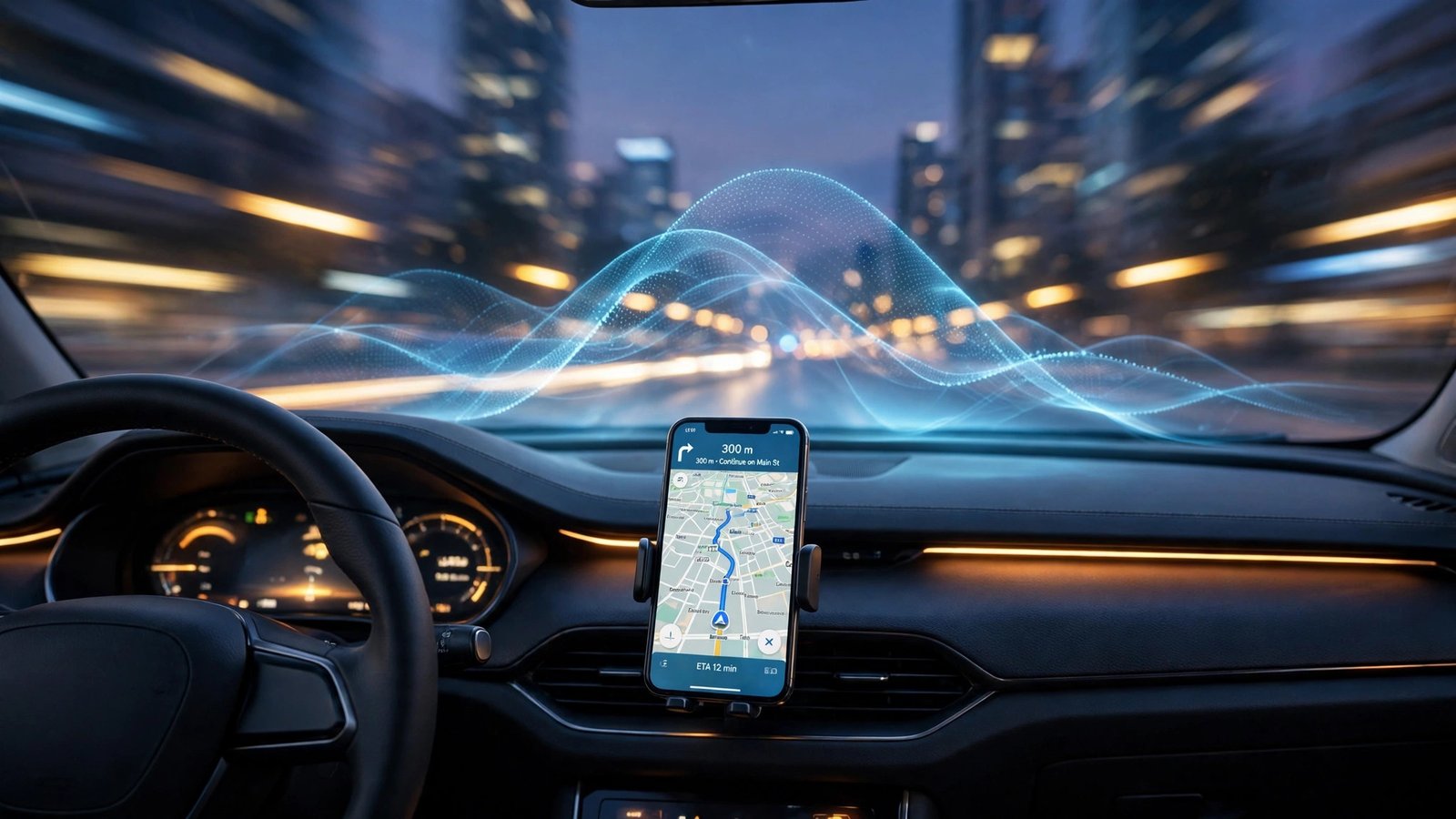
On October 20, 2026, Google started rolling out Gemini Personal Intelligence to Android Auto. It’s an opt-in upgrade that lets the in-car Gemini assistant draw on your Gmail, Google Calendar, Google Photos, Maps, YouTube, and Search history to answer the kind of multi-part questions you’d normally have to pull over to figure out. Think “What’s my flight gate, and is my flight on time?” asked in one breath, with Gemini finding the answer in your inbox before you touch your phone. Cars with Google built-in get the same capability “in the coming months,” per Google’s own wording. The feature is off by default, works only with personal Google accounts for users 18 and older, and is unavailable in the EEA, Switzerland, the UK, and Nigeria — as well as on Workspace business, enterprise, and education accounts. It’s a gradual rollout, so most drivers won’t see it for a few weeks even if they’re eligible.
The October 20, 2026 rollout, in plain terms
Let’s put this in context first, because Google’s naming can be confusing. Android Auto is the system that mirrors your Android phone’s apps onto your car’s infotainment screen. Gemini replaced Google Assistant on Android Auto in a staged rollout that began last November — so if you’ve driven with an Android phone in the last year, you’ve probably already noticed the assistant sounds different, more conversational, and occasionally more long-winded. Personal Intelligence is a new layer on top of that assistant.
The feature itself isn’t brand new. Personal Intelligence rolled out in the standalone Gemini phone app earlier in 2026 — across the U.S. in March, then into beta in global markets, per TechCrunch’s reporting on the announcement. What changed on October 20 is that the same personalization now reaches your dashboard. If you already turned Personal Intelligence on in the Gemini app on your phone, Google says that setting carries over to Android Auto automatically. You don’t have to set it up a second time in the car.
Google announced it in an Android blog post and on its official X account; it was picked up within hours by TechCrunch, 9to5Google, The Verge, Ars Technica, and a long list of other outlets. That pickup tells you how seriously the industry takes this: the car is the newest front in the fight to become your default AI assistant.
What Gemini can actually do for you behind the wheel
Without Personal Intelligence, Gemini in the car is still useful in the usual ways: navigation, music, calls, and general questions. With it on, the assistant can connect dots across your Google apps — Google’s own phrase for what it does — so you don’t have to supply the context yourself. Here are Google’s own example scenarios, plus what they actually mean in practice:
- “What’s my flight gate? And is my flight on time?” On the way to the airport, Gemini finds the flight booking in your Gmail, pulls the gate and departure time, then checks the flight’s current status. Two questions, one spoken sentence, both answered without you touching the phone.
- “Take me to my doctor’s appointment.” Gemini checks your Calendar, finds the address in the appointment details, and starts navigation. This is the one that sells the feature for a lot of people: appointment addresses often live in a confirmation email or calendar invite you can’t safely read while driving.
- “Find the car wash from the photo I took last week and navigate there.” This one uses the Photos connection. You snapped a picture of a car wash while passing it; Gemini searches your camera roll, identifies the place, and routes you there. No scrolling through photos at a red light.
- “Find me an indoor restaurant along my route that matches my usual vibe.” Google says if you’re vegetarian, the shortlist will reflect that. This is the most “AI agent” of the examples — personalization based on patterns in your Maps and Search history.
- “Take me to the coffee shop we were talking about yesterday.” Gemini uses conversation context — a place that came up in a chat the day before — to figure out which shop you mean and give you directions.
The common thread: every one of these saves you from the thing that actually causes phone-in-the-car behavior, which is needing a detail you don’t have in your head. The assistant is most valuable not as a chatbot but as a memory aid for information that already exists somewhere in your Google account.
That said, keep a grain of salt handy. Google’s examples are demonstrations, not independent performance tests. Real-world results will depend on how organized your inbox and calendar are, how recent your app versions are, and whether the rollout has actually reached your account yet.
How to turn it on: step by step
Personal Intelligence is off by default. Google will not quietly wire your Gmail to your dashboard — you have to explicitly opt in. Here’s the process, based on Google’s own setup instructions and reporting from outlets that walked through them:
- Update your apps. Make sure both the Gemini app and Android Auto are on their latest versions. Open the Google Play Store on your phone, tap your profile icon, and check for updates. Since the rollout is gradual, being on the latest build genuinely matters here — an older build simply won’t show the option.
- Open the Gemini app on your phone. All the configuration lives here, not in the car. The dashboard just reflects choices you’ve already made on the phone.
- Tap your profile icon in the top-right corner, then select Settings. Look for the Personal Intelligence section.
- Start the setup. When the Personal Intelligence invitation appears, select Get started. Google will offer three choices: Connect all, Choose apps, or Don’t connect.
- Pick your apps. If you tap Choose apps, you’ll see the supported services — Gmail, Google Calendar, Google Photos, Google Maps, YouTube, and Search — with toggles for each. Be selective. There’s no rule that says you have to connect everything.
- Confirm the permissions. Android may ask for additional confirmation per service. Read these the first time; this is the actual data-sharing decision.
- Connect to the car. Plug in or pair your phone to Android Auto as usual. Invoke Gemini the way you always have: say “Hey Google,” tap the on-screen microphone button, or long-press your steering wheel’s voice control button. If Personal Intelligence is on for your account, it’s on in the car.
One important detail: if you already enabled Personal Intelligence in the Gemini phone app before October 20, you’re already done. Google says the setting carries over automatically, so there’s no second prompt in the car.
Choosing which apps to connect
This is where the privacy decision actually lives, so it’s worth slowing down. Google gives you per-app control through the Connected Apps section of Gemini settings — you can toggle Gmail, Calendar, Photos, Maps, YouTube, and Search individually, and change your mind later. Google also documents connecting and disconnecting apps after setup, so nothing is permanent.
My practical suggestion, and this is my own judgment: enable Calendar and Gmail first. Calendar is the single most useful connection for a driver — appointment addresses and event locations are exactly the kind of information that’s hard to get at while driving. Gmail powers the flight-itinerary trick and appointment details buried in confirmation emails. YouTube and Search add personalization to general questions but matter less in the car. Photos is the most intimate connection (your whole camera roll), and its headline use case — finding a place from a photo — is genuinely useful but narrow. One analyst reviewing the rollout made a similar point: the calendar appointment is the example worth enabling the feature for; the car-wash-in-photos trick is what a quick search already covers.
Also worth knowing: the setting is tied to your Google account, not to the car. Whatever you connect on your phone is what Gemini in the car can see. If a spouse, friend, or valet is behind the wheel with your phone connected, they’re looking at the same personalized assistant you are. That’s a real consideration if you share a car.
How to turn it off or disconnect one app
Everything Google gives, it lets you take back. You can:
- Disconnect a single app: open the Gemini app → profile icon → Settings → Personal Intelligence → Connected Apps → toggle off the specific service (Gmail, Calendar, Photos, Maps, YouTube, or Search).
- Turn off the whole feature: same path, switch Personal Intelligence off entirely.
- Re-enable later: the option stays in Gemini settings, so you can turn it on again whenever you want.
If you leave it off, you lose nothing you had before. Google is explicit about this: “If you don’t use Personal Intelligence, everything in the car still works” — navigation, music, calls, and general questions all function normally. The answers just aren’t tailored to you. So the decision really is: personalization in exchange for data access, with a clean off-ramp in both directions.
Who gets it, and who doesn’t
Here’s the eligibility picture as Google has stated it, all in one place:
| Who or where | Personal Intelligence available? | Details |
|---|---|---|
| Personal Google account, 18+ | Yes | Must opt in via Gemini settings; gradual rollout — may take weeks to appear |
| Android Auto (phone-connected) | Rolling out now | Began October 20, 2026; requires updated Gemini + Android Auto apps |
| Cars with Google built-in | Not yet — “coming months” | No exact date; personalized answers only appear when your phone is connected in the car |
| Workspace business, enterprise, and education accounts | No | Excluded entirely, at least for now |
| EEA (European Economic Area) | No | Excluded, likely tied to data-protection rules; no timeline given for joining |
| Switzerland | No | Excluded |
| United Kingdom | No | Excluded |
| Nigeria | No | Excluded |
| US, India, and other supported regions | Yes | Subject to the same 18+ personal-account rules |
Two honesty notes here. First, Google has not published a confirmed list of specific car makes or models that will get Personal Intelligence on Google built-in. Some outlets have noted that Ford, GM, Honda, Nissan, Volvo, and Polestar ship models with the Google built-in system — but that’s the platform, not a confirmed list of vehicles getting this feature. Treat any brand-by-brand claims you see online as unconfirmed. Second, even if you’re eligible, the rollout is gradual. Google hasn’t published an Android Auto-specific troubleshooting flow for “the feature doesn’t appear.” If your account checks every box and the setting still isn’t there, the most likely explanation is that the rollout simply hasn’t reached you yet — check back over the next few weeks.
Android Auto vs Google built-in vs Apple CarPlay
The three platforms look similar on a dashboard, but they work very differently under the hood — and that difference explains why this rollout is staged the way it is.
| Android Auto | Cars with Google built-in | Apple CarPlay | |
|---|---|---|---|
| What it is | Phone projection: Android Auto mirrors your phone’s apps onto the car’s screen | Embedded OS: Android Automotive running natively in the car’s own software | Phone projection for iPhones |
| Phone required? | Yes — the phone does the processing | Normally works standalone, BUT Personal Intelligence only gives personal answers when your phone is connected in the car | Yes — iPhone required |
| Assistant | Gemini, now with Personal Intelligence (rolling out) | Gemini (base version), Personal Intelligence “in coming months” | Siri; conversational Gemini inside Google Maps was added for US drivers on Oct 21, 2026 — but Personal Intelligence itself has NOT been announced for CarPlay |
| Personal data access | Gmail, Calendar, Photos, Maps, YouTube, Search (opt-in, per-app) | Same set once it arrives | Limited — no equivalent cross-app personalization layer confirmed |
| Key limitation | Nothing works without your phone | Feature pending; even when it lands, phone must be in the car | Heavy Google-apps users on iOS get nothing from this announcement |
A few things worth spelling out. Android Auto was the natural first destination because the permission plumbing already exists on the phone — Gemini and its Personal Intelligence settings are already there, so the car just inherits them. Google built-in is the harder integration: the personalization layer has to be built into the car’s own embedded Gemini instance, which means deeper software work and coordination with automaker partners. That’s why one got “now rolling out” and the other got “coming months.”
For iPhone drivers, the honest summary is: this announcement changes nothing for you today. Gemini itself isn’t broadly positioned as a CarPlay assistant. Google did add conversational Gemini inside Google Maps on Apple CarPlay for US drivers on October 21, 2026 — a related but separate move — and Apple is developing its own personal-context Siri work. But if you’re a heavy Gmail/Calendar/Photos user on iOS, Google’s cross-app personalization is not available to you on your dashboard, and no announcement says it will be. That’s a real gap worth knowing about before you switch phone platforms over it.
There’s also an elephant in the car: not everyone loves Gemini in vehicles. PhoneArena reported on several Reddit threads where drivers complained that Gemini is too chatty for driving — long conversational answers where the old Google Assistant would just execute a simple command — and some users say it leaves them more frustrated or distracted than Assistant did. (Source: PhoneArena’s roundup of driver complaints.) That’s a fair caution as you consider giving the same assistant access to your inbox: the more it talks, the more it can distract. Personal Intelligence doesn’t fix Gemini’s conversational style — it feeds it more material.
The privacy trade, honestly
Let me lay out both sides as plainly as I can, because this is the decision the whole feature turns on.
What Google says to reassure you: The feature is opt-in, off by default, and can be turned off anytime. Google stated when Personal Intelligence first launched that Gemini does not directly train on your Gmail inbox or Google Photos library; instead, the company says training may involve limited information such as the prompts you give Gemini and the assistant’s responses. You choose which apps to connect. On cars with Google built-in, personalized answers only appear when your phone is physically in the car. And the people outside the supported regions — the EEA, Switzerland, the UK, Nigeria — are simply excluded, which, whatever you think of the reason, means Google isn’t pretending the data rules are the same everywhere.
What should give you pause: The setting is account-level, not car-level. There is no way to give the car less access than the phone has — the dashboard inherits whatever your phone’s Gemini can see. Some Google documentation also suggests the per-chat control (a way to temporarily disable personalization for one conversation) lives in the phone app’s interface, not somewhere reachable by voice while driving — so in practice, in the car, it’s on for everything or off for everything. And there’s an inherent mismatch between the environment and the decision: drivers don’t carefully review permission dialogs while merging onto a highway. If you’re going to opt in, do the reviewing in your driveway, not at 65 mph.
My honest take: if you already use Gmail, Calendar, and Maps heavily and you’re comfortable with Google’s data practices in general, the in-car version doesn’t meaningfully change your exposure — it’s the same data, the same account, surfacing through voice instead of your phone screen. The new risk is social (other people in your car seeing personalized answers) rather than corporate (Google already has the data). If you’re uneasy about Google’s data practices in general, the car is a bad place to start trusting them. There’s a middle path too: connect Calendar only, and see whether the convenience earns a wider trust over time.
Practical uses if you run a small business
Google’s examples skew toward travelers and commuters, but for freelancers, consultants, and small-business owners, there are genuinely useful hands-free workflows here:
- Hands-free meeting prep. Driving to a client site you’ve never visited: “Take me to my meeting with [client name].” Gemini finds the address in the calendar invite — which, for many of us, lives only in the invite, not in contacts. Ask a follow-up — “What time does it start, and am I running late?” — and it can answer both from your calendar and real-time traffic.
- Client-location context. Between appointments: “What’s the address of the warehouse from last Thursday’s email?” Gemini searches Gmail for the thread, extracts the location, and navigates. For field workers, delivery drivers, and contractors juggling multiple job sites, this is the single best use case — job-site addresses buried in email threads are a daily friction this feature is purpose-built to remove.
- Errand batching on the road. “Find the shipping supply store nearest to my route that stocks what I usually buy.” It uses your Maps history and your route to suggest a stop you don’t have to look up mid-drive.
- Invoice and payment reminders. “Remind me to send the invoice to [client] when I get home.” This works through Calendar/Reminders connections — hands-free task capture at the moment you think of it, which is exactly when you’re most likely to forget it.
The pattern across all of these: the value scales with how much of your business life already lives in Google Workspace and Calendar. If you’re a Google-native business, the marginal data exposure is near zero and the hands-free utility is real. If your business runs on Outlook and OneDrive, most of the magic scenarios don’t work, because Gemini is reading Google’s apps, not Microsoft’s. That’s a vendor-lock-in angle worth naming plainly: Personal Intelligence is also a loyalty feature, designed to reward you for living inside Google’s ecosystem.
If you’re thinking about how conversational AI like this is evolving — the voice-first, agent-style behavior — it’s part of a broader shift where assistants act on your behalf rather than just answering questions. For a look at how Gemini is being positioned as a hands-on work agent and where live conversational AI avatars are headed, those pieces cover the same technology from the desk side.
What Google hasn’t confirmed
In the interest of being straight with you, here’s what remains unknown as of October 23, 2026:
- Which cars get it. No confirmed list of specific makes, models, or model years for the Google built-in rollout. “Coming months” is the only date anyone has.
- The exact built-in timeline. “Coming months” could mean December 2026 or mid-2027. Google hasn’t said.
- Whether excluded regions join later. The EEA, Switzerland, UK, and Nigeria exclusions have no published end date.
- Workspace accounts. Business and education accounts are excluded “for now” — no word on whether that changes.
- Real-world performance. Google’s examples are demos. How well Gemini actually resolves a messy inbox, a mislabeled photo, or a vague calendar entry behind the wheel is something only time and user reports will establish.
Frequently Asked Questions
Do I have to turn on Personal Intelligence to use Gemini in my car?
No. Gemini’s standard in-car features — navigation, music, calls, and general questions — all work without it. You just won’t get personalized answers drawn from your Gmail, Calendar, Photos, Maps, YouTube, or Search. Google’s own wording: “If you don’t use Personal Intelligence, everything in the car still works.”
Is it on by default?
No. Personal Intelligence ships off by default and requires you to opt in through Gemini settings. One exception to watch for: if you already enabled Personal Intelligence in the Gemini app on your phone, that setting carries over to Android Auto automatically — so it may already be on for your car without a fresh prompt.
Does it work with a work or school Google account, or in Europe or the UK?
No. Workspace business, enterprise, and education accounts are excluded — only personal Google accounts for users 18 and older are eligible. The EEA, Switzerland, the UK, and Nigeria are excluded from this rollout too, and Google hasn’t announced a timeline for adding them. The regional exclusion appears tied to data-protection rules, though Google hasn’t given a detailed explanation.
Which cars are getting it?
Android Auto — any car that supports phone-projected Android Auto — is where the rollout started on October 20, 2026. Cars with Google built-in (the embedded system in newer models from partners like Ford, GM, Honda, Nissan, Volvo, and Polestar) get it “in the coming months.” Google hasn’t published a specific vehicle list or an exact date.
Can I use it on Apple CarPlay?
Personal Intelligence has not been announced for CarPlay. Google did add conversational Gemini inside Google Maps on Apple CarPlay for US drivers on October 21, 2026, but that’s a separate feature without the cross-app personalization. Heavy Google-apps users on iPhones don’t get this capability on their dashboards.
What happens to my privacy if I turn it on?
You choose which apps Gemini can access — Gmail, Calendar, Photos, Maps, YouTube, and Search — through the Connected Apps section of Gemini settings, and you can disconnect apps or turn the whole feature off anytime. Google says Gemini doesn’t directly train on your Gmail or Photos; it says training may use limited information like your prompts and its responses. The setting is account-level, so the car sees whatever your phone’s Gemini can see.
For more on the announcement itself, Google’s official blog post and TechCrunch’s coverage have the full details, and Shattered’s breakdown walks through the opt-in mechanics and what happens if you skip it.