
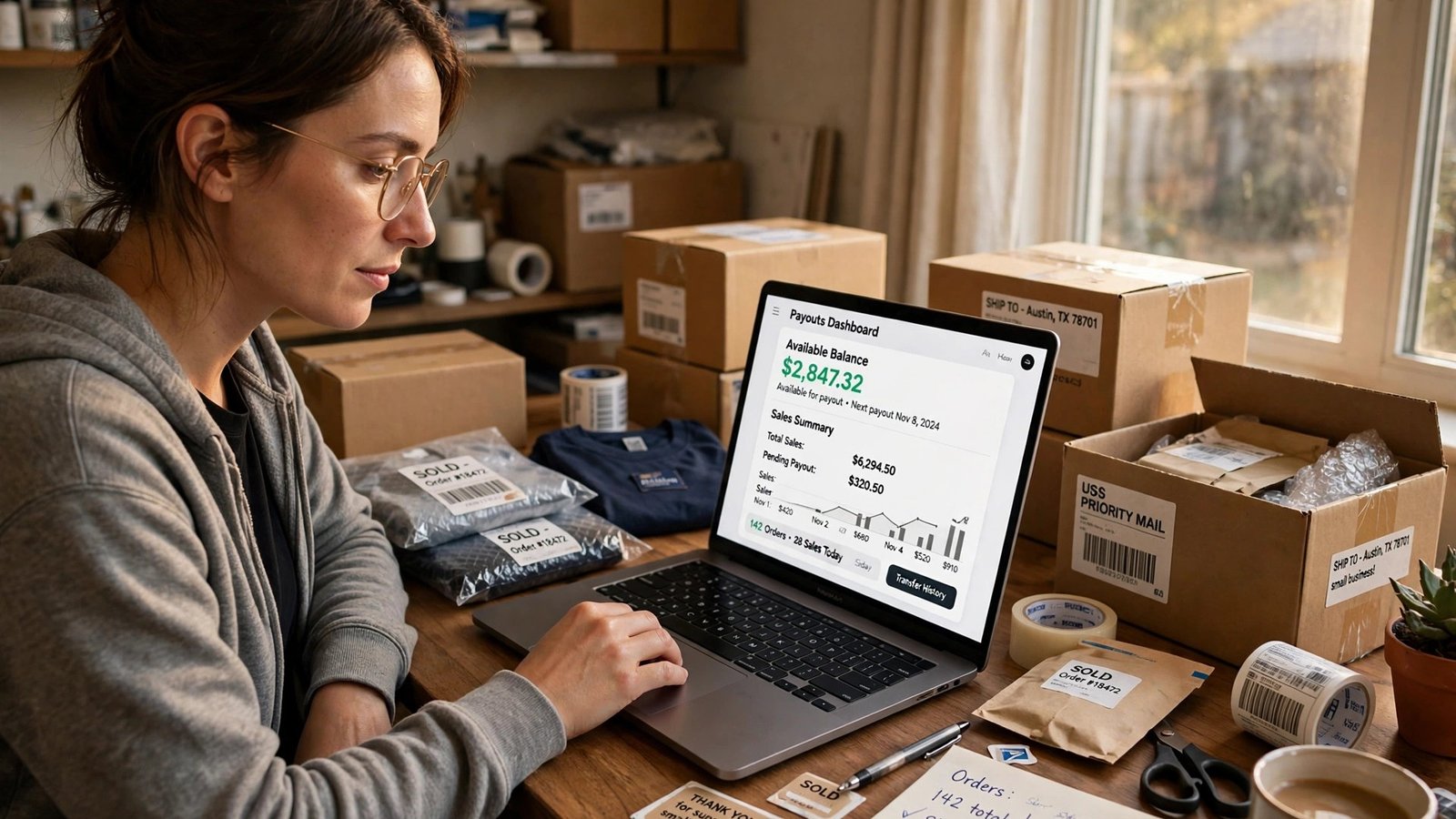
If you sell on eBay, check your payout settings today. Starting November 4, 2026, eBay is making its eBay balance program the default for eligible US sellers, and the switch resets existing payout schedules to on-demand withdrawals. That means your earnings will sit in your eBay balance until you spend them or withdraw them — they will no longer land in your bank account automatically on the schedule you picked.
This is not a fee change, and it is not the end of scheduled payouts. You can still choose daily, weekly, biweekly, or monthly payouts. But if you do nothing, your money stops moving on its own. For a seller who counts on a Tuesday payout to cover a bill, that is the whole story — and it is worth five minutes in Seller Hub today.
What changed on November 4
eBay notified sellers on October 20, 2026, of updated Payments Terms of Use and new US eBay balance Terms and Conditions that replace the previous Spendable Funds agreement. The new terms took effect on October 21 for newly enrolled sellers and on November 4 for existing users of the balance account. Spendable Funds, the earlier name for the same idea, is now simply called eBay balance.
The rollout is gradual, not a single-day flip for everyone. eBay’s own help page says that starting November 4, 2026, it is gradually introducing eBay balance to eligible US-based private sellers and sole proprietors selling on eBay.com, and that sellers already using Spendable Funds will see it become eBay balance. Eligible sellers who are not already participating are enrolled automatically after eBay verifies their identity, with sale proceeds — minus applicable fees and deductions — credited to their balance.
One detail worth stating plainly: the reporting on exactly who counts as eligible is not perfectly consistent. eBay’s help page frames the rollout around private sellers and sole proprietors, while trade coverage describes the program as open to US-based individual and business sellers in good standing, with sellers registered in New Mexico specifically excluded. If your account is not in the first wave, your settings may not change yet — but the direction is clear, so check anyway. Gradual rollouts have a way of arriving on the week you stopped looking.
The cash-flow trap: your money sits still unless you move it
Here is the part that catches people. Under the old setup, a seller on weekly payouts could count on eBay initiating a payout every Tuesday for the previous week’s sales, with the bank taking another 1–3 business days to make the money available. Under the new default, nothing happens until you act. Your available funds stay in your balance until you use them on eBay or request a withdrawal.
That sounds harmless until you map it onto real bills. Say you sell about $1,200 a month in used electronics and home goods, and you have been on weekly payouts. Roughly $300 a week has been flowing into your checking account, and you have timed a car payment and a credit card payment around it. After the switch, if you never re-select weekly payouts, that $300 a week simply accumulates in your eBay balance. Your bank balance looks thin, your eBay balance looks healthy, and nothing is technically wrong — except the money you need is in the wrong place.
The trap gets worse at the edges. If you are a casual seller who lists a few things a month, you might not notice for weeks. If you are a holiday seller ramping up for November and December, the balance can quietly grow into hundreds of dollars while you wonder why your bank account is not keeping up with your sales. And if you use your eBay income to buy inventory, a stalled payout schedule can make you feel cash-poor in the middle of your busiest season even though you are selling well.
There is a second, subtler version of the same trap. Because available balance can be spent directly on eBay — on purchases, shipping labels, and promoted listings — it is easy to let selling income bleed into buying. A $40 label here, a $25 promoted listing there, a “great deal” you spotted while checking orders, and suddenly the money you meant to withdraw has been spent inside the platform. That is not a scandal; it is a design feature. eBay says so itself: balance lets you shop, buy labels, and promote listings with no additional costs or fees. Just decide in advance how much of your balance is working money and how much is take-home money, or the platform will decide for you.
How to check and restore your payout schedule
Do this today, while you are thinking about it. The whole check takes a few minutes:
- Open Seller Hub and go to the Payments tab.
- Look at the Summary section, under Payments. You will see your Available, On hold, and Processing funds, your last payout amount, and when your next payout is scheduled — or whether one is scheduled at all.
- Scroll down to Your Preferences (in the Summary section) or open Payout Settings. This is where you choose your schedule: daily, weekly, biweekly, or monthly.
- Pick the schedule you actually want, and confirm it. If you were on weekly payouts before and want to stay on weekly payouts, you need to select weekly again after enrollment — the switch does not carry your old choice forward.
- While you are there, confirm your linked checking account is still the one you want payouts sent to. Payouts go to a linked bank account, not to PayPal or a savings account.
One quirk to know before you choose: if you are on a weekly, biweekly, or monthly schedule, you can also request your available funds at any time by selecting Withdraw in the Payments tab. If you choose daily payouts, you cannot request funds on demand — daily is already the fastest option, so eBay treats the extra button as unnecessary. That tradeoff matters: weekly-plus-withdraw gives you both a rhythm and an escape hatch, while daily gives you speed but no manual override. For most part-time sellers, weekly with the withdraw option is the sweet spot. For high-volume sellers moving money every day, daily is still the right call — just know you are giving up the on-demand button.
Also note the timing chain, because “available” does not mean “in your bank.” Processing funds typically become Available funds within about two business days of the buyer’s payment being confirmed, according to eBay’s terms. After eBay initiates a payout, your bank generally takes another 1–3 business days to make the funds available. Weekly payouts are initiated on Tuesdays for the previous Monday-to-Sunday week; biweekly payouts run every second Tuesday; monthly payouts go out on the first Tuesday of the month. If a payout day falls on a public holiday, eBay sends it on the next available payout day — or you can hit Withdraw yourself if you are not on daily.
Old setup vs. new setup, side by side
| What | Before November 4 | From November 4 (new default) |
|---|---|---|
| Where sale proceeds land | Linked bank account on your chosen schedule | Your eBay balance |
| Payout schedule | Daily, weekly, biweekly, or monthly — as you set it | Reset to on-demand; you must re-select a schedule |
| Getting money to your bank | Automatic on schedule | Withdraw anytime, or restore a schedule |
| Spending earnings on eBay | From available funds for labels and fees | Same, plus purchases and promoted listings from balance |
| Funds you cannot touch yet | Processing and On hold funds | Same — Processing and On hold funds cannot be spent or withdrawn |
| If you do nothing for a long time | Payouts continued on schedule | Balance auto-pays to your bank no more than 330 days after your most recent sale |
That last row is your backstop, not your plan. Under the new terms, if you have not requested a withdrawal, eBay automatically disburses any available funds to your linked bank account no more than 330 days after your most recent sale. Your money is not lost if you forget. But 330 days is nearly a year of your earnings sitting in a platform balance that pays no interest. Treat the auto-disbursement as a safety net, not a payout strategy.
The fine print most sellers will miss
The balance account is not a bank account, and the terms say so in plain language. Sellers do not earn interest on funds held in eBay balance, and the accounts are not eligible for FDIC pass-through insurance. That is the single biggest reason not to let a large balance accumulate: every week your money sits in eBay balance instead of your bank account is a week it earns nothing and sits outside deposit insurance. Keep the balance lean. Withdraw on a schedule, or spend it quickly on labels and listing costs you were going to pay anyway.
There are three more terms worth knowing. First, you cannot top up the balance from outside: sellers cannot add money from external bank accounts, credit cards, or other sources, and cannot receive third-party payments into the account. It only holds your sale proceeds, plus credits and refunds from purchases made with those funds. Second, funds marked On Hold do not belong to you yet and are not credited to your balance until they become Processing or Available — holds for new or infrequent sellers are unchanged by this switch. Third, eBay can make balance the default payment method at checkout when funds are available, though you can choose another payment method before completing a purchase. If you buy on eBay personally, watch the payment step so your selling income does not quietly pay for your shopping.
And one clause deserves a skeptical read. The new balance agreement reserves eBay’s right to modify or discontinue the availability of scheduled payout options in the future, with notice to sellers. Today, scheduled payouts survive — you just have to re-select them. That reservation means “scheduled payouts still exist” is a current fact, not a permanent promise. It is another reason to check your settings periodically rather than setting them once and forgetting them for a year.
Which schedule should you actually pick?
There is no single right answer, but there is a right answer for your situation. Use this as a decision shortcut:
- Pick daily if you sell every day and your bank balance needs constant topping up — for example, a full-time reseller paying daily shipping and sourcing costs. You get the fastest flow, and you give up the manual withdraw button because you do not need it.
- Pick weekly if you sell regularly but manage money week to week. This is the best default for most part-time and side-hustle sellers: a predictable Tuesday rhythm, plus the withdraw button for the week you need money early.
- Pick biweekly or monthly if you treat eBay income as a lump sum — say, a monthly transfer into a savings goal or a quarterly inventory budget. Just be honest with yourself: the longer the interval, the longer your money sits interest-free in eBay balance.
- Pick on-demand only if you deliberately want to keep a working float inside eBay — for example, if you constantly buy shipping labels and promoted listings and would rather pay from sales proceeds than from your bank account. Set a rule for yourself, like withdrawing everything above $200 every Friday, so the float does not grow without a ceiling.
A practical rule of thumb: if your eBay balance is routinely above what you spend on labels and fees in a month, your payout schedule is too slow. Money above your working float belongs in your bank account, where it earns interest (or at least sits insured) and where your bills actually get paid from.
Why this matters more in November and December
Timing is not an accident here. The switch lands at the start of the holiday selling season, when casual sellers list more, part-time sellers push harder, and shipping-label spending spikes. That is exactly when a reset payout schedule does the most damage: sales surge, the balance swells, and the seller who assumed weekly payouts were still running discovers in December that November’s earnings never left eBay.
If you are selling into the holidays, do two extra things this week. First, restore your payout schedule now, before the Black Friday rush, not during it. Second, decide your label strategy: paying for labels from your balance is genuinely convenient — it keeps shipping costs inside the same pot as the sale — but it also makes it easy to lose track of your true profit per order. A quick weekly habit fixes that: every Sunday, note your balance, your pending labels, and what you withdrew. Five minutes, once a week, and the balance stops being a mystery.
Sellers who were already annoyed by eBay’s push toward Spendable Funds will recognize this moment. Trade coverage has noted that some sellers objected to persistent enrollment prompts, saying they preferred money transferred directly to their own bank accounts without keeping a balance on the platform. That preference is still available — it just is not the default anymore. You have to choose it, explicitly, in your payout settings. The sellers who get hurt by this change will not be the ones who disagree with it; they will be the ones who never noticed it.
What to watch over the next 30 days
The switch is a rollout, not a moment, so the next month is when the details will show up in your account. Watch for three things.
First, watch for your enrollment notice. eBay notified sellers of the terms change on October 20, but individual enrollment happens after identity verification, and the help page describes the rollout as gradual. If you have not seen a balance section in your Payments tab yet, that likely means your account is in a later wave — not that you are exempt. Keep checking weekly until you see it, and when it appears, restore your payout schedule the same day rather than adding it to a to-do list.
Second, verify your first payout after restoring your schedule. Do not assume the setting took. After your next scheduled payout day — a Tuesday for weekly sellers — open the Payments tab and confirm the payout shows as initiated, then confirm it lands in your bank 1–3 business days later. If the payout shows as on-demand instead of scheduled, your selection did not stick, and you should re-select it and, if needed, use the Withdraw button to move the money manually. One verified payout cycle is worth more than any help article’s reassurance.
Third, watch how your balance behaves during your first busy week on the new system. If you pay for labels and promoted listings from your balance, compare a week of label spending against a week of sales and see whether the balance is growing or shrinking. A growing balance means your payout schedule is too slow for your volume; a shrinking one means your selling costs are eating your proceeds faster than you realized. Either way, you will have learned something real about your margins — and if you want the full picture on what eBay takes before money ever reaches your balance, our breakdown of eBay’s seller fees in 2026 walks through the fee side, while our guide to the 2026 holiday peak surcharges for Etsy and eBay sellers covers the shipping-cost side that eats into the same pot. eBay’s own Payments tab help page is the authoritative place to confirm the current payout options, and trade coverage at Value Added Resource has the fullest account of the terms change and the seller reaction to it.
What to do today: the five-minute checklist
- Open Seller Hub → Payments tab → Summary, and confirm whether you are enrolled in eBay balance yet (the rollout is gradual, so you may or may not see it today).
- Check your payout schedule. If it says on-demand and you wanted weekly, daily, biweekly, or monthly, change it now.
- Confirm your linked checking account is correct.
- Decide your balance ceiling: how much working float you keep for labels and promoted listings, and withdraw the rest on your schedule.
- Set a calendar reminder to re-check your payout settings in 30 days, and again in January after the holiday rush. Rollouts shift settings; a second look costs nothing.
eBay balance is not a reason to stop selling on eBay, and for sellers who spend heavily on labels and promoted listings, keeping a working float inside the platform is genuinely useful. But a payout default that changed under you is not something to discover from a thin bank balance. Open Seller Hub, pick your schedule on purpose, and make sure your November sales end up where your bills live.
Frequently Asked Questions
Is eBay getting rid of automatic payouts?
No — at least not now. Starting November 4, 2026, on-demand withdrawals become the default for eligible US sellers, and existing schedules reset. But daily, weekly, biweekly, and monthly automatic payouts are still available; you have to select your preferred schedule again in Seller Hub after enrollment. eBay’s terms do reserve the right to modify or discontinue scheduled options in the future, with notice, so treat this as a current fact worth re-checking, not a permanent guarantee.
Who is affected by the eBay balance switch?
Eligible US-based sellers on eBay.com, rolled out gradually starting November 4, 2026. eBay’s help page describes the first wave as private sellers and sole proprietors; trade coverage describes eligibility more broadly as US-based individual and business sellers in good standing, with sellers registered in New Mexico specifically excluded. If your account has not changed yet, check again in the coming weeks — gradual rollouts reach different accounts at different times.
Can I still use my earnings to buy shipping labels?
Yes. Available funds in your eBay balance can be used for purchases on eBay, shipping labels, and promoted listings, with no additional costs or fees for using the balance itself. Processing funds and On hold funds cannot be used until they become available, so a fresh sale does not instantly fund a label.
Does my eBay balance earn interest or carry FDIC insurance?
No. eBay’s balance terms state that sellers do not earn interest on balance funds and that the accounts are not bank accounts or deposits, so they are not eligible for FDIC pass-through insurance. That is the main reason to keep your balance lean and move money to your bank on a schedule rather than letting it accumulate.
What happens if I forget about my balance entirely?
Your money is not lost. Under eBay’s terms, any available funds still in your balance are automatically disbursed to your linked bank account no more than 330 days after your most recent sale, if you have not requested a withdrawal by then. Think of it as a backstop, not a plan — 330 days is a long time for earnings to sit interest-free on a platform.
Should I choose daily payouts or weekly payouts with on-demand withdrawals?
Choose daily if you sell every day and need the fastest flow; note that daily disables the manual withdraw button. Choose weekly if you want a predictable rhythm plus the ability to pull money early with the Withdraw button in the Payments tab. For most part-time sellers, weekly with on-demand access is the most flexible combination.