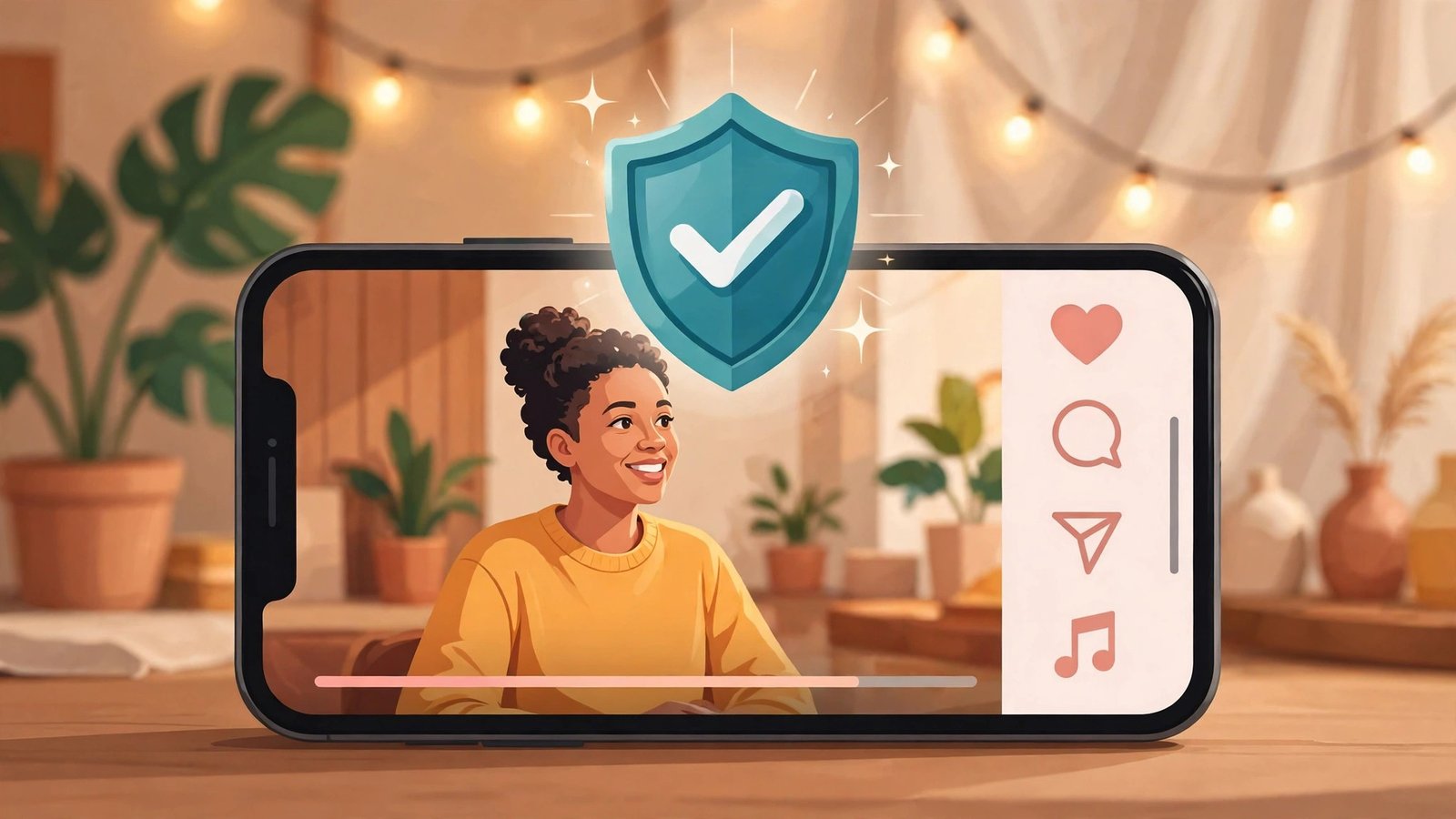
Instagram now watches for copies of your Reels for you. On November 17, 2026, the platform announced content protection for Instagram — a tool that continuously scans Instagram and Facebook for videos that match your originals, alerts you when it finds one, and lets you decide what happens to the copy. The part that matters most is the update coming next: it will soon flag AI-generated videos that reuse your spoken words even when the visuals have been swapped out entirely.
If you post original video and you’ve ever watched a repost of your work outperform your own post, this is the first Instagram tool built specifically for that problem. It is free, it is automatic once you’re enrolled, and it is not available to everyone yet. Here’s how it works, who qualifies, and what to do about it this week.
What Instagram content protection actually does
Content protection is not a copyright filing system and it is not a takedown form. It is a matching and decision tool. Once you enroll, Instagram runs your protected videos through the same matching technology as Meta’s Rights Manager — the system rights holders have used for years to find their material across Meta’s apps — rebuilt as a mobile-first tool for everyday creators.
The flow is simple:
- You enroll and your new original videos are protected automatically.
- Instagram scans Instagram and Facebook continuously for visual matches.
- When it finds another user’s Reel that matches one of yours, you get an alert. The alert shows the match’s views and the other account’s follower count, so you can see how big the copy is before you decide anything.
- You pick one of four actions for that match.
The tool arrived on Facebook first, in November 2025, and Instagram’s version works the same way. That year of Facebook operation matters, because the matching half of the tool is proven technology — the new part is what Instagram is adding for AI copies, and that part is still in testing.
One thing to get straight up front: content protection guards your video. It does not clear the song underneath it. Music claims run through a separate system, and they are common. If your Reel uses a licensed track, a match on your video is a different issue from a claim on the audio, and this tool only handles the first one.
The four choices when Instagram finds a copy
Every match comes with the same four options. There is no single right answer — the right pick depends on what the copy is doing and who posted it. Decide your defaults before the first alert lands, because it is easy to overreact when you see your own work on someone else’s account.
Track: watch the copy and do nothing
Track is the default. The copy stays up, stays visible, and you watch how it performs from your dashboard. Pick this when the copy is small, when you’re still deciding, or when the copy is actually sending people your way and you want the data before you act. Tracking costs you nothing and keeps every other option open.
Hide from everyone: take the copy down on both platforms
This is the strongest action. The matched video becomes unviewable on Instagram and Facebook, cutting its reach to zero. Pick this when a copy is running ads, when it is monetizing your work directly, or when an account is passing your video off as its own with no credit. Note what hiding does not do: the reposter faces no disciplinary action from the tool itself. It is not a strike system. It removes the video, not the account.
Add credit link: turn a copy into a link back to you
For matches found on Instagram, this puts an “original by” label on the copy that links viewers back to your video or your profile. Pick this when a news account, aggregator, or fan page quoted your Reel and the exposure is worth more than the removal. A copy with your name on it becomes a referral source instead of a theft. This is the option most creators underuse, and it is often the smartest one for a copy that is already getting views.
Release: drop the claim and let it stand
Release takes the match off your list and lets the copy stay up with no action. Pick this for licensed uses, for a collaborator who posted with your permission, or for a match you decided is not worth your attention. If a brand reposts your video under contract, both the copy and your licensed partner show up as matches — that is what the allow list is for, and I will get to that below.
The AI part: spoken-word matching is still a test
The conventional half of the tool catches straight re-uploads. That problem is real, but it is not the problem creators were shouting about in October 2026. The new problem is the AI re-skin: someone takes your video, keeps the audio — the joke, the tutorial, the performance — and regenerates or alters the visuals enough to slip past simple visual matching. No frame of the original survives, so a visual fingerprint finds nothing.
Instagram’s answer is to match on the words, not the pictures. The company says it is starting to show videos in content protection that match the spoken words in your original video, “even when AI has replaced the visuals.” In the screenshots Instagram published, matches carry labels such as “Uses your video,” “Uses your transcript,” and “AI content.”
Be honest about the status, because Instagram is: this is not live for everyone. Testing begins with a small group of creators in the coming weeks, and Instagram says it plans to expand the feature to creators enrolled in content protection on both Instagram and Facebook “as soon as we can.” That is not a date. If you enroll today, you get the visual matching now and the spoken-word matching when the test reaches you.
There is a second honest limit here. Instagram talks about spoken words. A dance clone with no talking and new AI visuals is a case the announcement does not cover yet. If your work is wordless movement, the current tool catches the straight re-upload and not much else — for now.
Instagram is also exploring ways to limit the reach of accounts and content that repeatedly use AI tools to repost other people’s work. That would move the system from case-by-case alerts toward consequences for repeat offenders, but the company gave no specifics on how it would work. Treat it as direction, not a feature.
Who qualifies — and who doesn’t
Content protection is not open to every account. Instagram says eligibility is “largely based on meeting our originality and integrity standards,” and it does not publish a follower count or a posting threshold. The Instagram Help Center lists four prerequisites:
| Requirement | What Instagram says |
|---|---|
| Account type | You must have a professional Instagram account (creator or business) |
| Content | You primarily post content that is considered original |
| Past behavior | You have not repeatedly posted content you do not own or do not have permission to post |
| Standing | Your account is in good standing and complies with Community Standards |
If you qualify, you will see a notification in your activity feed. If you think you should have access but have not been notified, Instagram has an application form at instagram.com/apply-content-protect, and its team reviews each request. Instagram has not said how long a reply takes, and it has not said which countries or regions have access.
The eligibility bar is doing real work here, and it cuts both ways. Creators who mostly repost other people’s work will not qualify — and that is the point. But it also means a creator whose account has a history of reposting, even casually, may be locked out until that history ages. If you run a mixed account — some originals, some reposts — the originals are what count, and the reposts are what could hold you back.
There is also a squatter safeguard worth knowing about. If someone else protects your video before you enroll, you can file an ownership dispute through the tool or a copyright complaint with Meta. Enroll early, even if you never expect a match, because the first claim on a video is not automatically the right one.
How to turn it on
The enrollment path is short, and it lives in the dashboard, not in a separate app. According to the Instagram Help Center:
- Go to your Instagram profile and tap Your dashboard.
- Tap Tools.
- Below Your professional tools, tap Content protection.
- Accept the terms of service.
Once you accept, content protection is on by default. Every original video you post from that point on is protected automatically, as long as it passes Instagram’s originality and eligibility checks. Eligible videos you already posted are not covered automatically — you select those manually from inside the tool. Do that first for your best-performing older Reels, the ones a copycat would actually want.
Before the first alert arrives, set up your allow list. A video that a brand reposts with your permission and a video that a thief reposts without it both show up the same way: as matches. Your second account, your regular collaborators, and any brand that reposts you under contract should be on the allow list so they do not get flagged. This is the step most creators will skip and then regret — a false alarm on a licensed partner wastes your time and theirs.
Why Instagram built this now
Instagram did not build this tool in a vacuum. The pressure was public, specific, and recent. In October 2026, comedians began posting side-by-side comparisons of their sets and lookalike accounts that delivered the same jokes. Comedian George Brett Olson posted a comparison showing an account called “Tiffany Sloane” copying his joke, his outfit, and his gestures. “AI stole my joke and my outfit,” he said. Sarah Purdum told Mashable her material had been taken the same way, saying, “It seems to be that female comedians work is being stolen and repurposed for sexy AI models.”
The numbers behind the complaints were hard to ignore. In October, creator Andrew Scott posted on Threads that AI replicas of his work “got 50 million views and 1 million likes in just a few days,” by his own count. Instagram head Adam Mosseri had already said on Threads that he was “very worried” about the trend, and when the tool launched he tied it directly to the problem, writing, “We’re also working quickly on ways to catch copies that are harder to spot, like when someone takes scripts or jokes and uses AI to swap out the visuals. We will not get everything right at first, but we’ll keep improving as fast as we can.”
The same pattern hit creators outside comedy. Kjetil Krogstad, a creator and keynote speaker with 1.9 million followers across platforms, found AI-generated replicas of his dance videos pulling more views than his originals. He posted the original and the copy side by side, captioned “When is it inspiration? and When is it stealing?” — and the videos passed 1 million views between them, with most viewers agreeing it was stealing. “What could happen if we let this continue is the original creator could then suddenly end up looking like the copycat,” he told Fast Company. He also found the reason for the flood: the accounts appeared to be selling courses that teach people to use AI to replicate other creators’ videos for profit.
That last detail is the one that explains the timing. The copies are not just flattery or laziness anymore. They are a business model — one that monetizes someone else’s work and then sells the method. A tool that only caught straight re-uploads could not touch it.
Instagram has been pushing in this direction for two years. In 2024 it began limiting the reach of accounts that mainly re-upload other people’s Reels, and in April 2026 it extended those rules to photos and carousels, saying then that 75% of recommendations in the US came from original posts. Content protection is the other half of that push: instead of only demoting copies in recommendations, Instagram now hands the original creator a switch for each one.
What content protection doesn’t cover
A tool this useful deserves an honest limits list, because the gaps decide whether it actually protects your work.
Photos and text are not covered. The tool protects videos. If someone screenshots your carousel or copies your caption, content protection does nothing. Instagram’s originality rules in recommendations are a separate system — and Instagram is tightening the other side of the AI problem too, since unlabeled AI Reels lose reach in recommendations.
Reaction compilations, mashups, and heavy third-party footage may be ineligible. If your video is mostly someone else’s material, Meta can remove protection from it and restrict repeat misuse. The tool protects rights you actually hold.
You cannot collect money from a copy. Unlike YouTube’s Content ID, which sometimes lets creators earn from unauthorized reposts, Instagram creators cannot receive monetization from matches through this tool. Your options are track, hide, credit, or release — there is no “claim the revenue” button. If a copy is earning, hiding it stops the earning; it does not redirect it to you. (Earning from your own Reels is a separate system with its own Reels monetization requirements.)
The AI detection is a test, not a launch. The spoken-word matching that makes this announcement matter is reaching a small group first. Until it reaches you, an AI re-skin of your video with new visuals can still slip past.
Wordless work is the weakest case. The AI test matches spoken words. A dance, a routine, or a visual gag with no dialogue is not what the test is built to catch yet.
It only scans Instagram and Facebook. A copy on TikTok, YouTube, or X is outside this system entirely. If your work travels across platforms, you still need the platform-specific tools — and the DMCA process — everywhere else.
None of that makes the tool useless. It makes it a first layer, not a finished wall. For a creator whose Reels get reposted inside Instagram and Facebook, it is the first time the platform does the finding for you.
What to do this week
If you post original Reels, do these five things before the week is out.
1. Check whether you have it. Open your activity feed and look for the notification. Then check your dashboard under Your professional tools. If it is there, enroll. If it is not there and you post mostly original video from a professional account in good standing, apply at instagram.com/apply-content-protect.
2. Protect your back catalog. Once enrolled, manually select your best-performing older Reels. The ones with the most views are the ones most worth copying, and they are not protected automatically.
3. Build your allow list now. Add your second account, your collaborators, and any brand with a repost license. Do it before the first alert, not after a false alarm.
4. Set your default action for each kind of copy. A useful starting policy: hide copies that run ads or monetize your work, add a credit link to aggregators and fan pages, track small copies while you watch them, and release anything licensed. Write it down — even as a note on your phone — so you are not deciding angry at midnight.
5. Keep your own records. Screenshot your originals with their posting dates. Content protection handles the matching, but if a dispute ever goes to a formal copyright complaint, your own dated records are what you will reach for. The tool is not a substitute for them.
The bottom line
Content protection is Instagram catching up to a problem it helped create. The platform spent years rewarding Reels, and repost accounts spent years harvesting them. The visual matching is proven, the enrollment is automatic, and the four actions give you real choices instead of a single takedown form. The AI half — the part that would actually stop the re-skin economy — is still a small test with no date attached, and the tool covers video only, on Meta’s apps only, with no revenue to claim.
Enroll anyway. It costs nothing, it protects every new video automatically, and the creators who enroll now are the ones the spoken-word test expands to first. The copies are not going to stop. At least now the finding part is Instagram’s job, not yours.
Frequently Asked Questions
What is Instagram content protection?
Content protection is a tool Instagram announced on November 17, 2026, that scans Instagram and Facebook for videos matching your original Reels. When it finds a copy, it alerts you and lets you track it, hide it from both platforms, add an “original by” credit link, or release the claim.
Who can use Instagram content protection?
You need a professional Instagram account (creator or business), you must primarily post original content, you must not have a pattern of reposting content you do not own, and your account must be in good standing. Eligible creators see a notification in their activity feed; others can apply at instagram.com/apply-content-protect.
Does content protection catch AI-generated copies of my Reels?
Not yet for everyone. Instagram is testing detection that matches the spoken words in your video even when AI has replaced the visuals. The test starts with a small group of creators in the coming weeks and will expand to enrolled creators on Instagram and Facebook. Visual matching for straight re-uploads works now.
What happens when Instagram finds a copy of my Reel?
You get an alert showing the copy’s views and the other account’s follower count. You then choose one of four actions: track the copy, hide it from everyone on Instagram and Facebook, add an “original by” credit link back to your video, or release the match and let it stand.
Can I earn money from copies Instagram finds?
No. Unlike YouTube’s Content ID, Instagram content protection has no option to claim revenue from unauthorized reposts. Your choices are to track, hide, credit, or release the copy. Hiding a copy stops it earning, but the money does not come to you.
Does content protection cover photos, or copies on TikTok and YouTube?
No. The tool protects videos only, and it only scans Instagram and Facebook. Photos, captions, and copies on TikTok, YouTube, or X are outside the system, and music claims run through a separate system. For copies on other platforms you still need those platforms’ own tools or a DMCA complaint.