
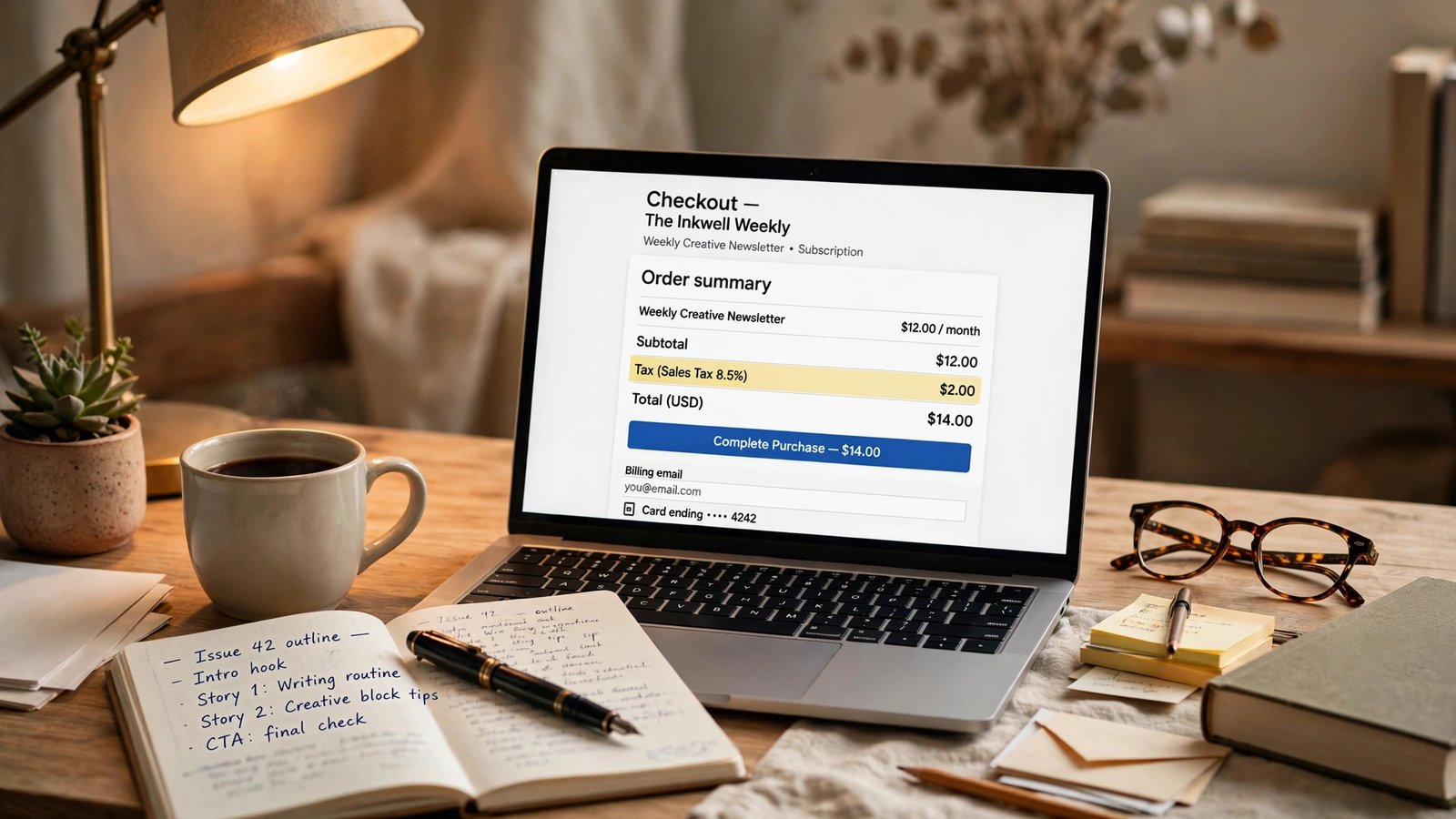
From December 1, 2026, Substack will calculate, collect, and remit sales tax and VAT on paid subscriptions for every publication with payments turned on, at no extra cost to you. If you publish from the United States or Canada, the tax gets added at checkout, so your listed price stays the same and your earnings per subscriber stay the same — your reader simply pays a little more, and the tax shows as its own line on the receipt. New subscribers see it at checkout; existing subscribers see it on their renewal receipts.
That is the short version, and for most writers it is genuinely good news. The old setup left you to register with tax authorities yourself through a Stripe Tax integration — a heavy lift for a one-person newsletter. The new setup moves that job to Substack. But “Substack handles it now” is not the same as “you have nothing to check.” Your content settings decide which tax rate applies, and a tax line on a receipt can easily be mistaken for a missing payment. Here is what to check before the switch flips.
One note before the details: this is not professional tax advice. I am walking you through what Substack has published and how the numbers work — your situation can change what you owe, so check with your accountant if you are unsure, especially if you have subscribers in several countries.
What Actually Changes on December 1, 2026
Until now, Substack’s help pages put the sales-tax job on you. You were the seller, and if a reader in another country bought a paid subscription, that country’s tax rules were your problem — registering with tax authorities, figuring out rates, filing returns. Plenty of writers simply stopped taking paid subscriptions from readers abroad, because the paperwork felt bigger than the income.
From December 1, 2026, that arrangement flips for most publications. Substack will calculate the tax, collect it from the subscriber, and remit it to the relevant authority, at no extra cost. The change applies automatically to every publication with payments turned on — you do not need to sign up, and Substack’s published guidance describes no way to decline it while continuing to sell paid subscriptions. There is no opt-out button. If you keep paid subscriptions on, the new tax handling comes with them.
The change replaces the old Stripe Tax integration, where writers registered with each tax authority themselves — the path that scared off so many small publishers. The new path is closer to how a big store handles tax: the platform calculates at checkout and sends the money on.
One boundary to keep in mind: tax obligations on transactions processed before December 1, 2026 stay unchanged. If you owed something on a payment that went through in November, December 1 does not erase it. The new system covers payments Substack processes from December 1 onward — deal with old filings separately.
What Stays the Same: Your Price, Your Fees, and Your Take-Home Pay
Here is the part most US and Canadian writers will care about most. Tax is added at checkout, so your $5 subscription is still listed at $5 and your $10 subscription at $10. The reader pays the listed price plus tax, and the tax goes to the tax authority — not into your pocket, and not into Substack’s pocket either.
Your earnings per subscriber do not change on December 1 — the tax is not taken out of your share. If you earned about $4.02 from a $5 subscriber in November, you will earn about $4.02 from that same subscriber in December; the reader’s total is simply higher. The same logic holds at $10 and $20, as the math below shows.
Your fees do not change either. Substack keeps 10% of each subscription payment. Stripe charges 2.9% plus $0.30 per US card payment, plus 0.7% in Stripe Billing fees for recurring payments. None of that moves on December 1. The minimum price stays where it was, too: $5 a month or $30 a year on US-dollar Stripe accounts. Our Substack fees piece covers the full fee picture; this article sticks to what December 1 adds on top of it.
What does change is what your reader sees. A new subscriber checking out after December 1 will see the tax as a separate line before they confirm payment. An existing subscriber will see it on their renewal receipt, when their next billing period starts. Do not be surprised if a few readers email you in December and January asking why their renewal looks different — it is not a price rise on your part.
The Take-Home Math at $5, $10, and $20
Writers get paid in dollars, not percentages. Here is the math for a US card payment on the web: Substack takes 10%, Stripe takes 2.9% plus $0.30, and Stripe Billing adds 0.7% on recurring payments. Because tax is added on top for US and Canadian publishers, the “after December 1” column matches the “before” column — the reader pays more, and you do not earn less.
| Price | Substack 10% | Stripe card | Stripe Billing 0.7% | You keep |
|---|---|---|---|---|
| $5 | $0.50 | $0.45 | $0.04 | about $4.02 |
| $10 | $1.00 | $0.59 | $0.07 | about $8.34 |
| $20 | $2.00 | $0.88 | $0.14 | about $16.98 |
Those figures do not move on December 1. What moves is the reader’s checkout total: $5.00, $10.00, or $20.00 plus whatever tax applies where they live.
If those numbers feel tight, they are. The flat $0.30 Stripe charge hits small subscriptions hardest, which is why a $5 subscriber is worth roughly 80 cents on the dollar to you while a $20 subscriber is worth roughly 85 cents on the dollar. That is the shape of the fee stack, not a December 1 problem. If you want to see how those same dollars compare on other platforms, our take-home comparison of YouTube, Patreon, and Substack runs the same math side by side.
What About Readers Who Subscribe on iOS?
Apple in-app subscriptions work differently. When a reader subscribes inside the Substack iOS app, Apple takes 30% in the first year and 15% after that, while Substack’s 10% is calculated on the original web price. On a $10 subscription, Apple takes $3.00 and Substack $1.00 in year one, leaving you about $6.00; after the first year, Apple takes $1.50, leaving you about $7.50. At $5, you keep about $3.00 in year one and $3.75 after that. At $20, about $12.00 in year one and $15.00 after that.
Compare that with the web numbers — $4.02, $8.34, and $16.98 — and the gap is obvious. That is not a reason to block in-app subscriptions: a $6.00 subscriber beats no subscriber. But it is a reason to nudge loyal readers toward the web checkout when you get the chance. Tax is added on top on iOS too, so your take-home per subscriber does not fall on December 1 — the Apple and Substack cuts are calculated on the subscription price, not on the tax.
What Shows Up on Your Stripe Dashboard
Your Stripe dashboard is where this change will feel most real. Substack runs payments through Stripe Connect, and each publisher is the merchant of record — that setup does not change on December 1. What changes is what you will see attached to each payment.
First, expect a tax line on receipts and invoices. The reader’s receipt will show the subscription price and then a separate tax line, and your copy of the transaction in Stripe should show the same split. The tax is not yours to keep, so do not count it as revenue — if you track income in a spreadsheet, add a column for tax collected.
Second, watch your payout timing — and do not mistake a tax line for a missing payment. Web subscription payments usually reach your bank within 48 hours of each transaction. Your first payout on a new Stripe account takes longer, usually 7 to 14 days, while Stripe verifies the account. Apple in-app subscriptions are paid monthly, and they can take up to 45 days after the end of the month — January in-app subscriptions can reach Stripe by mid-March. That is normal, not a glitch. But when a new tax line appears while an Apple payout is still weeks away, it is easy to assume something went wrong — check the payout date first, then the tax line, then the fees.
Third, know where to look when a payment looks off. In Stripe, open Transactions, pick a payment marked Succeeded, and scroll to the breakdown: the subscription amount, the Substack fee, the Stripe card fee, the Billing fee, and the tax where it applies. If a payment is marked Held, check whether it is an in-app payment below the payout threshold — in some countries, in-app earnings can sit Held until they reach $100.
If you are setting up Stripe on Substack for the first time, Substack’s own setup guide walks through the steps: How do I set up my Stripe account on Substack to start receiving payments. And for a plain-English walkthrough of how payouts move from a reader’s payment to your bank, this guide to how Substack payouts work is worth a read.
Two Settings That Decide Which Tax Rate Applies
Substack does the calculating, but it calculates from what you tell it. Two settings decide which tax rate gets applied to your readers, and both are worth checking before December 1 rather than after.
The first is your taxable content types: written content, video, live streams, podcasts, voiceovers, private community access, and digital perks. Tax law treats different kinds of digital content differently, and the same content can be taxed differently in different places — Substack gives the example that a digital newsletter can be 0% VAT in the UK but taxable elsewhere, which shows how much rates vary rather than promising your rate. If you offer a mix, make sure every type you actually sell is ticked, or the rate applied to some readers could be wrong.
The second setting is whether tax is added at checkout or included in the price. For US and Canadian publishers, there is no choice: tax is added at checkout, full stop. Publishers based outside the US and Canada can choose inclusive pricing, where the tax comes out of the listed price instead. That is a real business decision — inclusive pricing keeps the reader’s total exactly at your listed price, but the tax comes out of your share, so your take-home per subscriber drops. What matters is that you choose on purpose, not by accident.
Both settings live in the same place: Settings, then Payments, then Sales tax, then Manage. The page is short, but the choices on it decide what every reader in every country pays from December 1 onward.
The December 1 Checklist
Here is the checklist to run before the switch flips. It should take less than half an hour, and it is worth doing in one sitting.
1. Confirm your Stripe connection is live
Open your Stripe dashboard and confirm payouts are enabled and your bank details are current — a tax change is a bad week to discover they are out of date.
2. Check your content types in Settings → Payments → Sales tax → Manage
Tick every type of paid content you actually offer: written content, video, live streams, podcasts, voiceovers, private community access, and digital perks. Added a new perk this year? Update the list now — the rate your readers pay depends on it.
3. Confirm how tax will be charged
US or Canada: confirm tax is added at checkout. Outside the US and Canada: decide deliberately between added-at-checkout and inclusive pricing, and write down which one you chose. If you pick inclusive pricing, run the math on your take-home at your actual price first.
4. Tell your readers before they see it
A short note in your next post will do: “From December 1, Substack will add sales tax or VAT to paid subscriptions where the law requires it. My price is not changing — the tax shows as a separate line, and the amount depends on where you live.” That one paragraph will head off most of the “why did my renewal go up?” emails.
5. Separate tax from revenue in your own tracking
From December 1, the gross amount on a receipt will be higher than your earnings, because it includes pass-through tax. Note it separately so it never gets counted as your revenue.
6. Check your renewal dates
Readers who renew in December will see the tax line first; January and February renewals follow. If many annual subscribers renew in the same month, expect a small wave of questions then — have your short explanation ready to paste into replies.
7. If you are in an excluded country, make a separate plan
Publishers based in Brazil, Mexico, Malaysia, India, and Thailand still handle their own sales tax and VAT for now. If that is you, December 1 does not move the job to Substack — keep your current process running and watch Substack’s help pages for updates.
Who Is Still on Their Own
The exclusion list deserves its own moment, because it is easy to miss in an announcement that otherwise sounds universal. Publishers based in Brazil, Mexico, Malaysia, India, and Thailand still handle their own sales tax and VAT for now. Substack’s help page frames that as a limitation of the tax system it uses — Stripe’s tax system cannot handle those countries yet — rather than a policy choice. Whatever the reason, the result is the same: if you publish from one of those five countries, nothing changes for you on December 1.
That matters twice over. First, if you are based in one of those countries and you read the headline — “Substack now handles sales tax” — and stop filing, you could end up owing tax you thought was covered. Second, if your readers are based in those countries, the tax treatment of their subscriptions may still depend on your own setup. Check the help page for your own country before you tell your readers anything definitive, and re-check every month or two — this is a rollout, not a finished product.
The Fine Print Worth Watching: The Terms and the Publisher Agreement
Here is the part of this story that is less tidy than the headline, and it is worth flagging honestly. Substack’s Terms of Use, updated October 6, 2026, provide for the company to collect and remit taxes on paid subscriptions. That is the document that backs up the December 1 change. But Substack’s Publisher Agreement — the contract between Substack and you as a publisher — was last updated July 20, 2026, and it still assigns publishers broad responsibility for taxes.
Those two documents do not sit comfortably together: one says Substack will handle the tax, the other, older one still says the tax is broadly your job. That does not mean the December 1 change is fake — the help page is clear, the Terms of Use were updated in October, and the practical change is what writers should plan around. But watch for an updated Publisher Agreement, and until the paperwork lines up, keep a copy of the help page and the Terms — and do not throw away your own tax records on the strength of an announcement alone. The mismatch is a paperwork lag, not proof the system will not work, but “the help page says so” is a weaker shield than “the contract says so” when your name is on the tax return.
The 1099-K Question for 2026
Sales tax is not the only tax paper that matters to a Substack writer, and December is a good time to get the other one straight too. Stripe issues Form 1099-K once your payments pass $20,000 and 200 transactions in the calendar year, after the One Big Beautiful Bill Act restored the higher threshold for 2026. Both conditions have to be met.
Two things trip writers up every year. First, getting a 1099-K is not what makes the income taxable — you owe tax either way, form or no form. If you earned $8,000 and never got a 1099-K, that $8,000 is still income you need to report. Second, the $20,000 and 200-transaction bar is a reporting threshold for Stripe, not a tax-free allowance for you.
If you do cross the threshold, the numbers on the form will reflect the payments Stripe processed — including, from December onward, the tax collected alongside them. That is another reason to keep the tax line separate in your own books, so you can tell at a glance which part was your revenue and which part was tax passing through.
Frequently Asked Questions
Does Substack charge sales tax on paid subscriptions now?
From December 1, 2026, Substack calculates, collects, and remits sales tax and VAT on paid subscriptions for every publication with payments turned on, at no extra cost — replacing the old Stripe Tax setup, where writers registered with each tax authority themselves. Tax on payments processed before December 1, 2026 stays unchanged.
Will my take-home pay drop on December 1?
Not if you publish from the US or Canada. Tax is added at checkout, so your listed price and your earnings per subscriber stay the same — a $10 subscriber is still worth about $8.34, and a $5 subscriber about $4.02. The exception is publishers outside the US and Canada who choose inclusive pricing: the tax comes out of the listed price, so take-home falls.
Where do I check my sales tax settings?
Go to Settings, then Payments, then Sales tax, then Manage. Check your taxable content types, so the right rate is applied to what you actually sell, and whether tax is added at checkout or included in your price — US and Canadian publishers do not get a choice on that one.
How long do Substack payouts take?
Web payments usually reach your bank within 48 hours of each transaction. Your first payout on a new Stripe account takes 7 to 14 days. Apple in-app subscriptions are paid monthly and can take up to 45 days after month-end — January in-app subscriptions can reach Stripe by mid-March. In some countries, in-app earnings can sit Held until they reach $100. None of those timings change on December 1.
Do I still need to worry about sales tax if I am based in Brazil, Mexico, Malaysia, India, or Thailand?
Yes. Publishers based in those five countries still handle their own sales tax and VAT for now, because the tax system Substack uses cannot handle them yet — so keep your current process running and check Substack’s help pages for updates.
Will I get a 1099-K from Stripe?
Stripe issues Form 1099-K once your payments pass $20,000 and 200 transactions in the calendar year, after the One Big Beautiful Bill Act restored the higher threshold for 2026. You owe tax on your newsletter income either way, form or no form — so keep the tax collected from December onward separate from your revenue.